
Empty rooms don't sell. Buyers can't visualize potential, which means:
- ❌ Properties sit on market longer
- ❌ Lower offers because "it needs work"
- ❌ Wasted money on physical staging that reaches one buyer demographic
AI room decoration tools solve this. Upload a photo, select a style, get a fully furnished room in minutes - not days.
This guide reviews 7 AI tools for different needs:
✅ Free options for DIY and budget projects ✅ Virtual staging specifically for real estate ✅ Pro-level tools for designers and architects ✅ Hybrid services combining AI + human designers
The bottom line: Whether you need to stage 20 properties this month or redesign your living room this weekend, there's an AI tool that fits your workflow and budget.
Before diving into AI-powered solutions, understanding fundamental design principles, like how to arrange living room furniture like an interior expert, can help you evaluate AI suggestions more effectively.
⚡ Quick Guide: Which AI Room Decoration Tool Do You Need?
| Your Situation | Best Tool | Speed | Cost | Best For |
|---|---|---|---|---|
| Real estate virtual staging (fast & professional) | Pedra | 25 seconds | From $30/mo | Agents needing instant staging |
| DIY home design with 3D visualization | Planner 5D | 5-10 minutes | Free + Premium | Homeowners planning renovations |
| Shopping for real furniture that fits | DecorMatters | 2-3 minutes | Free | Visualizing purchases before buying |
| Professional design consultation | Havenly | Days (AI + human) | $$$ | Custom design with pro help |
| Photorealistic renders for presentations | Homestyler | 10-15 minutes | Free + Premium | Architects, designers |
| Personalized lifestyle-based design | Modular | 5 minutes | $$ | First-time homeowners |
| Community-inspired budget designs | Roomstyler | 10 minutes | Free | DIYers, students |
👇 Keep reading for full reviews of each tool
Pricing & Speed: What to Expect
Before diving into individual tools, here's what different price points get you:
Free Tier Tools
- Examples: Homestyler (basic), Roomstyler, DecorMatters (limited)
- Speed: 5-15 minutes per room
- Best for: DIY projects, learning, student portfolios
- Limitations: Watermarks, limited styles, lower resolution
Budget Tools ($10-50/month)
- Examples: Planner 5D Premium, Pedra, Modular
- Speed: 1-10 minutes per room
- Best for: Real estate agents, small businesses, serious hobbyists
- Benefits: No watermarks, unlimited renders, batch processing
Premium Services ($100+/project)
- Examples: Havenly, custom design services
- Speed: Days to weeks (includes human designer time)
- Best for: High-end properties, complete home redesigns
- Benefits: Professional designer expertise, custom solutions
Reality Check: For real estate virtual staging, budget tools ($30-50/month) offer the best ROI. Free tools work for personal projects but usually aren't professional enough for listings.
1. Planner 5D AI Interior Design
Planner 5D stands out as a powerful and user-friendly platform that merges traditional 2D floor plan creation with advanced 3D visualization, all enhanced by artificial intelligence. At its core, the tool allows you to upload an image of your room or sketch a floor plan. The AI then steps in to analyze the space, considering factors like dimensions and existing architectural elements. It generates multiple design variations based on your selected styles, such as Modern, Scandinavian, or Industrial.
This makes it an exceptional tool for both professionals and DIY enthusiasts who want to visualize a concept before committing to it. The AI doesn't just suggest aesthetics; it provides practical furniture layouts and color palettes, making the design process significantly more efficient. This approach to AI room decoration helps bridge the gap between imagination and reality, offering tangible design solutions you can explore and refine.
When to Use Planner 5D
This tool is particularly effective in several specific scenarios:
- Real Estate Staging: Agents and stagers can quickly generate virtual staging concepts for vacant properties, helping potential buyers visualize the space as a furnished home.
- Renovation Planning: Homeowners planning a remodel can experiment with different layouts, finishes, and furniture placements without any physical effort or cost.
- Small Space Optimization: If you're working with a small apartment or an awkwardly shaped room, the AI can suggest clever layouts that maximize functionality and create a sense of spaciousness.
Key Benefit: Planner 5D's greatest strength is its ability to produce a high volume of design ideas rapidly. Instead of spending hours manually placing objects, you get multiple fully-realized concepts in minutes, which serves as an excellent creative starting point.
❌ When NOT to Use Planner 5D
- You need results in under 1 minute (try Pedra instead)
- You only work with photos, not floor plans
- You need photorealistic quality for high-end listings
- You want pre-styled templates without customization
The following bar chart compares the number of AI features against its main pros and cons, giving you a quick overview of the platform's balance.
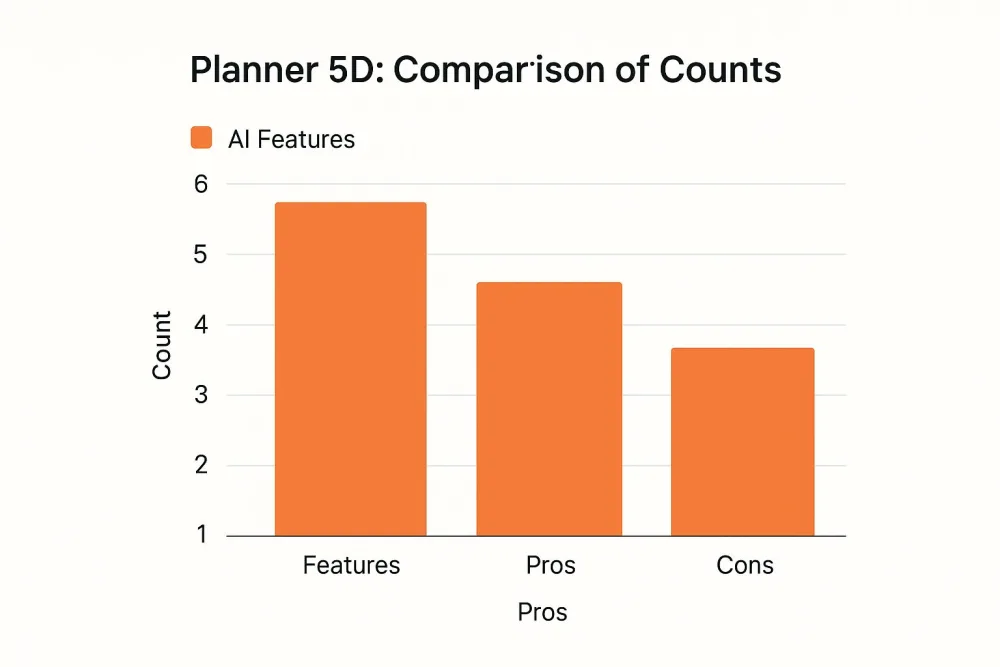
This chart highlights that Planner 5D offers a robust set of features and benefits that slightly outweigh its limitations, positioning it as a strong contender in the AI design space.
Implementation and Tips
To get the most out of Planner 5D, start with precise room measurements. The more accurate your initial input, the more realistic and applicable the AI's suggestions will be. Don't be afraid to generate designs in various styles, even ones you wouldn't normally consider. This can lead to unexpected inspiration and helps train the AI on your broader preferences. For a quick demonstration of its capabilities, see the video below.
2. DecorMatters AI Visualization App
DecorMatters uniquely blends social media engagement with powerful design tools, creating a community-driven platform for interior decorating. Its core feature allows you to upload a photo of your room, which the app's AI and computer vision technology then analyze. It identifies the room's layout, existing furniture, and color scheme to suggest new items like sofas, rugs, and art from real brands that fit seamlessly into your space.
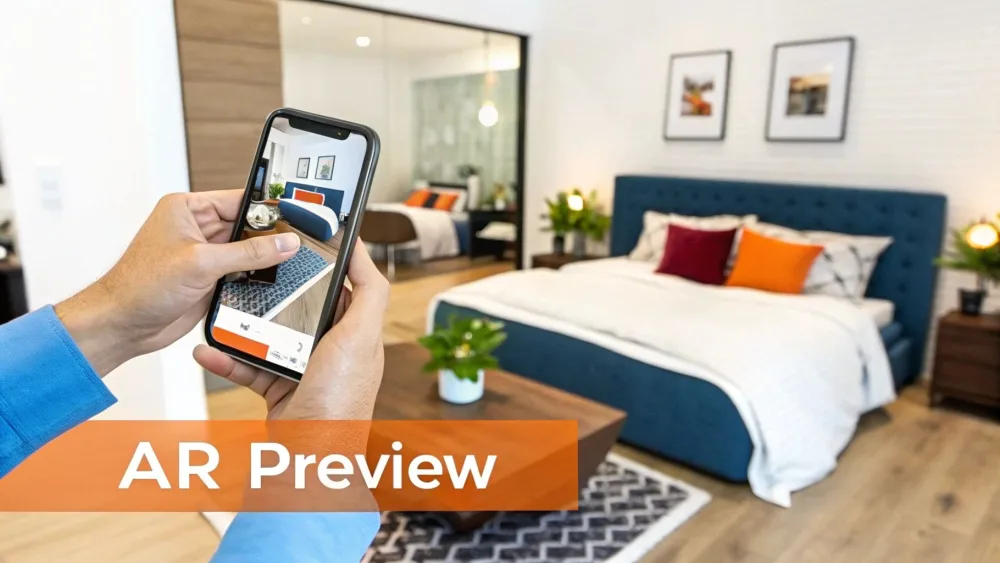
This approach makes it a go-to tool for home decor influencers and DIY enthusiasts who want to visualize products in their own home before buying. The integration of shoppable furniture from popular retailers turns this AI room decoration tool into a practical and interactive design assistant. Users can experiment with virtual pieces, get feedback from a vibrant community, and even participate in design challenges.
When to Use DecorMatters
This app is especially useful in specific situations where both inspiration and practical application are needed:
- Shopping for New Furniture: If you want to see how a specific couch from Wayfair or a lamp from Crate & Barrel would look in your living room, DecorMatters lets you virtually "try before you buy."
- Budget-Friendly Redesigns: The app is great for smaller projects, like a college dorm room or a single-room makeover, where you need to find affordable pieces that work together.
- Seeking Community Feedback: When you feel stuck or want a second opinion, you can share your AI-generated designs with the community to get votes, comments, and fresh ideas from other users.
Key Benefit: DecorMatters' primary advantage is its seamless integration of design visualization with a real-world furniture marketplace and a social community. It closes the loop from inspiration to purchase, making it incredibly practical for active decorators.
❌ When NOT to Use DecorMatters
- You need professional-quality renders for real estate listings
- You want to design from floor plans (not just photos)
- You need batch processing for multiple properties
- You're working on commercial spaces requiring specific furniture
Implementation and Tips
To achieve the best results with DecorMatters, start by taking a high-quality photo of your room in bright, natural light. Before you snap the picture, clear away as much clutter as possible so the AI can get an accurate read of the space. Be sure to explore different style categories to receive a wide variety of suggestions and uncover new aesthetic possibilities. Engaging with the community is also key; post your designs and ask for advice to get personalized feedback from other decor lovers.
3. Havenly AI Design Service
Havenly introduces a unique hybrid model, blending the power of artificial intelligence with the nuanced expertise of professional interior designers. The process begins with an AI-driven style quiz that analyzes your aesthetic preferences, budget, and functional needs. Based on this data, the platform matches you with a compatible human designer and generates initial design concepts and product suggestions. A professional designer then takes these AI-generated ideas and refines them into a polished, personalized plan.
This collaboration ensures you get the efficiency of AI without sacrificing the creativity and practical wisdom of a human expert. It's a powerful approach to AI room decoration that bridges the gap between purely automated tools and traditional, high-cost interior design services. The AI handles the data-heavy lifting, while the designer adds the crucial human touch, ensuring the final design is both beautiful and livable.
When to Use Havenly
This service is ideal for those who want professional guidance but appreciate a tech-forward, streamlined process:
- Design Indecision: If you feel overwhelmed by choices and aren't sure how to define your style, Havenly's quiz and designer pairing can provide much-needed clarity.
- Busy Professionals: For individuals with limited time, Havenly manages the entire design process, from concept to sourcing and ordering furniture.
- First-Time Decorators: It's an excellent entry point into working with an interior designer, offering a structured and more affordable experience than traditional design firms.
Key Benefit: Havenly's primary advantage is its curated, personalized experience. The AI provides an intelligent starting point, but the collaboration with a professional designer ensures the final product is a cohesive, practical, and highly tailored space that truly reflects your lifestyle.
❌ When NOT to Use Havenly
- You need results today (takes days to weeks)
- Your budget is under $200 per room
- You want full DIY control without designer input
- You're staging multiple properties per month (too slow/expensive)
Implementation and Tips
To maximize your Havenly experience, clear and detailed input is crucial. Be very specific in the initial questionnaire about how you use the room, mentioning everything from family activities to pet considerations. Provide high-quality photos of your space from multiple angles and in good lighting. Most importantly, communicate openly and honestly with your assigned designer, providing constructive feedback on the concepts they present to guide the project toward your vision.
4. Homestyler AI Room Designer
Homestyler, developed by the tech giant Autodesk, is a sophisticated platform that leverages machine learning to offer powerful design solutions. It uses algorithms trained on thousands of professional designs to automatically generate furniture layouts and decoration schemes. You begin by uploading a photo of your space or creating a floor plan, and the AI suggests optimal arrangements and decor combinations that align with your chosen aesthetic.

What sets Homestyler apart is its high-quality rendering and extensive library of real-world products, making it a favorite among professionals. The AI-driven suggestions are not just random placements; they are based on established design principles, ensuring functionality and visual balance. This professional-grade approach to AI room decoration empowers users to create photorealistic visualizations that look like they came straight from a design studio.
When to Use Homestyler
Homestyler excels in scenarios that demand a high degree of realism and detail:
- Professional Client Presentations: Architectural firms and interior designers can use its high-fidelity renderings to present concepts to clients, providing a clear and impressive vision of the final project.
- Portfolio Development: Interior design students can build stunning, professional-looking portfolios by creating and rendering diverse room designs, showcasing their skills effectively.
- Major Renovation Planning: For homeowners undertaking significant remodels, Homestyler allows for detailed planning, from structural changes to selecting the exact furniture and finishes.
Key Benefit: Homestyler's primary advantage is its ability to produce photorealistic 4K renderings. This feature allows users to visualize their space with an incredible level of detail, making it easier to make confident design decisions before any physical work begins.
❌ When NOT to Use Homestyler
- You need renders in under 5 minutes
- You want simple drag-and-drop without learning curve
- You need mobile-first workflow (desktop is better)
- You want AI to do 100% of the work (requires manual refinement)
Implementation and Tips
To maximize Homestyler's potential, start with the AI-generated layouts as a foundation and then fine-tune them with manual adjustments for a personalized touch. Use high-resolution textures for floors, walls, and fabrics to achieve professional-grade results in your final renders. It's also wise to save multiple versions of your project; this allows you to compare different design approaches side-by-side. Always utilize the platform's measurement tools to ensure all furniture and objects are scaled accurately within your floor plan.
5. Modular AI Interior Design Platform
Modular introduces a highly personalized approach to digital interior design, leveraging sophisticated AI algorithms to craft spaces that reflect individual lifestyles. The process begins with users inputting room dimensions and detailed personal preferences, including daily routines, hobbies, and aesthetic tastes. The platform's AI analyzes this data to generate multiple design concepts, offering practical layouts and stylistic themes tailored to the user's life.
What sets Modular apart is its iterative feedback loop. Users can make real-time adjustments to the AI's suggestions, and the platform learns from these changes to refine future recommendations. This dynamic process makes the journey of ai room decoration a collaborative effort between the user and the technology, ensuring the final design is both beautiful and deeply functional.
When to Use Modular
This platform excels in scenarios where personalization is paramount:
- First-Time Homeowners: Young professionals designing their first apartment can use Modular to translate their lifestyle needs into a cohesive and budget-friendly design plan.
- Property Development: Developers can use the platform to create aspirational virtual staging for model homes, showcasing how a space can adapt to different buyer personas.
- Tech-Savvy DIYers: Homeowners comfortable with technology can document their design journey, using the AI's evolution as engaging content while creating their perfect home.
Key Benefit: Modular's main advantage is its deep personalization engine. By analyzing lifestyle factors beyond simple style preferences, it delivers designs that are not just visually appealing but are genuinely optimized for how you live, work, and relax in your space.
❌ When NOT to Use Modular
- You need instant results without questionnaires
- You want to copy exact designer looks
- You're staging properties for sale (not personalizing)
- You need traditional room types (works best for modern layouts)
Implementation and Tips
To maximize Modular's effectiveness, provide as much detail as possible in the initial questionnaire. Information about your work-from-home habits, entertainment needs, or even pet ownership will lead to more accurate and useful AI suggestions. Actively rate the designs it produces, as this feedback sharpens the algorithm for future iterations. For a cohesive aesthetic across your entire home, try generating designs for multiple rooms and then combining the best elements from each. You can learn more about renovating interiors with AI from your phone to see how these tools are changing the game.
6. Roomstyler 3D Home Planner with AI Features
Roomstyler is a community-driven 3D interior design tool that integrates AI-assisted features to simplify the creative process. Users can start by drawing a room from scratch or using a pre-made template. The platform's AI then helps by suggesting furniture arrangements and color schemes that align with the room's dimensions and the user's selected style preferences, bridging the gap between a blank canvas and a fully furnished concept.
What sets Roomstyler apart is its massive library of branded, real-world products, allowing you to design with actual items you can purchase. The AI draws from this catalog to make its recommendations, providing a practical approach to AI room decoration. This blend of manual control and automated suggestions makes it accessible for beginners while still offering depth for more experienced designers.
When to Use Roomstyler
This platform excels in a variety of design contexts:
- Budget-Conscious Decorating: Because it uses real products, you can design a room while keeping a close eye on your budget, virtually trying items before you buy.
- Student Design Projects: Interior design students often use Roomstyler to create portfolio pieces, leveraging the AI to quickly generate foundational ideas for coursework.
- Community-Sourced Inspiration: If you're feeling creatively stuck, you can browse thousands of designs shared by the community and use them as a template for your own AI-assisted project.
Key Benefit: Roomstyler's primary advantage is its connection to a vibrant community and a catalog of real-world furniture. This allows you to not only get AI-generated ideas but also see how other users have solved similar design challenges, creating a rich source of practical inspiration.
❌ When NOT to Use Roomstyler
- You need professional-quality renders for client work
- You want pure AI automation (requires manual work)
- You're in a hurry (10-15 minute minimum per room)
- You need mobile app (web-only platform)
Implementation and Tips
To maximize your results with Roomstyler, begin by exploring the public gallery to gather ideas and understand what's possible within the platform. Use the AI suggestions as a creative launchpad rather than a final solution; from there, you can manually tweak placements, swap out items, and refine the details to better match your vision. It's also wise to experiment with different lighting settings to get a more accurate feel for the room's ambiance at different times of day. For those new to virtual staging, understanding how to furnish virtually can provide a strong foundation. You can find out more about how to furnish a room with virtual furniture on pedra.ai.
7. Smart Home Integration AI (Google Nest, Amazon Alexa, Apple HomeKit)
While most AI design tools focus on visual planning, smart home ecosystems like Google Nest, Amazon Alexa, and Apple HomeKit bring AI room decoration to life through dynamic, real-time adjustments. These platforms use machine learning to understand your habits and preferences, automatically controlling environmental factors like lighting, temperature, and even sound to complement your interior design. The AI learns your routines and creates a responsive atmosphere that enhances the look and feel of your space throughout the day.
This approach transforms static room decor into an interactive experience. For example, your living room can automatically transition to a cozy, warm-lit haven in the evening, or your smart art display can change to reflect the season. This integration moves beyond simple aesthetics, creating an environment that adapts to your lifestyle and elevates the function of your design choices.
When to Use Smart Home Integration
This technology is most impactful in creating a truly personalized and automated living experience:
- Enhancing Ambiance: Use it to create specific "scenes" for different activities, like a "Movie Night" setting that dims the lights, lowers the blinds, and adjusts the thermostat.
- Lifestyle Automation: For busy professionals or families, automating daily routines like morning wake-up lighting or evening wind-down sequences saves time and adds a touch of luxury. Beyond major AI platforms, individual smart devices like motion sensor lights can also be integrated, providing not only security but also contributing to automated ambiance.
- Showcasing High-Tech Homes: Real estate agents can leverage this to demonstrate a property's modern capabilities, creating memorable experiences for potential buyers during viewings.
Key Benefit: The primary advantage of smart home integration is its ability to make your decor functional and responsive. It bridges the gap between how a room looks and how it feels to live in, creating an atmosphere that intelligently adapts to you.
❌ When NOT to Use Smart Home Integration
- You're on a tight budget (devices add up)
- You're designing spaces you don't live in (like staging)
- You have privacy concerns about smart devices
- You want purely visual design without tech investment
Implementation and Tips
To successfully integrate this AI into your home, start small and build gradually. Begin with smart lighting automation, as it offers the most immediate visual impact. Define distinct scenes for different times and activities, such as "Focus," "Relax," or "Entertain." Most importantly, regularly review and update your privacy settings to ensure you are comfortable with the data being used. A gradual integration prevents complexity from becoming overwhelming.
For a deeper dive into creating a connected living space, you can learn more about smart home automation systems.
For Real Estate Agents: Which Tool Should You Actually Use?
If you're a real estate agent or property marketer, here's the honest truth:
Best for Virtual Staging (Most Agents)
Pedra - Purpose-built for real estate:
- ✅ 25-second renders
- ✅ Professional quality
- ✅ Batch processing for multiple listings
- ✅ 7 free credits to try
Best Free Option
Homestyler - Good for:
- ✅ Learning AI staging before committing
- ✅ Lower-budget listings
- ❌ Takes longer (10-15 minutes)
- ❌ May have watermarks on free tier
Best for High-End Properties
Havenly - When:
- ✅ $1M+ luxury properties
- ✅ Client wants custom designer input
- ✅ You need multiple revision rounds
- ❌ Much more expensive
- ❌ Takes days, not minutes
Reality Check
90% of agents need fast, professional virtual staging for multiple listings per month. That's Pedra or similar AI-first tools. Use Havenly only for ultra-high-end properties where custom design justifies the cost and time.
AI Room Decoration Tools: Complete Comparison
| Product | Speed ⚡ | Real Estate Ready? | Learning Curve | Mobile App? | Cost |
|---|---|---|---|---|---|
| Pedra | ⚡⚡⚡ 25 sec | ✅ Built for it | ⭐☆☆ Very easy | ✅ Yes | $30-50/mo |
| Planner 5D | ⚡⚡☆ 5-10 min | ✅ Yes (with setup) | ⭐⭐⭐ Moderate | ✅ iOS/Android | Free + Premium |
| DecorMatters | ⚡⚡⚡ 2-3 min | ❌ Not optimized | ⭐☆☆ Easy | ✅ iOS/Android | Free + IAP |
| Havenly | ⚡☆☆ Days | ✅ Yes (luxury) | ⭐☆☆ Easy | ✅ iOS/Android | $100+/room |
| Homestyler | ⚡⚡☆ 10-15 min | ✅ Yes | ⭐⭐☆ Moderate | ✅ iOS/Android | Free + Premium |
| Modular | ⚡⚡⚡ 5 min | ⚡⚡ Partial | ⭐⭐☆ Moderate | ❌ Web only | $$-$$$ |
| Roomstyler | ⚡⚡☆ 10 min | ⚡⚡ Partial | ⭐⭐☆ Moderate | ❌ Web only | Free |
| Smart Home AI | ⚡⚡⚡ Instant | ❌ Live-in only | ⭐⭐⭐ Complex | ✅ Yes | Device costs |
Your Next Step: Choose Based on Your Real Needs
After reviewing 7 AI room decoration tools, here's the simple truth:
If You're a Real Estate Agent:
You need speed + professional quality. Physical staging costs $2,000-$6,000 per property. AI virtual staging costs $30-50/month for unlimited rooms.
Start with Pedra:
- ✅ 25-second renders (fastest in the market)
- ✅ Built specifically for real estate
- ✅ 7 free credits to test with your listings
- ✅ No learning curve
Or try Homestyler if you want a free option (slower, but good for learning).
If You're Redesigning Your Own Home:
Free tools are perfect for you:
- For visualizing furniture purchases: DecorMatters
- For full room redesigns: Planner 5D or Homestyler
- For professional designer help: Havenly (splurge option)
Start with the free tiers, experiment with different styles, and upgrade only if you need higher resolution or more features.
If You're a Designer or Architect:
You need photorealistic quality:
- Homestyler - Free, Autodesk-backed, professional renders
- Modular - For personalized, lifestyle-based designs
- Havenly - If you want to partner with AI + human designers
Common Questions About AI Room Decoration
Are AI room decoration tools worth it for real estate?
Absolutely. Virtual staging with AI costs $30-50/month vs. $2,000+ for physical staging per property. You can stage unlimited rooms, try multiple styles, and update instantly based on buyer feedback.
What's the fastest AI room decoration tool?
Pedra (25 seconds), followed by DecorMatters (2-3 minutes) and Modular (5 minutes). Traditional tools like Homestyler take 10-15 minutes but offer more customization.
Can I use AI-decorated rooms in my real estate listings?
Yes! Most platforms allow commercial use. Always check licensing terms, but tools like Pedra, Homestyler, and Planner 5D explicitly support real estate use.
Do I need design experience to use these tools?
No. Tools like Pedra, DecorMatters, and Havenly are designed for beginners. Just upload a photo, select a style, and the AI does the rest.
What's better: AI room decoration or hiring a designer?
AI for: Speed, cost-effectiveness, testing multiple styles, virtual staging Human designer for: Custom solutions, high-end properties, complex architectural changes
Most real estate agents should start with AI and only use human designers for luxury properties over $1M.
Can AI tools handle unusual room shapes?
Yes, but quality varies. Planner 5D and Homestyler handle complex layouts well. Simpler tools like DecorMatters work best with standard rectangular rooms.
How realistic do AI-decorated rooms look?
Modern AI tools (Pedra, Homestyler, Modular) produce photorealistic results that are indistinguishable from real staged photos. Older or free tools may look more "digital."
What's the ROI of AI virtual staging for real estate?
Staged homes sell 73% faster and for 5-20% higher prices on average. At $30-50/month for unlimited AI staging vs. $2,000+ per property for physical staging, ROI is immediate.