
The Problem: Properties That Won't Sell Because Buyers "Can't Visualize It"
An empty apartment. An outdated kitchen. A building that doesn't exist yet.
For buyers, these properties are invisible. They can't imagine the potential, so they don't buy (or they lowball offers by 15-20%).
Architectural rendering software solves this. It transforms an empty room into a furnished home, a 1980s kitchen into a modern design, or shows a building before breaking ground.
But here's the problem: The rendering software market is overwhelming.
- Do you need $2,000/year software that requires months to learn?
- Or simple tools that generate renders in seconds?
- Free software with brutal learning curves?
- Or AI solutions that do everything automatically?
This guide will save you months of trial and error. We've analyzed 12 options, from free to professional, categorized by:
✅ Technical skill required (from "I've never used 3D" to "I'm an architect") ✅ Speed (from 25 seconds with AI to hours for extreme quality) ✅ Budget (free, <$500/year, or $2,000+/year) ✅ Use case (virtual staging, new construction, renovations)
By the end, you'll know exactly which software fits YOUR situation.
⚡ Quick Decision Guide: Which Software Do YOU Need?
| Your Situation | Recommended Software | Why |
|---|---|---|
| Real estate agent, no 3D experience | Pedra (AI) | Renders from photos in 25 seconds, zero learning curve |
| Architect needing photorealism | V-Ray + 3ds Max | Industry standard, maximum quality |
| Zero budget, willing to learn | Blender | Free, powerful, steep learning curve |
| Need instant renders during client meetings | Enscape / Twinmotion | Real-time rendering while you design |
| Small firm, balance of price/quality | D5 Render | Realistic, fast, affordable (~$360/year) |
👇 Keep reading for full analysis of each option
Before Choosing: 3 Critical Questions
1. Do you have a 3D model or just photos?
If you have a 3D model (Revit, SketchUp, etc.): → You need render engines: V-Ray, Corona, Enscape, etc.
If you only have photos (reality for most real estate agents): → You need AI: Pedra, Photoshop AI, etc.
2. How much time can you dedicate to learning?
- 0-2 hours: AI solutions (Pedra, automated tools)
- 1-2 weeks: Real-time renderers (Enscape, Twinmotion, Lumion)
- 1-3 months: Professional engines (V-Ray, Corona)
- 3-6 months: Full suites (3ds Max + V-Ray, Blender)
3. What's your primary use case?
- Virtual staging (furnish real photos) → Pedra, Photoshop
- Virtual renovations (show "after") → Pedra, AI tools
- New construction renders → 3ds Max, Blender, Lumion
- Interactive VR tours → Enscape, Twinmotion
- Luxury marketing with extreme quality → V-Ray, Corona, Maxwell
The 12 Best Options (Full Analysis)
1. Autodesk 3ds Max
Autodesk 3ds Max is a powerhouse in the world of 3D modeling and a cornerstone for high-end architectural visualization. While its capabilities extend to gaming and film, its robust toolset is particularly valuable for creating photorealistic architectural renderings. For real estate professionals, this means you can produce marketing materials that are not just aspirational but virtually indistinguishable from reality. It excels at creating complex, detailed models from scratch, from the structural framework of a skyscraper to the intricate millwork in a luxury kitchen.
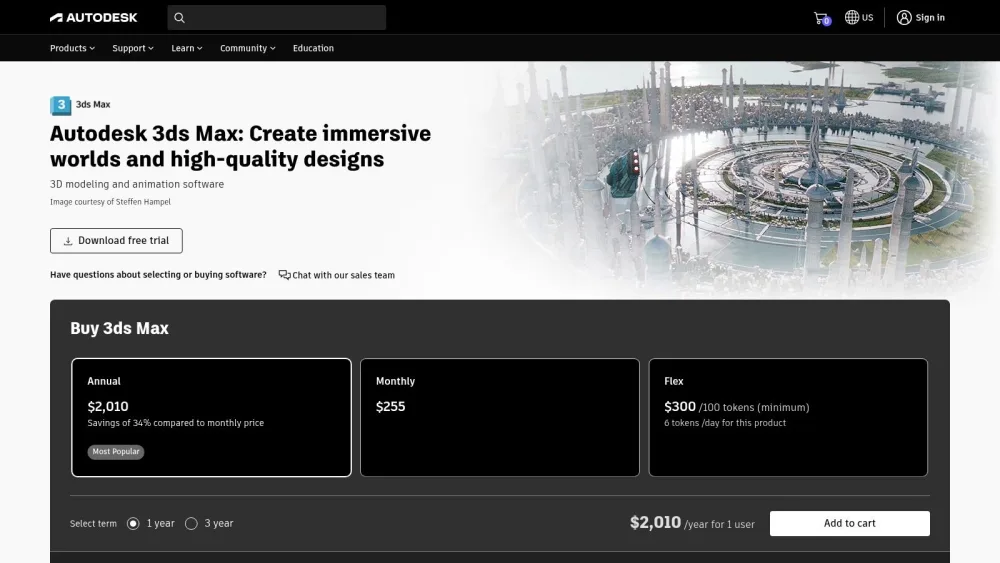
This software shines in pre-construction marketing. You can generate detailed exterior shots of a proposed development, create immersive interior walkthroughs of unbuilt apartments, or stage a virtual home with custom furniture and lighting. Its advanced polygon modeling tools and extensive material libraries allow for unparalleled creative control. If you're looking to showcase a property with maximum detail and realism, 3ds Max is an industry-standard choice. You can learn more about how to add 3D objects created in tools like this to enhance your digital presentations.
Key Considerations
- Best Use Case: Creating highly detailed, photorealistic still images and complex animated walkthroughs for high-end property marketing and pre-construction sales.
- Pricing: Subscription-based, typically around $235 per month or $1,875 per year. A free trial is available.
- Pros: Unmatched modeling flexibility, extensive plugin support (including V-Ray and Corona), and powerful rendering capabilities.
- Cons: It has a very steep learning curve and requires significant investment in both time and powerful computer hardware. The cost can be prohibitive for smaller agencies or individual realtors.
❌ When NOT to Use 3ds Max
- You're a real estate agent without 3D modeling experience
- You need results in less than 1 week
- Your computer budget is under $2,000
- You only need virtual staging from real photos (use AI instead)
2. V-Ray
V-Ray isn't a standalone modeling program but a powerful rendering engine that plugs into other architectural rendering software, like 3ds Max, SketchUp, and Rhino. Developed by Chaos, it has become the gold standard for photorealism in the industry. For real estate professionals, this means taking a good 3D model and transforming it into a breathtaking, lifelike image that sells a vision. Its strength lies in its advanced ray-tracing capabilities, which simulate how light interacts with surfaces in the real world, producing incredibly accurate reflections, shadows, and textures.
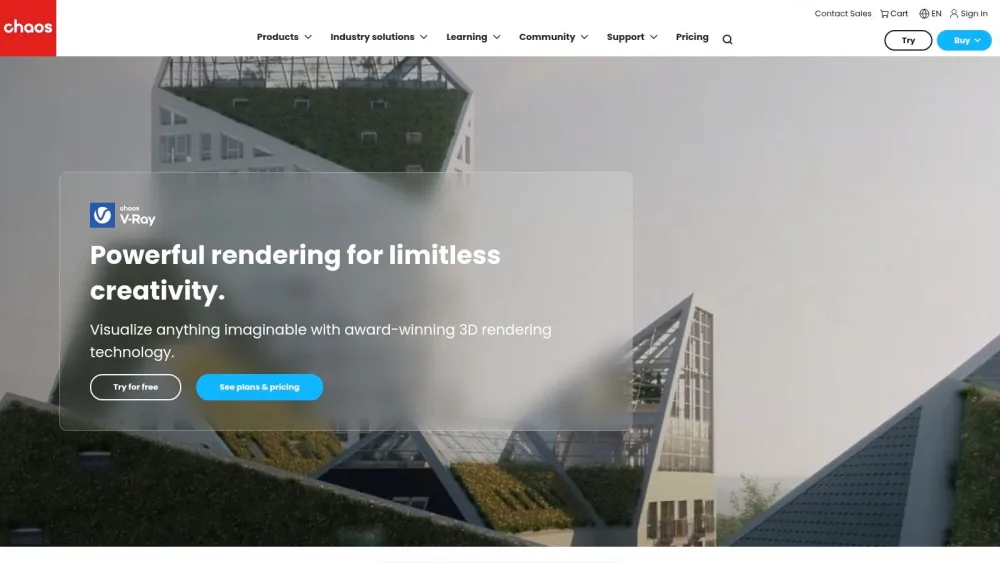
The primary application for V-Ray in real estate is to create final marketing assets that stop potential buyers in their tracks. It can render everything from a sun-drenched living room with soft shadows to a dramatic twilight exterior shot of a commercial property. Its extensive library of physically accurate materials, like brushed metal, polished marble, and rich woods, ensures every detail contributes to the final realism. While it requires a compatible 3D modeling program to function, V-Ray is the tool that adds the final layer of professional polish, making it an indispensable part of a high-end visualization workflow.
Key Considerations
- Best Use Case: Creating hyper-realistic still images and animations for premium property marketing, where visual quality is paramount. It is a finishing tool, not a modeling tool.
- Pricing: Subscription-based, with plans like V-Ray Solo starting around $466 per year and V-Ray Premium at about $694 per year.
- Pros: Industry-leading photorealism, flexible CPU and GPU rendering options, and seamless integration with the most popular 3D modeling platforms.
- Cons: It is not a standalone product and requires a separate modeling software license. The vast number of settings can have a steep learning curve for new users.
❌ When NOT to Use V-Ray
- You don't already have 3D models (it's a renderer, not a modeler)
- You need instant results for client meetings
- Your budget is tight and you don't already own 3ds Max/SketchUp Pro
- You're working from photos only (use AI tools instead)
3. Lumion
Lumion stands out in the architectural rendering software landscape by prioritizing speed and ease of use. It transforms complex 3D models from CAD programs into stunning, lifelike environments in a fraction of the time required by more traditional renderers. For real estate agents and marketers, this means you can quickly produce compelling videos, images, and 360-degree panoramas without a deep background in 3D art. Its real-time feedback allows you to make changes to lighting, materials, or landscaping and see the results instantly, streamlining the creative process.
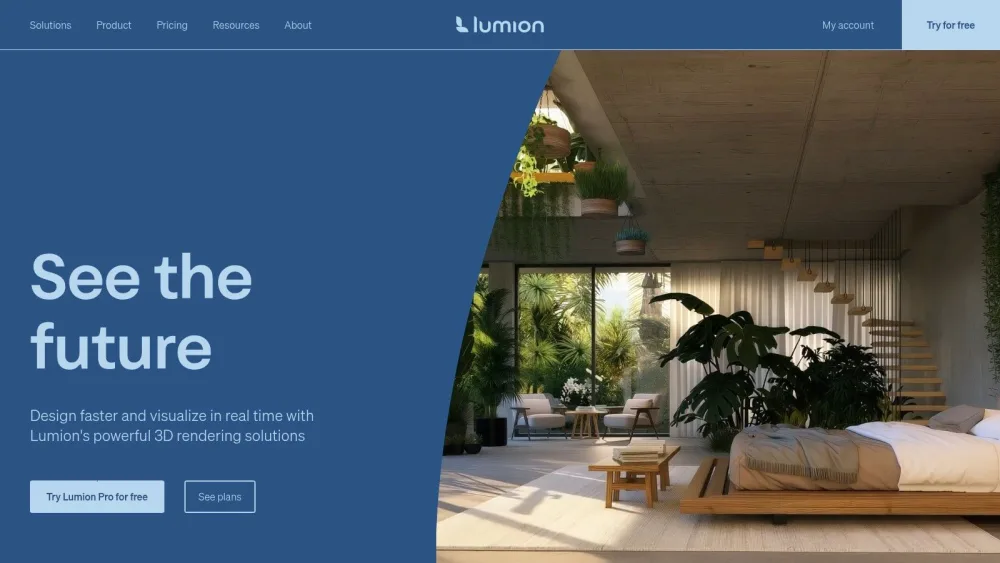
The software's greatest strength is its extensive, built-in asset library. You can populate scenes with thousands of high-quality objects, including realistic vegetation, animated people, cars, and detailed furniture, which brings a design to life. This is particularly effective for showcasing a property's potential lifestyle or demonstrating how a renovation could look. The LiveSync feature creates a real-time connection with programs like SketchUp and Revit, allowing for simultaneous modeling and rendering. If you're looking for an efficient way to visualize remodels, you can discover more about using renders for renovations to help clients see the final picture.
Key Considerations
- Best Use Case: Creating beautiful video animations, fly-throughs, and still images quickly for project presentations, client feedback, and marketing materials where speed is essential.
- Pricing: Lumion offers Standard and Pro versions. A perpetual license for Lumion Pro is typically around $2,999. No monthly subscription is offered.
- Pros: Exceptionally fast rendering speeds, a very intuitive and user-friendly interface, and a massive content library that makes scene creation simple.
- Cons: Less control over fine-tuning render settings compared to V-Ray or Corona, and performance is heavily dependent on having a powerful, high-end graphics card (GPU).
❌ When NOT to Use Lumion
- You need the absolute highest photorealism (V-Ray beats it)
- Your GPU is older than 3 years or not NVIDIA RTX
- You're on a tight monthly budget (high upfront cost)
- You only work with photos, not 3D models
4. Blender
Blender stands out as a completely free, open-source 3D creation suite that punches well above its weight, rivaling many premium paid applications. Initially known in the animation and game development worlds, its powerful capabilities have made it a favorite for architectural rendering software, especially for real estate professionals and smaller firms on a budget. Blender provides a full pipeline from modeling and sculpting to rendering, allowing you to create everything from detailed building models to intricate interior decor without any financial investment in the software itself.
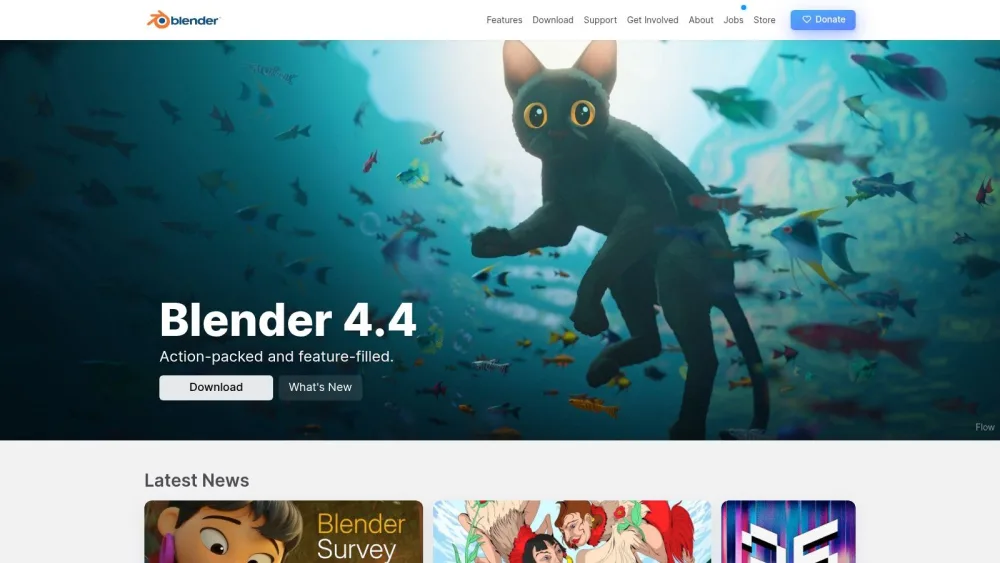
For real estate applications, Blender's dual rendering engines are a significant asset. You can use Cycles for producing stunning, photorealistic images that rival high-end commercial renders, perfect for marketing brochures and online listings. Alternatively, its Eevee engine provides real-time rendering, enabling you to create interactive walkthroughs or quickly visualize different design options, like flooring or wall colors, for a client on the fly. Its versatility, combined with a massive library of community-created add-ons, means you can customize its workflow to precisely fit your visualization needs.
Key Considerations
- Best Use Case: Budget-conscious agencies, freelancers, and real estate professionals needing a powerful, all-in-one tool for both photorealistic still images and interactive real-time visualizations.
- Pricing: Completely free. Blender is open-source and has no licensing fees.
- Pros: No cost makes it incredibly accessible, it's highly versatile for all aspects of 3D creation, and it benefits from regular updates driven by a large, active community.
- Cons: The interface can be intimidating for beginners, and its all-encompassing nature results in a steeper learning curve compared to more specialized architectural software.
❌ When NOT to Use Blender
- You need results this week (2-3 month learning curve minimum)
- You don't have time to watch dozens of YouTube tutorials
- You want official customer support (community-only)
- You need simple virtual staging from photos (massive overkill)
5. Enscape
Enscape is a real-time rendering and virtual reality plugin that revolutionizes the design workflow by integrating directly into popular BIM and CAD software like Revit, SketchUp, and Rhino. Instead of exporting models to a separate program, Enscape renders your project instantly within a new window that runs alongside your design software. This live link means any changes you make to your model, from moving a wall to changing a material, are reflected in the high-quality render immediately. For real estate professionals, this creates a dynamic and efficient way to visualize and present a property during the design phase.
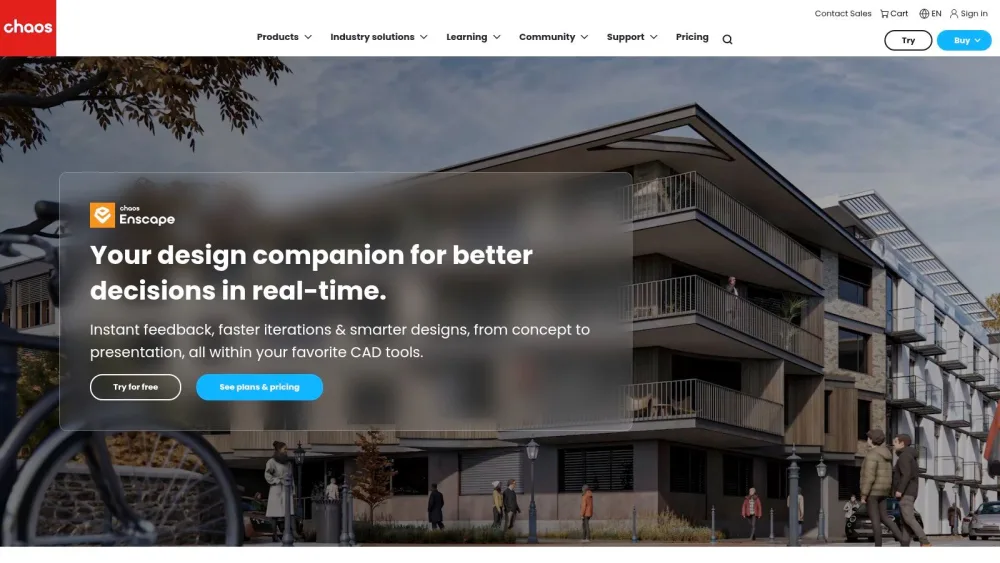
This tool is exceptionally powerful for client presentations and internal design reviews. You can walk a client through a virtual model in real-time, making adjustments on the fly based on their feedback. Its virtual reality (VR) support is a standout feature, allowing for truly immersive property tours before a single brick is laid. This makes it an invaluable piece of architectural rendering software for communicating design intent and securing client buy-in early in the process. You can even learn how to create a high-quality render from just a floor plan using tools like Enscape to kickstart your visualization process.
Key Considerations
- Best Use Case: Live, real-time client presentations, immersive VR walkthroughs, and rapid design iteration for residential and commercial projects.
- Pricing: A fixed-seat license costs around $79.90 per month or $514.80 per year. A 14-day free trial is available.
- Pros: Seamless integration into existing workflows, incredibly fast rendering speeds, and an intuitive, easy-to-learn interface. VR support is simple to set up.
- Cons: Rendering quality, while excellent, may not match the hyper-realism of specialized offline renderers like V-Ray. It requires a powerful graphics card (GPU) to run smoothly.
❌ When NOT to Use Enscape
- You don't use Revit, SketchUp, Rhino, or ArchiCAD
- You need competition-winning photorealism (good but not extreme)
- You only have photos, not 3D models
- Your GPU is weak or integrated graphics
6. Twinmotion
Twinmotion, developed by Epic Games, is a real-time visualization tool that bridges the gap between technical modeling and accessible, high-quality rendering. Its primary strength lies in its speed and intuitive interface, allowing real estate professionals to transform CAD or BIM models into dynamic, living environments with minimal effort. Instead of waiting hours for a single render, you can explore a fully staged property in real time, making instant changes to materials, lighting, or landscaping to suit a client's taste. This makes it an invaluable tool for interactive client presentations and rapid design exploration.
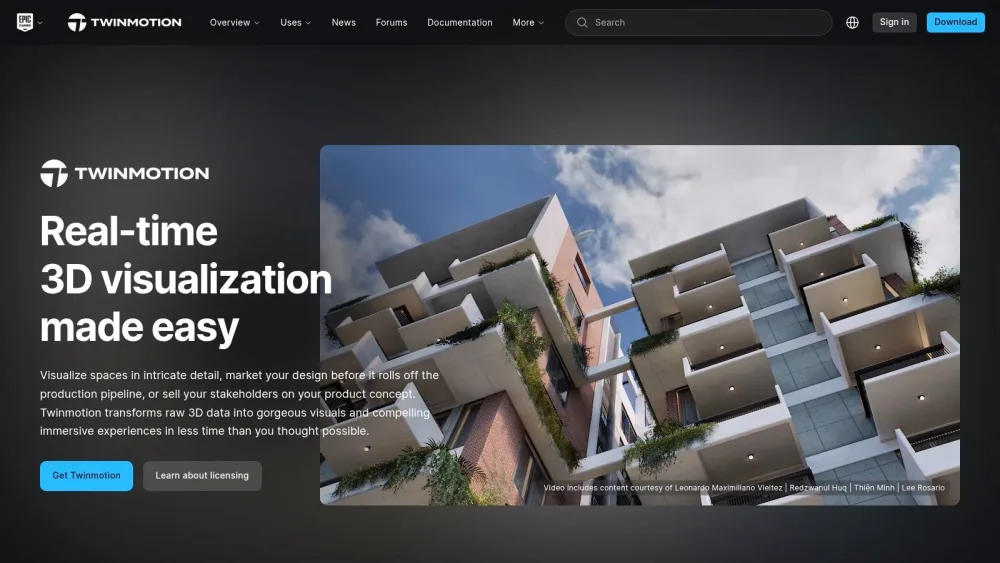
For real estate marketing, Twinmotion excels at creating immersive experiences like virtual reality tours and 360-degree panoramas. You can easily populate a scene with high-quality assets from its extensive library, including animated people, moving vehicles, and realistic vegetation that sways in the wind. The dynamic weather and lighting systems allow you to showcase a property at any time of day or season, a powerful feature for selling the lifestyle of a home. Its seamless integration with programs like Revit and SketchUp means you can bring architectural models to life almost instantly, making it a top choice for firms needing fast, impressive visuals.
Key Considerations
- Best Use Case: Creating fast, real-time walkthroughs, VR experiences, and high-quality animations for client presentations and quick design iterations.
- Pricing: A free version is available for non-commercial use. The commercial license is approximately $749 (one-time purchase), but pricing models can change.
- Pros: Extremely intuitive drag-and-drop interface, incredibly fast rendering speeds, and an extensive, high-quality asset library. Strong support from Epic Games.
- Cons: Rendering settings are less advanced than specialized tools like V-Ray, and achieving optimal performance requires a powerful GPU.
❌ When NOT to Use Twinmotion
- You need maximum control over render settings
- Your computer doesn't have a dedicated GPU
- You work exclusively from photos without 3D models
- You need the absolute highest photorealism for print campaigns
7. D5 Render
D5 Render has rapidly gained attention as a real-time rendering software that strikes an impressive balance between high-fidelity visuals and operational speed. Built on Unreal Engine, it leverages real-time ray tracing to produce stunningly realistic lighting and reflections with minimal wait times. For real estate professionals, this means you can make design changes with a client and see the photorealistic results instantly. It's particularly effective for creating immersive experiences, allowing you to quickly generate not just images but also fluid video animations and 360-degree panoramas of a property.
The software's strength lies in its intuitive workflow and extensive built-in asset library. LiveSync plugins for popular modeling programs like SketchUp, Revit, and Rhino allow for a seamless connection, where model updates are reflected in D5 Render immediately. This is ideal for virtual staging or exploring different material finishes for a home renovation project. Its user-friendly interface makes it a more accessible piece of architectural rendering software for smaller firms or individual agents who need professional results without the steep learning curve of more complex systems.
Key Considerations
- Best Use Case: Rapidly creating high-quality video walkthroughs, VR-ready panoramas, and still images for marketing listings and client presentations, especially when quick revisions are needed.
- Pricing: A free version with core features is available. The Pro subscription is around $360 per year, offering access to the full asset library and advanced features.
- Pros: Extremely fast rendering speeds with real-time ray tracing, an intuitive user interface, and affordable pricing for the professional version. The extensive asset library is a major time-saver.
- Cons: As a newer tool, its user community and third-party resources are smaller than those for established software. It also offers fewer advanced customization controls compared to tools like 3ds Max or V-Ray.
❌ When NOT to Use D5 Render
- You need the most advanced customization controls
- You require extensive third-party plugin ecosystem
- You only work with photos (need 3D models)
- You need the absolute maximum photorealism
8. Corona Renderer
Corona Renderer is a high-performance rendering engine that has gained significant popularity in the architectural visualization community for its remarkable balance of simplicity and photorealistic output. Unlike standalone modeling programs, Corona operates as a plugin, primarily for Autodesk 3ds Max and Cinema 4D. For real estate professionals, this means it leverages the powerful modeling capabilities of host software while simplifying the complex rendering process. Its design philosophy centers on making rendering accessible, allowing users to achieve stunning results without navigating an overwhelming number of technical settings.
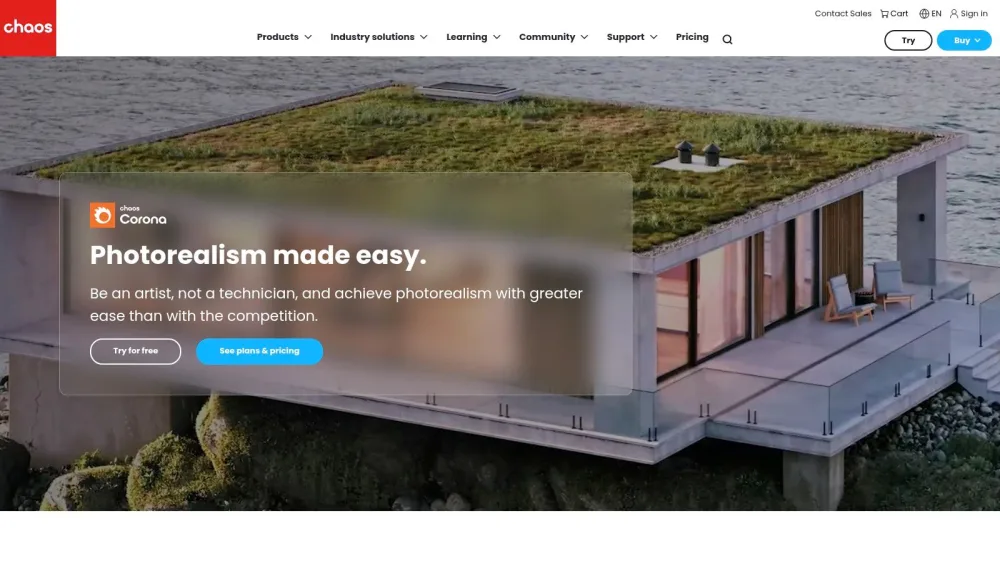
The standout feature for marketing applications is its Interactive Rendering. This allows you to see a near-final render update in real-time as you adjust lights, materials, and camera angles. This workflow is incredibly efficient for staging a virtual property, as you can instantly test different decor styles or lighting schemes to find the most appealing composition. For showcasing a new development, Corona's physically-based rendering excels at creating convincing natural and artificial light, making interior spaces feel warm, inviting, and true to life. It's an ideal choice for teams that already use 3ds Max but want a more intuitive, faster path to high-quality architectural rendering software output.
Key Considerations
- Best Use Case: Creating photorealistic still images and animations for interior and exterior architectural projects, especially for users who value speed and ease of use within 3ds Max or Cinema 4D.
- Pricing: Available through a subscription, with plans typically around $53 per month or $350 per year. A free trial is also offered.
- Pros: Very user-friendly with an intuitive interface, produces high-quality photorealistic results with minimal setup, and offers powerful interactive rendering for immediate feedback.
- Cons: It is not a standalone application and requires a compatible host software. Its reliance on CPU rendering means it can be slower than GPU-based engines on certain hardware configurations.
❌ When NOT to Use Corona Renderer
- You don't own 3ds Max or Cinema 4D (requires host software)
- You need the fastest possible render times (GPU renderers are faster)
- You're a real estate agent working from photos only
- You want a standalone, all-in-one solution
9. Redshift
Redshift by Maxon is a powerful, fully GPU-accelerated rendering engine celebrated for its incredible speed and efficiency. Unlike CPU-based renderers, Redshift leverages the parallel processing power of modern graphics cards to dramatically cut down rendering times. For real estate professionals, this means you can iterate on designs, lighting, and materials almost in real-time, allowing for rapid adjustments based on client feedback. It's an ideal solution for studios and individuals who need to produce high-quality visualizations under tight deadlines without sacrificing detail.
This rendering engine shines when integrated into existing 3D modeling workflows like Cinema 4D, 3ds Max, or Maya. For a property developer, this means you can create a complex 3D model of a new building and render a series of photorealistic marketing images in hours instead of days. Redshift's "out-of-core" rendering capability is a significant advantage, as it allows you to render massive scenes with vast amounts of geometry and high-resolution textures, even if they don't fit into your GPU's VRAM. This makes it a go-to choice for large-scale architectural projects, such as urban master plans or expansive commercial developments.
Key Considerations
- Best Use Case: Rapidly producing high-resolution still images and animations for large, complex architectural scenes where speed is a critical factor.
- Pricing: Available through a Maxon One subscription (which includes other tools like Cinema 4D) for around $99 per month or as a standalone subscription for approximately $45 per month.
- Pros: Extremely fast rendering speeds, high-quality, production-ready output, and excellent integration with major 3D applications.
- Cons: Performance is entirely dependent on the power of your GPU, requiring a significant hardware investment. It can be more expensive than some competitors if purchased as part of the full Maxon One suite.
❌ When NOT to Use Redshift
- You don't have a high-end NVIDIA or AMD GPU
- You're on a very tight budget for both software and hardware
- You need standalone software (requires 3ds Max, Cinema 4D, or Maya)
- You work exclusively from photos
10. Octane Render
Octane Render by OTOY is a powerful, unbiased, and physically-based rendering engine that leverages your computer's graphics card (GPU) to deliver photorealistic results at incredible speeds. Unlike CPU-based renderers, Octane's GPU acceleration makes it ideal for real estate professionals who need to iterate on designs quickly. This speed allows you to make changes to lighting, materials, or furniture placement and see a high-quality preview in near real-time, dramatically shortening the feedback loop between design and final image. It's not a standalone modeling program but a rendering plugin that integrates with popular software like Cinema 4D, 3ds Max, and SketchUp.
The primary advantage for property marketing is producing stunningly realistic visuals without the long render times typically associated with such quality. You can use Octane to create crisp, lifelike still images of a property's exterior under different lighting conditions or generate immersive interior shots that accurately depict how natural light will fill a space. Its robust material system and volumetric lighting capabilities are perfect for showcasing high-end finishes and creating a palpable atmosphere in your visuals. This makes Octane Render an excellent piece of architectural rendering software for agencies wanting to elevate their visual marketing.
Key Considerations
- Best Use Case: Rapidly producing photorealistic still images and animations for design development, client presentations, and high-end marketing materials where speed is critical.
- Pricing: Subscription-based, starting around $28 per month. Pricing tiers vary based on the number of GPUs and access to other OTOY software.
- Pros: Extremely fast rendering speeds with its real-time viewport, exceptional realism in lighting and materials, and strong integration with many popular 3D applications.
- Cons: Strictly requires a compatible NVIDIA GPU, which can be a significant hardware investment. As a rendering engine, it still requires proficiency in a separate 3D modeling program.
❌ When NOT to Use Octane Render
- You have an AMD GPU or no dedicated GPU (NVIDIA required)
- You don't already have 3D modeling software
- Your GPU budget is under $500
- You only work from photos without 3D models
11. Maxwell Render
Maxwell Render is a standalone, physically-based rendering engine celebrated for its uncompromising commitment to realism and light accuracy. Unlike biased renderers that use shortcuts to speed up calculations, Maxwell simulates light exactly as it behaves in the real world. For real estate professionals, this means achieving a level of photorealism that can convince clients they are looking at a photograph, not a computer-generated image. This architectural rendering software is ideal for creating signature hero shots of a property where every reflection, shadow, and material texture must be perfect.
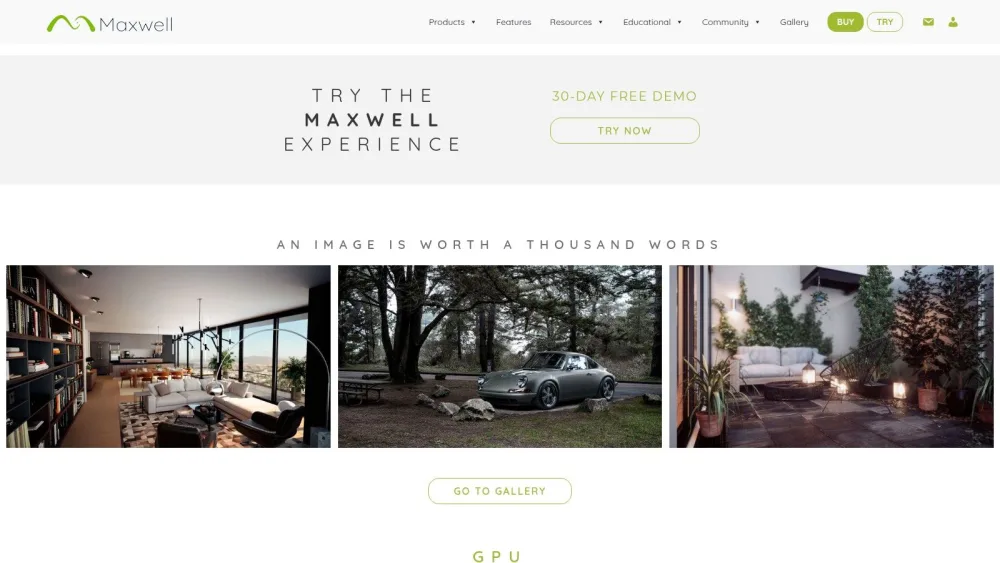
Its standout feature is Multilight™, which allows you to adjust the intensity and color of every light source after the render is complete, without re-rendering. This is a game-changer for staging virtual properties, enabling you to create different moods, such as bright daytime shots and cozy evening scenes, from a single render file. Maxwell integrates with most major 3D modeling programs like SketchUp, Rhino, and 3ds Max, acting as a specialized rendering plugin. If your goal is to produce competition-winning imagery where physical accuracy is non-negotiable, Maxwell is a top-tier choice.
Key Considerations
- Best Use Case: High-end, photorealistic still images for luxury property brochures, architectural competitions, and marketing materials where light accuracy is paramount.
- Pricing: Nodal licenses start at around $695. A free demo version is available. It is often purchased as a one-time license rather than a subscription.
- Pros: Produces arguably the most physically accurate and realistic renders possible. The Multilight™ feature offers incredible post-production flexibility, saving significant time.
- Cons: The unbiased rendering approach leads to significantly longer render times compared to competitors like V-Ray or Corona. The cost can be high for a specialized tool.
❌ When NOT to Use Maxwell Render
- You need renders today (very slow rendering times)
- You're working on tight deadlines with multiple revisions
- Budget is tight (expensive for a plugin)
- You value speed over absolute accuracy
12. Kerkythea
Kerkythea is a standout free, standalone rendering system that brings high-quality, physically accurate rendering within reach of everyone, from individual agents to small firms. It operates using physically accurate materials and lighting, allowing you to produce remarkably realistic images without the hefty price tag of commercial architectural rendering software. While it doesn't model objects itself, it integrates seamlessly with popular modeling programs like SketchUp, Blender, and 3ds Max through dedicated export plugins. This workflow allows you to build your model in a familiar environment and then bring it into Kerkythea for the final, polished render.
For real estate professionals on a tight budget, Kerkythea is an invaluable tool. You can use it to take a basic SketchUp model of a home renovation or a new build and transform it into a compelling, light-filled image that showcases its potential. Its support for both biased and unbiased rendering methods gives you flexibility, whether you need a quick preview or a photorealistic final shot. The extensive, ready-to-use material library helps accelerate the process, making it easier to apply realistic textures like wood, glass, and metal to your scenes.
Key Considerations
- Best Use Case: Budget-conscious realtors and designers needing to create high-quality, photorealistic still images from existing 3D models (especially from SketchUp).
- Pricing: Completely free.
- Pros: No cost to use, produces surprisingly realistic results with global illumination and ray tracing, and integrates well with other modeling software.
- Cons: The user interface feels dated, and development has slowed, meaning it lacks the new features and support of commercial alternatives. The learning curve can be steep for those unfamiliar with rendering concepts.
❌ When NOT to Use Kerkythea
- You need modern UI and active development
- You require customer support (abandoned project)
- You want the latest features and updates
- You need it to work reliably with newest OS versions
Architectural Rendering Software Feature Comparison
| Software | Best For 👥 | Speed ⚡ | Quality 🎨 | Price 💰 | Learning Curve 📚 |
|---|---|---|---|---|---|
| Pedra (AI) | Real estate agents, zero 3D experience | ⚡⚡⚡ 25 seconds | High | ~$30/mo | ★☆☆☆☆ Very easy |
| Autodesk 3ds Max | Professional viz studios, architects | ⚡☆☆ Hours | Extreme | ~$235/mo | ★★★★★ Very steep |
| V-Ray | High-end architectural visualization | ⚡☆☆ Hours | Extreme | ~$58/mo | ★★★★☆ Steep |
| Lumion | Architects needing fast videos | ⚡⚡⚡ Real-time | High | ~$2,999 one-time | ★★☆☆☆ Moderate |
| Blender | Budget-conscious, willing to learn | ⚡⚡☆ Variable | Very High | Free | ★★★★☆ Steep |
| Enscape | Architects using Revit/SketchUp | ⚡⚡⚡ Real-time | High | ~$80/mo | ★★☆☆☆ Easy |
| Twinmotion | Fast VR tours, real-time presentations | ⚡⚡⚡ Real-time | High | ~$749 one-time | ★★☆☆☆ Easy |
| D5 Render | Small firms, balance of price/quality | ⚡⚡⚡ Real-time | High | ~$360/year | ★★☆☆☆ Easy |
| Corona | 3ds Max users wanting easier workflow | ⚡⚡☆ Moderate | Very High | ~$350/year | ★★★☆☆ Moderate |
| Redshift | GPU power users, large scenes | ⚡⚡⚡ Fast | Very High | ~$45-99/mo | ★★★☆☆ Moderate |
| Octane | GPU-based photorealism | ⚡⚡⚡ Fast | Very High | ~$28/mo | ★★★☆☆ Moderate |
| Maxwell | Extreme photorealism, patient users | ⚡☆☆ Slow | Extreme | ~$695 one-time | ★★★★☆ Steep |
| Kerkythea | Hobbyists, zero budget | ⚡⚡☆ Moderate | Good | Free | ★★★☆☆ Moderate |
Your Next Step: Choose Based on Your Real Situation
After analyzing 12 options, here's the simple truth:
If you're a real estate agent or small agency:
You probably don't need professional 3D software. You need fast results.
90% of your needs (virtual staging, renovation renders, photo enhancement) are solved with AI in seconds, not 3ds Max in weeks.
The reality check:
- 3ds Max: 3 months to learn, $235/month, powerful PC required
- Pedra AI: 2 minutes to learn, ~$30/month, works on any computer
Unless you're building large-scale developments from scratch, AI is your fastest path to results.
Try Pedra free → 7 credits to transform property photos:
- Virtual staging in 25 seconds
- Kitchen, bathroom, terrace renovations
- Day-to-dusk, object removal
- Zero technical knowledge required
If you're an architect or visualization studio:
Your decision depends on your current workflow:
- Already using 3ds Max? → Add V-Ray or Corona
- Using Revit/SketchUp? → Try Enscape (real-time + VR)
- Starting from zero with budget? → Blender (free, steep curve)
- Starting from zero, need speed? → D5 Render or Twinmotion
If you need both worlds:
Many agencies use Pedra for daily marketing (fast, AI, no technical skills) and professional 3D software for special projects (new buildings, complex visualizations).
You don't have to choose just one. Use the right tool for each job.
Frequently Asked Questions
What's the easiest rendering software to learn?
For real estate agents: Pedra (AI, no learning required). For architects: Enscape or Twinmotion (real-time, intuitive interface).
Can I create professional renders for free?
Yes. Blender is completely free and produces professional-level results, but requires 2-3 months of learning. Kerkythea is another free option but more limited.
Do I need a powerful computer?
- AI (Pedra): No, runs in the cloud
- Real-time (Enscape, Lumion): Yes, powerful GPU required (NVIDIA RTX recommended)
- CPU renders (Corona): Powerful processor needed
- GPU renders (Redshift, Octane): High-end GPU mandatory
How long does it take to create a render?
- AI: 15-30 seconds
- Real-time: Instant (but requires modeling first)
- Offline renders: 30 minutes to 8 hours per image (depending on quality)
What software do professional architects use?
3ds Max + V-Ray remains the industry standard, but Blender is gaining ground. Enscape dominates for real-time presentations.
Is rendering software worth it for real estate?
Absolutely. Properties with rendered visualizations sell 40% faster and can command 10-15% higher prices. Even a $30/month investment pays for itself with one faster sale.
Can I use rendering software if I don't know 3D modeling?
Yes! AI tools like Pedra work directly from photos with zero 3D knowledge required. For 3D-based tools, Enscape and Twinmotion are the easiest to learn, requiring only basic modeling skills.
Which is better: GPU or CPU rendering?
GPU rendering (Redshift, Octane) is much faster but requires expensive graphics cards. CPU rendering (Corona, some V-Ray) is slower but works on standard computers. Real-time renderers use GPU for instant feedback.