
In real estate, great photography is the price of entry. But professional video is how you win the game. Real estate videography is no longer a fancy add-on for luxury listings — it is a core marketing tool that helps you connect with serious buyers and get properties sold faster.
Choosing between tools rather than services? We compared nine of them — and the distinction most roundups miss — in Best AI video tools for real estate agents (2026).
A great video does something photos can't: it creates an emotional connection. It lets a buyer walk through a home, feel the layout, and experience its character before they ever book a showing. This guide covers everything you need — the gear, camera settings, shot lists, editing, what it costs, and the AI shortcut that lets you skip the camera entirely.
Why Real Estate Videography Wins Listings
A shaky smartphone walkthrough or a glorified photo slideshow doesn't cut it anymore. Today's buyers are used to high-quality video everywhere else in their lives, and they expect nothing less when shopping for a home. Video bridges the gap between a flat floor plan and the real-life feeling of being in a space — it shows how the entryway flows into the living room, how morning sun fills the kitchen, what it feels like to stand on the back patio. You're not listing features; you're selling a lifestyle.
The numbers back this up. Listings with video can pull in up to 157% more organic traffic from search engines, and 73% of homeowners say they'd rather list with an agent who uses video. Yet only about 10% of agents actually do it — which leaves a wide-open lane for you to stand out.
Core Benefits of Real Estate Videography
| Benefit Area | Specific Impact | Supporting Statistic |
|---|---|---|
| Increased Engagement | Videos capture attention and keep buyers on your listing longer. | Listings with video can get up to 157% more search traffic. |
| Client Acquisition | Demonstrates modern marketing, attracting more sellers. | 73% of homeowners prefer agents who use video. |
| Lead Quality | Viewers get a true feel for the home, leading to more qualified inquiries. | Video pre-qualifies buyers, reducing wasted showings. |
| Brand Perception | Positions you as a premium, tech-savvy agent in a crowded market. | Only ~10% of agents use video, creating a clear opportunity. |
Investing in video isn't about one listing — it's about building a stronger brand and a more efficient business that attracts better sellers and better leads.
The Types of Real Estate Videos
"Real estate video" isn't one thing. Knowing which format fits a listing (and a budget) is half the battle.
- Cinematic walkthrough. The flagship format: a smooth, music-driven glide through the home that sells a feeling. Best for mid-to-high-end listings. See our deep dive on the real estate video walkthrough.
- Agent-led tour. You on camera, guiding the viewer and pointing out details. Builds personal trust and positions you as the local expert — great for farming a neighborhood.
- Aerial / drone video. Shows the lot, the views, and the neighborhood context that ground-level shots can't. Essential when the land is a selling point. More in our drone real estate video guide.
- Social reels. 30–60 second vertical highlight cuts for Instagram and TikTok. Built for the scroll, not the search.
- Neighborhood / lifestyle video. Cafés, parks, schools, the morning commute — sells the area as much as the home.
- Listing teaser. A 15–20 second "coming soon" hook to build anticipation before the full tour drops.
For a broader look at how these fit together, see real estate video tours.
Building Your Real Estate Videography Kit
You don't need a Hollywood budget. The secret is investing smartly in the right tools that give you the most return. Your gear is the foundation — your eye is what matters, but the right equipment makes a polished look far easier.
Choosing Your Camera
The best camera is the one that fits your needs and budget. You have great options at every price point:
- Smartphones. Don't sleep on the phone in your pocket. The latest iPhones and Google Pixels shoot incredible 4K video. With a few accessories, a smartphone is more than capable of beautiful listing videos — especially when you're starting out.
- Mirrorless cameras. When you're ready to level up, a mirrorless body gives you a big jump in creative control and image quality. Popular picks like the Sony A7 series, Canon's EOS R line, or Fuji bodies handle low light well and let you swap lenses for that cinematic look.
While you build video skills, keep your photography sharp too — see our complete guide to real estate photography.
Essential Lenses
If you go mirrorless, your lens choice may matter more than the body. A wide-angle lens in the 16–35mm range is non-negotiable for interiors — it captures an entire room without distortion and makes smaller bedrooms and bathrooms feel spacious. Add a 50mm "nifty fifty" for detail shots of high-end finishes and architectural touches that tell the home's story.
Achieving Smooth, Stable Shots
Nothing screams "amateur" louder than shaky footage. Smooth, deliberate movement is what creates the high-end, cinematic feel buyers love.
- Gimbal. The single most important video accessory. A handheld stabilizer (DJI or Zhiyun) smooths your movements as you walk and instantly makes footage look ten times more professional.
- Tripod. For static shots — locking down a room, a slow controlled pan, or filming an on-camera introduction.
Lighting and Audio
Great lighting makes a property feel bright, airy, and clean. Use natural light first, but a couple of portable LED panels are a lifesaver for filling in dark corners. And don't forget audio: if an agent is on camera or recording a voiceover, a shotgun mic or wireless lavalier captures the crisp, clear sound that keeps a video feeling professional.
Camera Settings for Real Estate Video
Gear is only half of it — dialing in your settings is what separates clean footage from a muddy, flickering mess. Here's a reliable starting point for interiors:
| Setting | Recommended | Why |
|---|---|---|
| Resolution | 4K (3840×2160) | Future-proofs footage and lets you crop/stabilize in the edit. |
| Frame rate | 24–30 fps (60 fps for slow-motion) | 24 fps feels cinematic; 60 fps gives smooth slow-mo reveals. |
| Shutter speed | ~2× frame rate (e.g. 1/50 at 24 fps) | Keeps motion natural; avoids the "soap opera" look. |
| ISO | As low as possible (100–800) | Minimizes grain; raise only when a room is genuinely dark. |
| White balance | Set manually (~5200K daylight) | Stops walls shifting orange/blue between rooms — set it, don't auto. |
| Aperture | f/4–f/8 for interiors | Keeps the whole room in focus rather than blurring the back wall. |
A pro move: turn off auto white balance and auto exposure once you're filming a room. Letting the camera "hunt" mid-pan is one of the most common giveaways of amateur footage.
How to Plan and Shoot a Stunning Property Video
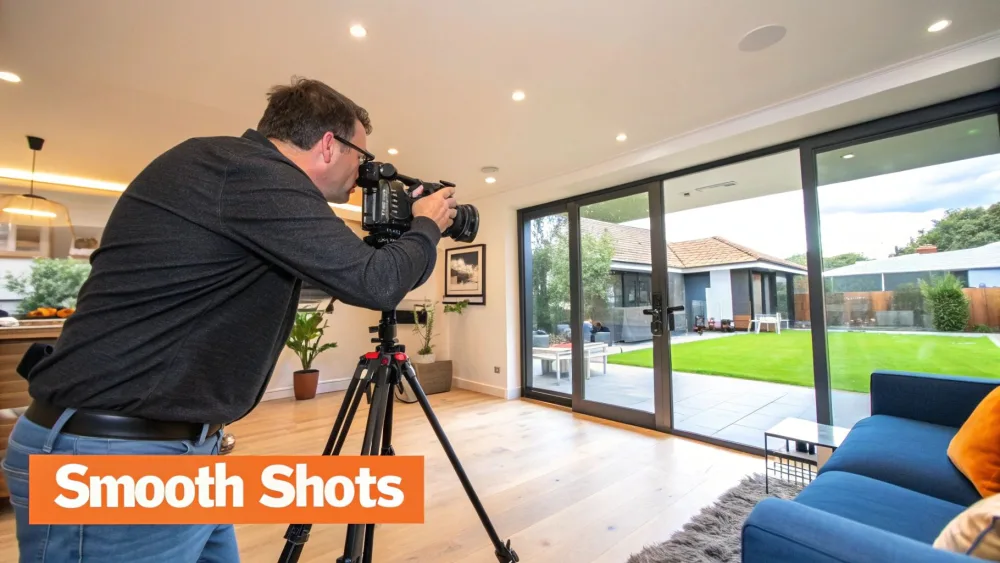
A great property video is made long before you hit record. Success on-site comes down to planning and a clear vision for the story you want to tell.
Preparing the Home for Its Close-Up
Before any gear comes out, the home needs to be prepped like a movie set. Work with the homeowners to declutter every room — tuck away personal photos, fridge magnets, and excess furniture so buyers can picture their lives there. Then open every blind, pull back every curtain, and turn on every light, including lamps and under-cabinet lighting. A bright space always looks bigger on camera. Small details matter too: a made bed, fresh fruit on the counter, neatly folded towels.
For the bigger strategy behind a polished listing, the video for real estate approach provides useful context.
Crafting a Compelling Shot List
Filming as you wander is a recipe for disjointed footage. A shot list maps the video's flow from start to finish — think about the story, and move through the home the way a person would naturally explore it:
- Exterior: capture curb appeal, the front door, unique architectural details.
- Entryway: a smooth entrance that welcomes the viewer inside.
- Main living areas: the flow between living room, dining room, and kitchen.
- Key features: dedicated shots of standouts — a fireplace, a renovated island, a view.
- Bedrooms and bathrooms: emphasize space and light.
- Outdoor living: the backyard, patio, or balcony — where you sell the lifestyle.
Plan your transitions, too. A smooth, continuous shot that follows the path from kitchen to patio is far more powerful than an abrupt cut.
Mastering Cinematic Camera Movements
Your movements should feel slow, smooth, and deliberate. Avoid jerky motions or rapid pans. Master these four:
- The Push-In: slowly move the camera forward into a space or toward a feature to draw attention and create immersion.
- The Pull-Out: start tight on a detail — a high-end faucet — and pull back to reveal the whole room for context.
- The Gentle Pan: slowly pivot left to right to show the breadth of a space. Keep it slow.
- The Reveal: use a wall or doorway to hide what's next, then move sideways to reveal the new room. It adds discovery and makes the tour feel dynamic.
The goal is to make the viewer feel like they're gracefully gliding through their future home.
Turning Raw Footage into a Polished Video
The real magic happens on the editing timeline, where raw clips become a story that sells the property. For a tool-by-tool breakdown, see our guide to the best real estate video editor.
The Post-Production Workflow
Start with organization: before opening your editing software, create folders for raw video, audio, graphics, and exports. Then review everything and pull your "A-roll" — the best, smoothest, best-lit shots — onto the timeline first. The best real estate videos look effortless because of ruthless curation: if a shot isn't highlighting a selling point or moving the story forward, cut it.
Visual content moves the market — 92% of U.S. buyers use video in their home search, and 22% of listings now include some form of virtual tour.
Color Correction and Grading
Straight out of camera, footage looks flat. Color correction is the technical pass — fix exposure, white balance, and contrast so whites look white and colors look accurate. Color grading is the artistic pass — for most homes you want a bright, airy, inviting look: lift the shadows slightly, nudge saturation so grass and sky pop, and add a hint of warmth indoors. Keep it subtle — the home should look like its best self on a perfect day, not an over-filtered Instagram post.
Music and Text
Music is the emotional heartbeat of the video. Match it to the home and the likely buyer — a downtown loft needs a different track than a suburban family home. Use royalty-free libraries like Epidemic Sound or Artlist, stick to instrumentals, and let the rhythm guide your cuts.
Finish with clean text overlays — the address, key features (square footage, bed/bath, "newly renovated kitchen"), and your contact info — plus a clear call to action like "Schedule Your Private Tour Today."
Advanced Techniques That Set Your Videos Apart
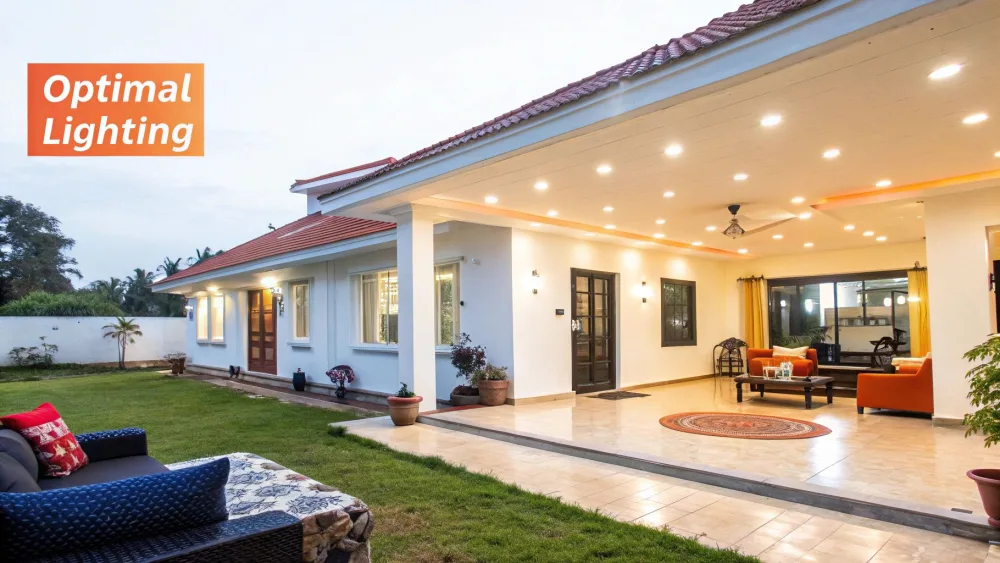
Go Aerial with Drone
Nothing tells the whole story like a drone. A ground tour shows the rooms; an aerial view shows the life — the yard, the views, the neighborhood. Think cinematically: the reveal (rise up from behind trees to expose the home), the orbit (a slow circle showing every angle), and the fly-through (for luxury homes with soaring entryways). Don't overdo it — a few perfectly placed clips beat an all-drone video.
Agent on Camera vs. a Cinematic Feel
An agent-led tour builds a personal connection and positions you as the neighborhood expert. A cinematic walkthrough drops narration and lets visuals and music create an aspirational, dreamlike quality — perfect for luxury listings where the property is the star. A hybrid often wins: a quick on-camera intro, a music-driven walkthrough, then a closing call to action.
Data for Commercial Properties
In commercial real estate, investors want more than pretty pictures — they expect cinematic visuals blended with hard data like traffic counts, zoning, and nearby anchor tenants to make faster decisions.
Basic vs. Advanced at a Glance
| Feature | Basic Approach (Good) | Advanced Approach (Better) |
|---|---|---|
| Perspective | Smooth ground-level interior walkthrough. | Integrated aerial shots showing the property's context and scale. |
| Narration | Royalty-free music sets the mood. | A strategic choice between agent-led narration or high-end cinematic style. |
| Information | Simple text overlays for square footage and address. | Data-rich graphics for commercial listings (traffic counts, demographics). |
| Storytelling | A logical tour of the rooms. | A narrative highlighting a specific lifestyle or investment opportunity. |
How Much Does Real Estate Videography Cost?
This is the question most agents actually want answered. Pricing varies by market, property size, and production value, but here are realistic 2026 ranges in the U.S.:
| Video type | Typical cost (hire a pro) | Notes |
|---|---|---|
| Basic walkthrough (single home) | $150 – $400 | 1–2 min, music, simple edit. Most common listing video. |
| Cinematic / premium walkthrough | $400 – $1,000+ | Storyboarded, color-graded, agent or voiceover. |
| Drone / aerial add-on | $150 – $500 | Requires a licensed (FAA Part 107) pilot in the U.S. |
| Luxury production | $1,500 – $5,000+ | Multi-day shoot, cast, gimbal + drone + slider. |
| Social reels package | $100 – $300 | A batch of short vertical cuts from one shoot. |
What drives the price: property size, number of locations, drone, on-camera talent, turnaround speed, and how much editing/branding you want. Three paths to choose between:
- Hire a videographer — best quality, highest cost and slowest turnaround.
- Do it yourself — lowest cash cost, but a real time and skill investment (see how to make real estate videos).
- Use AI — generate a polished video from existing photos in minutes, for a fraction of the cost (below).
The Fastest Alternative: AI Real Estate Video
Most agents don't avoid video because they don't believe in it — they avoid it because shooting and editing takes time, gear, and skill they don't have. That's the gap AI closes.
With Pedra, you don't need a camera, a gimbal, or an editing suite. Upload the listing photos you already have, and the AI assembles a professional-quality property video — smooth motion, transitions, and music — in minutes. For a real estate agent juggling a dozen listings, that turns a $400, two-day production into a same-day task at a fraction of the cost. It's the most practical way to put video on every listing instead of just the premium ones.
AI won't replace a cinematic luxury shoot — but for the everyday listings that make up most of your business, it delivers most of the impact for a sliver of the effort.
Getting Your Property Videos Seen by Buyers
A great video is worthless if no one sees it. Place it everywhere your buyers already are.
YouTube is the second-largest search engine on the planet and a place people genuinely research homes. Treat each upload like a mini-website: write a smart title ("123 Maple Street | Stunning 4-Bed Home with Pool in Scottsdale, AZ"), a real description with features and a listing link, and specific tags for the city, neighborhood, and standout features.
Social media is where you catch attention mid-scroll — chop a 30–60 second vertical reel for Instagram, post the full video to Facebook with a small targeted ad spend. Your own network — an email blast to past clients and warm leads — is the most overlooked channel of all. And don't forget the MLS and your website: embedding video is non-negotiable, since many portals prioritize listings that include it, and a 2024 NAR survey found 46% of agents still don't market on their own sites.
To pull it all together, build out a complete real estate video marketing plan so your videos do the heavy lifting.
Real Estate Videography FAQ
How long should a real estate video be?
The sweet spot for a standard home is 90 seconds to two minutes — enough to glide through the main living areas, highlight a few features, and show the exterior without losing attention. Large luxury estates can run three to four minutes if every second adds value. The biggest mistake is a long, rambling tour.
How much does real estate videography cost?
A basic professional listing video typically runs $150–$400, cinematic productions $400–$1,000+, and luxury shoots several thousand. Drone work usually adds $150–$500. Doing it yourself or using an AI tool like Pedra cuts the cash cost dramatically.
What gear do I actually need to start?
The minimum viable kit is a 4K smartphone, a gimbal, and a clip-on wide-angle lens. The gimbal matters most — stable footage is the single biggest difference between amateur and professional. Add LED panels and a mic as you grow.
Agent voiceover or just music?
Both work, for different goals. Music-only feels cinematic and aspirational (great for luxury). An on-camera intro or voiceover builds personal trust and lets you point out details. A hybrid — intro, music walkthrough, closing CTA — is often the most effective.
What's the biggest mistake to avoid?
Shaky footage. It looks amateur and can make viewers feel dizzy — a simple gimbal fixes it instantly. The runner-up is bad lighting: shoot in bright daylight, open every blind, and turn on every light before you hit record.
Ready to create stunning property videos without the gear or the editing? Pedra uses AI to generate professional real estate videos, virtual staging, and photo enhancements in a single click — so you can put video on every listing and impress every client. See how it works.
