
Real estate reels that get views have four things: a hook in the first two seconds, a voiceover that sells the listing, music that matches the cuts, and subtitles. Most agents know that. The problem is making it. Premiere takes hours of tutorials, an editor charges per video, so most agents end up posting a slideshow of photos with a song, and nobody watches it.
This guide fixes that. First the four things every real estate reel needs and three hooks you can copy today, which work whatever tool you use. Then how I make one from the listing photos in about five minutes in Pedra. Here is the full video:
The 4 things every real estate reel that gets views has
- A hook in the first two seconds. People decide whether to keep watching almost immediately. If the first frame is a dark hallway, they're gone.
- A voiceover that sells the listing. A voice gives the reel a story: where it is, what it costs, why it's worth seeing. Music alone doesn't.
- Music that matches the cuts. Scenes that change on the beat feel edited. Scenes that change at random feel like a slideshow.
- Subtitles. A lot of people watch reels on mute, on the bus or at work. Without subtitles, your voiceover is lost on them.
A photo slideshow with a song usually has only the music. That's why it doesn't get views.
3 real estate reel hooks you can steal today
The hook is the first line people hear or read. These three work for almost any listing:
- The price as a question. "Would you live here for $500,000?" People can't help answering in their head, and then they want to see the rest.
- What the money buys. "This is what $500K gets you in Austin." It turns the listing into a comparison everyone in that market is curious about.
- The filter. "Looking for a three-bed in Brooklyn? Don't scroll." It speaks to exactly the buyer you want and tells everyone else to move on, which is fine.
Then you present the property. Keep the line short enough to read in two seconds.
The first frames are a hook too
The hook isn't only the line. It's also what people see. If the first scene is strong, people stay for the second one. That's why, in the method below, the first scene gets an effect: furniture appearing in an empty room, the sky turning from day to dusk, or a presenter standing in the room. Something moves, something changes, and people want to see how it ends.
How to make a real estate reel in 5 steps (in Pedra)
This is the whole process, with the screens from the video. It takes about five minutes.
Step 1: Upload the listing photos
In Pedra, open the property, go to Video and click Create video. Upload the listing photos (six in this example) and click Next.
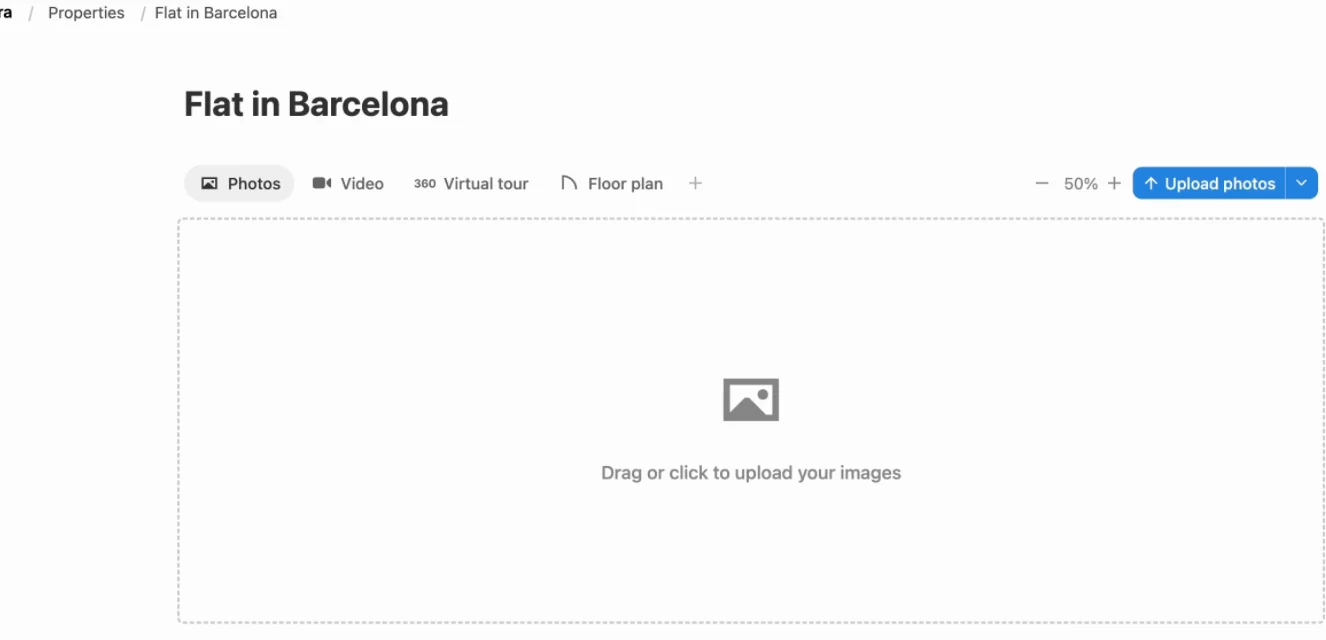
Step 2: Make the first scene the hook with an AI effect
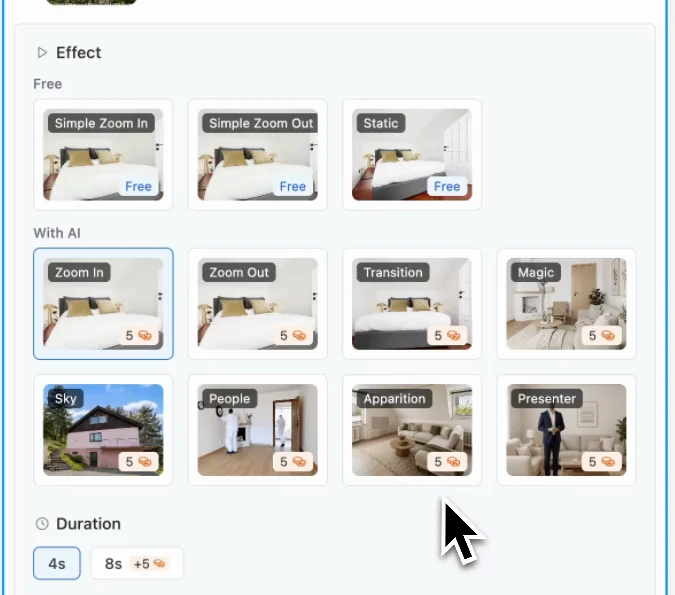
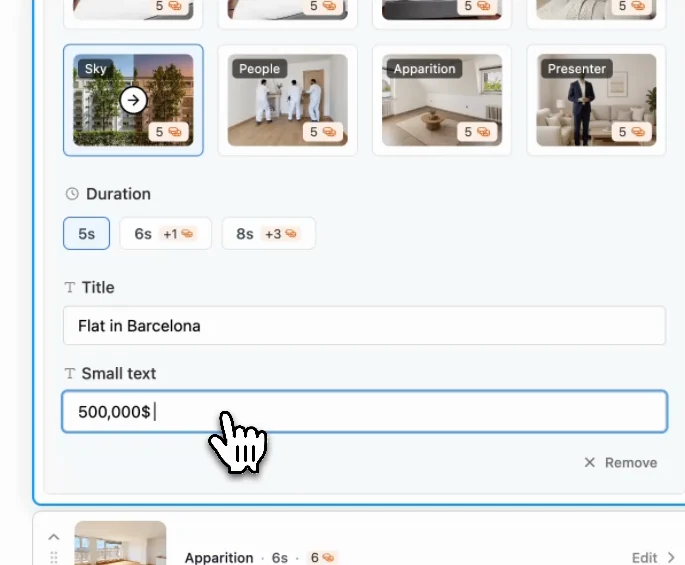
Your first scene is your hook. Click the first photo and pick an effect. Besides simple zooms, there are AI effects: zoom in, zoom out, transition, magic, sky, people, apparition and presenter.
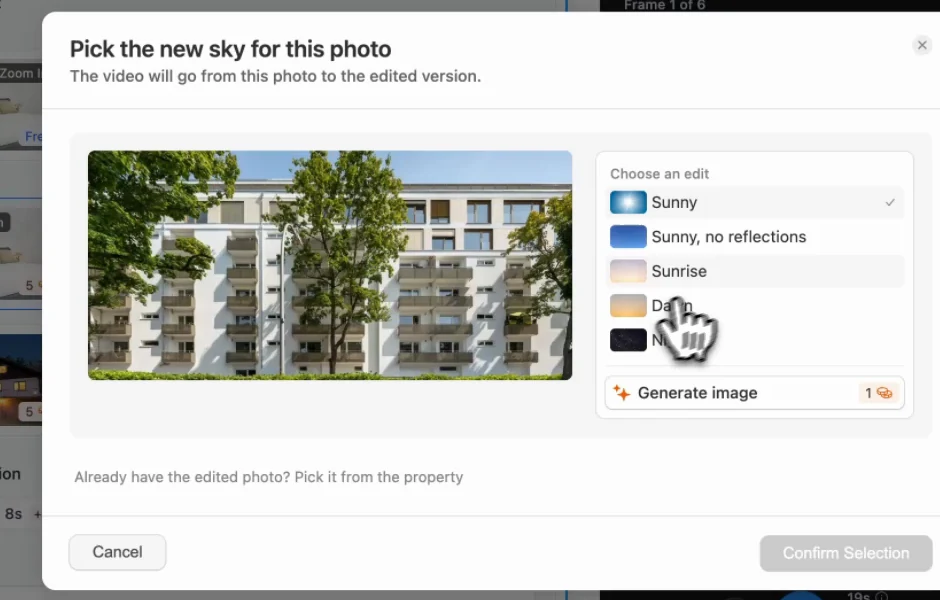
Sky turns the sky in the photo from day to dusk, night or sunrise during the scene. Pick the sky, click Generate image and confirm the selection.
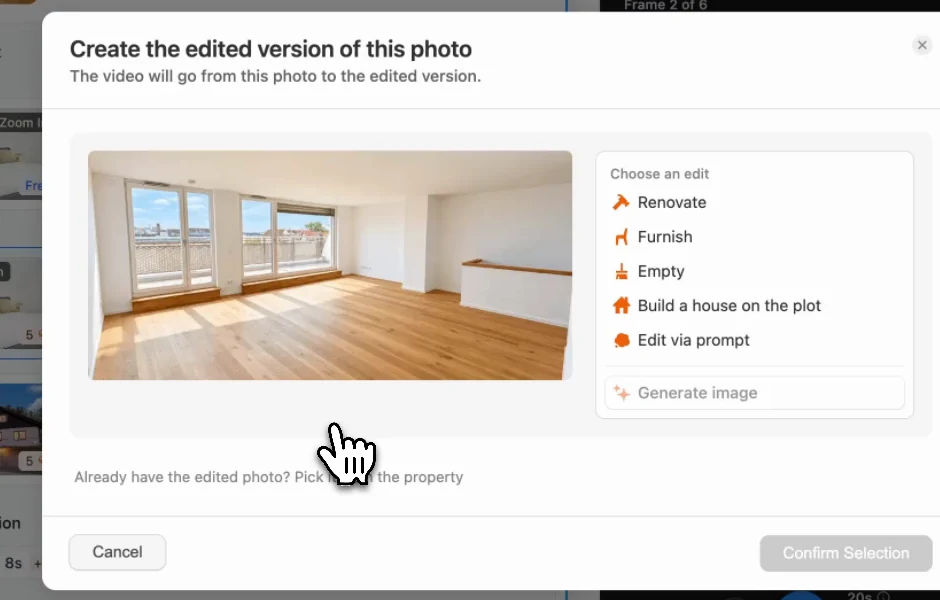
Apparition makes the furniture appear in an empty room. Choose an edit such as Furnish, generate the image and confirm. The reel goes from the empty room to the staged one, which is exactly the kind of change people stay to watch.
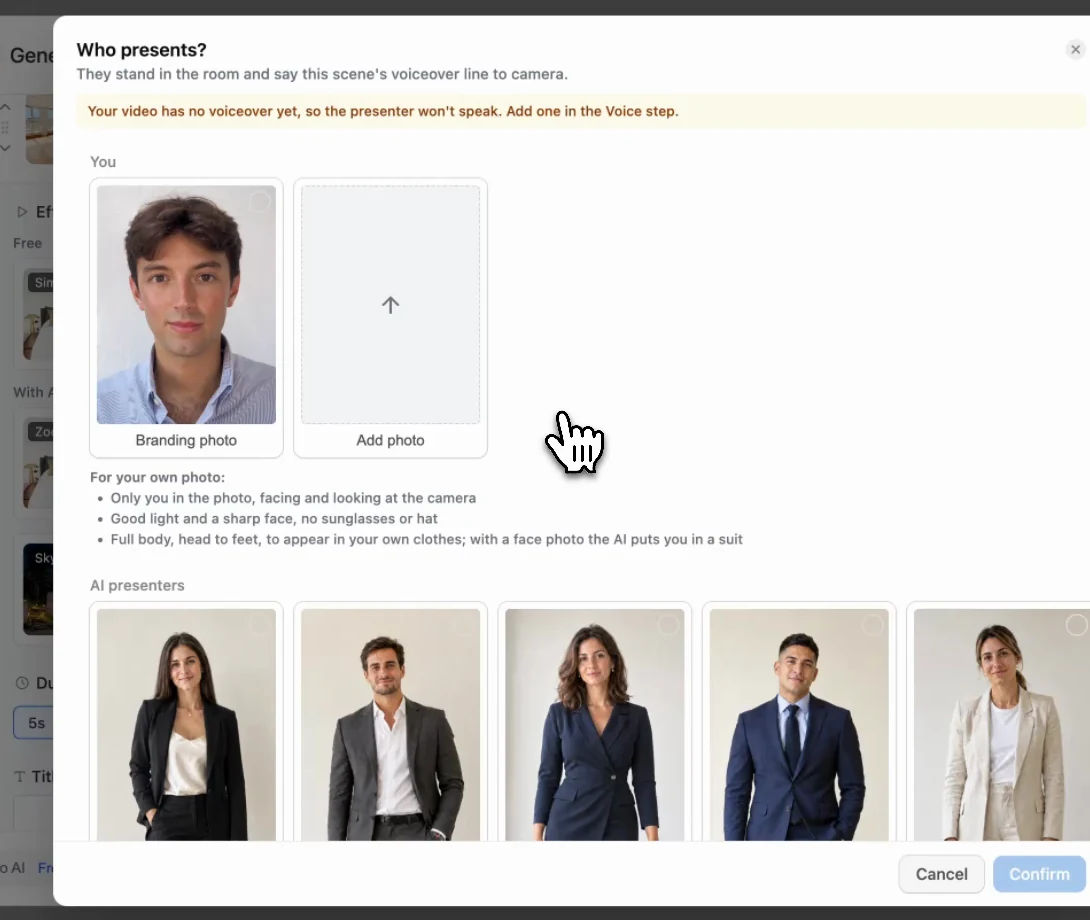
Presenter puts a person in the room who says your hook to camera. One photo of yourself or another agent is enough, or you can pick one of the AI presenters.
Step 3: Add the voiceover and subtitles
Open Voice audio. Pedra writes the script from the listing characteristics, such as the price and the location, and you can start it with your hook. Pick the language and a voice, or clone your own voice once and use it in every video. Click Regenerate audio, and leave Show subtitles in video on.
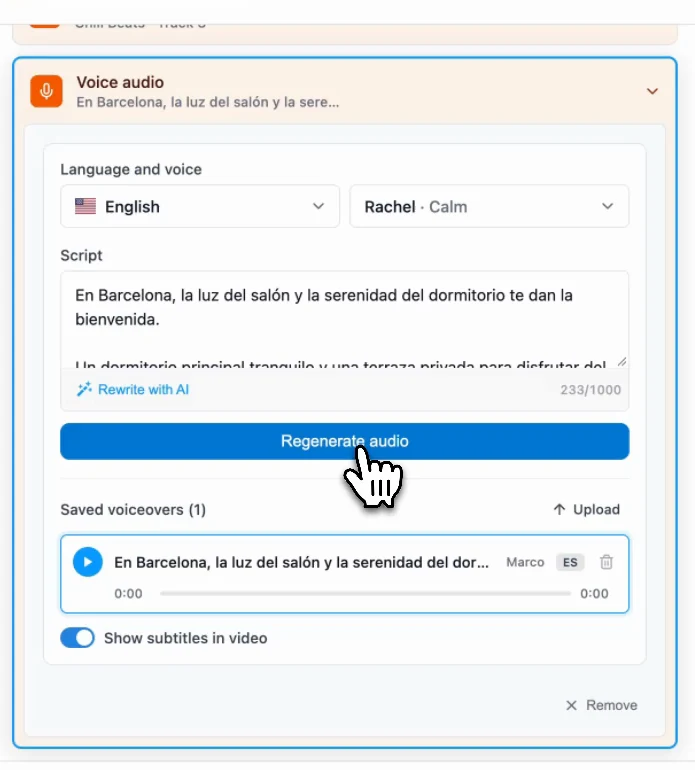
Cloning your voice takes about a minute of reading a short text out loud. From then on, every reel is narrated in your voice, without recording anything again.
Step 4: Pick the music
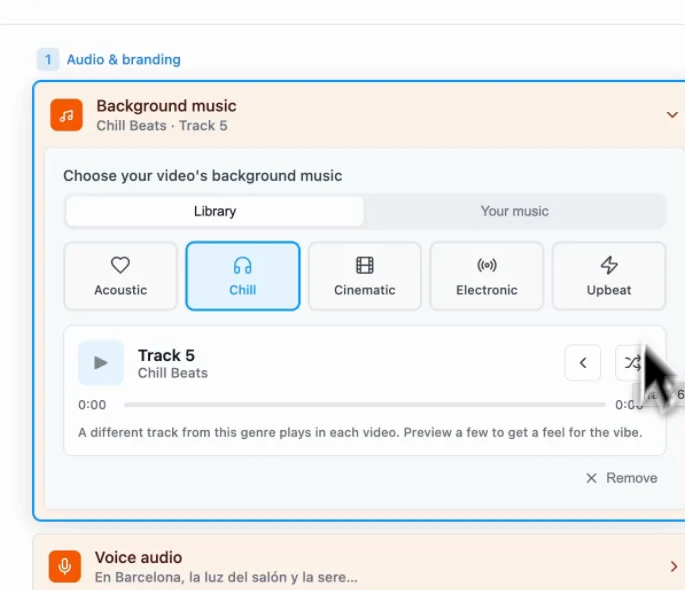
Open Background music and pick a genre: acoustic, chill, cinematic, electronic or upbeat. Each genre has several tracks, so your reels don't all sound the same, or you can upload your own music. Pedra starts the music at the right moment.
Step 5: Add a title and generate the reel
Back on the first scene, add a Title (for example "Flat in Barcelona") and a Small text line with the price or the area. Check the 16:9 and 9:16 previews, then click Generate video.
You get two videos from the same project: a vertical one for Instagram Reels, TikTok and YouTube Shorts, and a horizontal one for portals and YouTube. Both have the voiceover, the effects, the music and the subtitles.
Post it straight to Instagram and TikTok
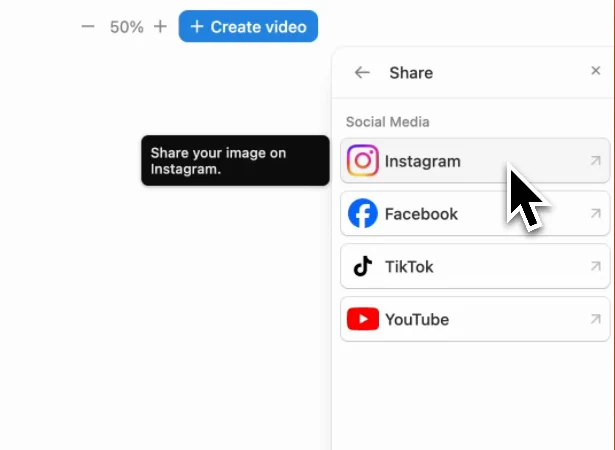
You don't need to download the reel and upload it again. Select the video, click Share and post it to Instagram, Facebook, TikTok or YouTube, or schedule it for the day and time you want.
A quick checklist before you post
- The first two seconds have a hook line and something moving on screen.
- The voiceover says the price or the location early.
- Subtitles are on.
- The music starts with the first scene, not halfway through.
- The reel ends on the details people need: price, area, how to contact you.
If you'd rather hire someone, we compared real estate video editors and services. If you film walkthroughs yourself, read how to make real estate videos that sell. And for what to post on the days you have no new listing, see real estate social media content ideas.
To make your first reel from your own listing photos, try Pedra's real estate video tool. It's free to try.
