
Real estate virtual tour app: a 360° tour of your listing, from your phone
No 360 camera needed. Stand in the center of each room, take 8 guided shots, and Pedra builds a navigable virtual tour for your listing.
On the App Store and Google Play. First shots free, no credit card needed.
You can make a real estate virtual tour without a 360 camera. Open the Pedra app on your phone, stand in the center of each room and take 8 guided shots. Pedra stitches them into one 360° photo, finishes the ceiling and floor with AI, and links the rooms into a navigable virtual tour. Virtual tours are unlimited; each room you shoot with your phone uses 1 credit for the AI finishing, and the first shots are free, no credit card needed.
OVER 30,000 REAL ESTATE PROFESSIONALS ALREADY TRUST PEDRA








How to make a real estate virtual tour with your phone
Six steps in the Pedra app, done from inside the property.
Open Virtual Tour and pick the property
Open the Pedra app, tap Virtual Tour and choose the property you're standing in.
Choose Take 360 photos with this phone
Add the rooms in the order you'd walk the property — that's how the rooms get linked.
Take 8 guided shots per room
Stand still in the center of the room and tap Start. Center the white pointer inside each blue dot until it turns green, rotating slowly on the spot.
Take the next room
Repeat in every room. The demo covers a living room, an office and a bedroom.
Tap Back to Tour
Pedra stitches the 8 shots into one 360° photo and finishes the ceiling and floor with AI, so it looks natural.
Tap Next: Build Tour
Pedra links the rooms together. It takes about a minute, and you can close the app and leave the property while it builds.
See it on a real flat in Barcelona
Three rooms (a living room, an office and a bedroom), 8 shots each: one virtual tour, 3 credits of AI finishing.
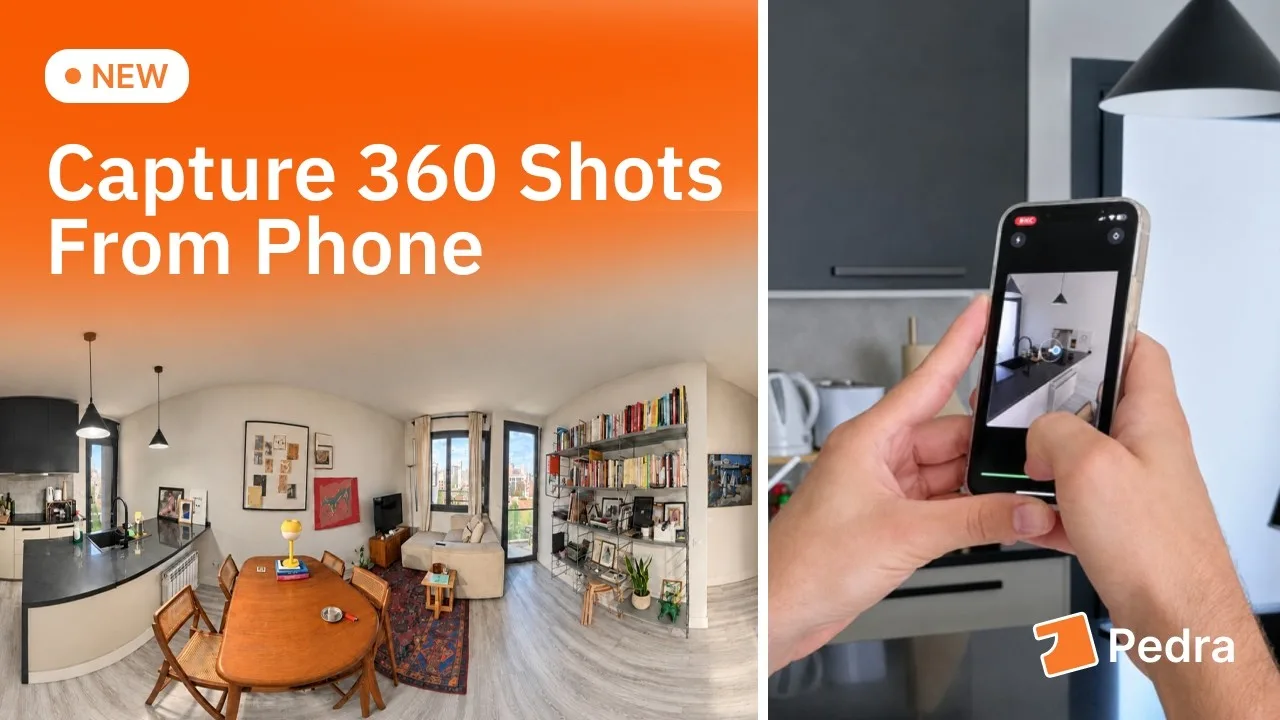
A virtual tour without a 360 camera
Until now, a 360° photo of a property meant buying a 360 camera, which is usually expensive. If you want virtual tours on your listings but don't have the budget for a professional 360 camera, you can start with the phone already in your pocket.
The Pedra real estate virtual tour app takes the 360 shots with your phone and builds the tour right there, in the property, so you can leave as soon as the last room is done.
What the app screen says“No 360 camera? Shoot each room as 8 guided photos. We stitch them and finish the ceiling and floor with AI — 1 credit per room.”
Already have a 360 camera? Keep using it.
The same screen in the app has a second option, Upload from a 360 camera. Pick the exported 360 photos from an Insta360, a Ricoh Theta or another 360 camera in your camera roll, and they go into the tour just like before. Either way, add the rooms in the order you'd walk the property — that's how the rooms get linked.
Prefer to upload from your computer, or edit your 360 photos with AI? That's all in 360° virtual tours for real estate, Pedra's virtual tour platform.
What the real estate virtual tour app gives you
- A navigable 360° tour. Buyers move from room to room with navigation points and zoom into each space.
- Rooms linked in walking order. Add the rooms in the order you'd walk the property and the tour connects them that way.
- 360 photos finished with AI. The 8 shots of each room become one 360° photo, with the ceiling and floor finished by AI so it looks natural.
- Built while you leave. Building the tour takes about a minute, and you can close the app and leave the property while it finishes.
- Ready for any screen. The tour opens on mobile and looks best on desktop.
- One link for your listing. Paste the public tour link into Zillow, Realtor.com, MLS or WhatsApp, or embed it on your website with a simple code.
Unlimited tours. 1 credit per room for the AI finish.
Virtual tours are unlimited. Each room you shoot with your phone uses 1 credit for the AI finishing that removes the seams and completes the ceiling and floor, so the three-room flat in the demo used 3 credits. Stitching the shots and building the tour don't use credits. Your first shots are free, no credit card needed.
Need a walkthrough video of the listing instead of a 360° tour? The same app does that too: the real estate video app.
Make your first virtual tour today
Download the Pedra app on iPhone or Android, or update it if you already have it. The first shots are free, no credit card needed.