
3D rendering for real estate is a computer-generated, photorealistic image of a property, and for new construction it's often the only way to show a home that hasn't been built yet. Pedra renders new construction homes and videos from a 2D floor plan, with no reference photos. A rendering studio takes days and charges hundreds of dollars per image; with AI, each room takes about a minute.
This guide is for developers, sales teams and agents selling off-plan. It answers the questions we hear most: what a real estate rendering is, what it costs, how long it takes, and how to make one from the floor plan alone.
What is 3D rendering for real estate?
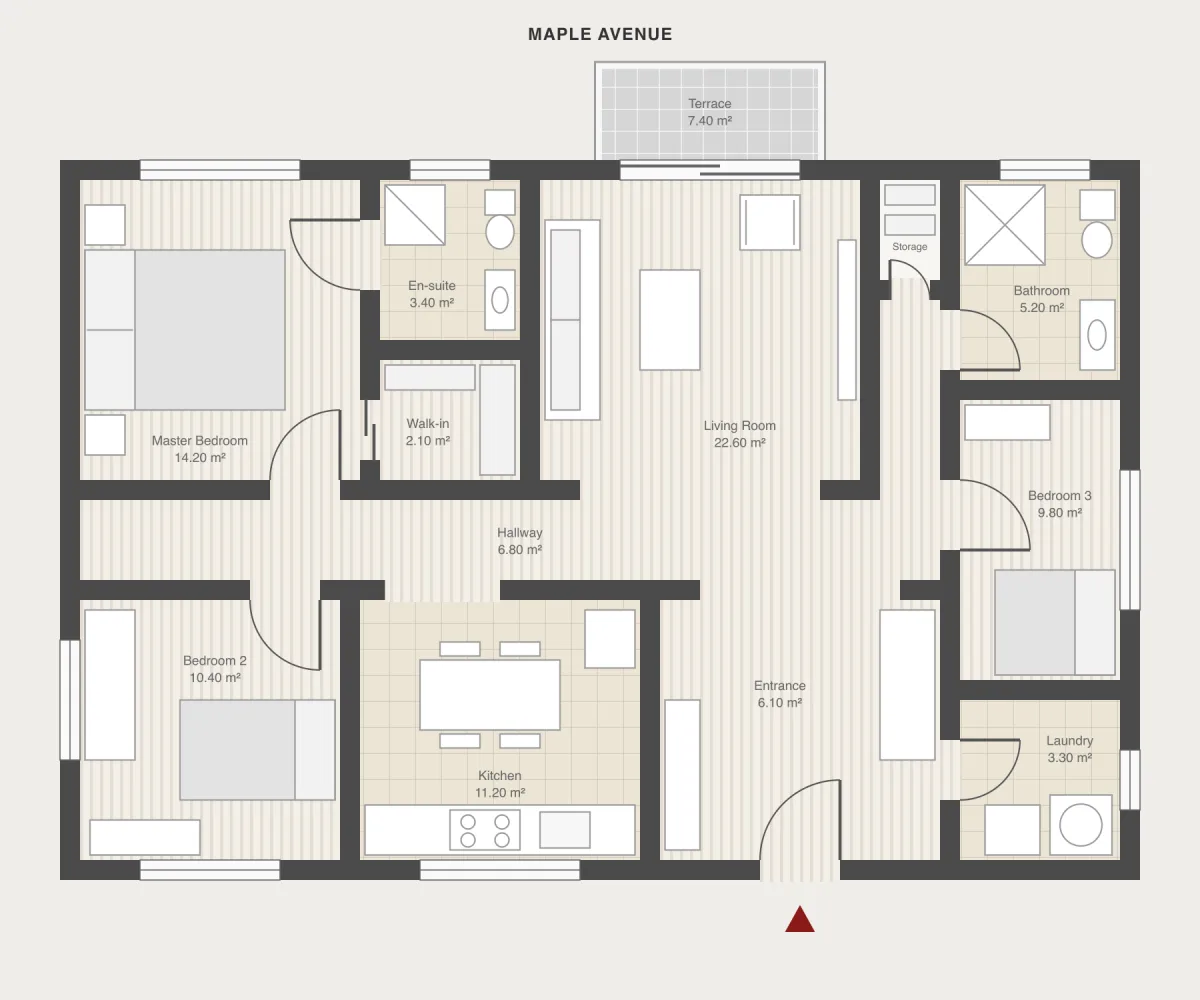
3D rendering for real estate is a computer-generated image of a space that looks like a photograph. You'll also see it called architectural visualization, property CGI or just a render.
For new construction it does one specific job: buyers can't picture a home from a black and white floor plan. A rendering shows them the finished kitchen, the living room in daylight or the furnished terrace before anything exists. That's why developers use renderings in sales brochures, on listing portals and on the project website.
How much does a real estate 3D rendering cost?
A rendering studio charges roughly $250 to $1,500 per interior image, and more for complex exteriors and aerial views. Here's what studios publish for 2026:
- Alden Studios: small residential projects, $400 to $1,500 per interior or exterior image. (source)
- Rapid Renders: interior stills $250 to $600 on a budget, $600 to $1,500 mid-range. A 3D floor plan runs $200 to $800 per floor. (source)
- Spain, for comparison: a single image at Barcelona studio Sinluz costs €450, and a pack of four starts at €1,490. (source)
In Pedra, rendering one room from a floor plan costs 2 credits. The Pro plan is €29 a month with 100 credits, so each room render works out at about €0.58. Your first 3 renders are free.
How long does it take?
Studios typically deliver an interior image in 2 to 8 days: Alden Studios quotes 2 to 7 days for small residential projects, Rapid Renders 5 to 8 days for an interior. Then come the revision rounds: every change of finishes is another loop.
With AI, each room renders in about a minute. The whole workflow, from floor plan to a listing video, takes about 10 minutes.
Can you make a rendering without photos?
Yes. Most AI tools need a photo of the room, and with new construction that photo doesn't exist. Pedra works from the floor plan itself:
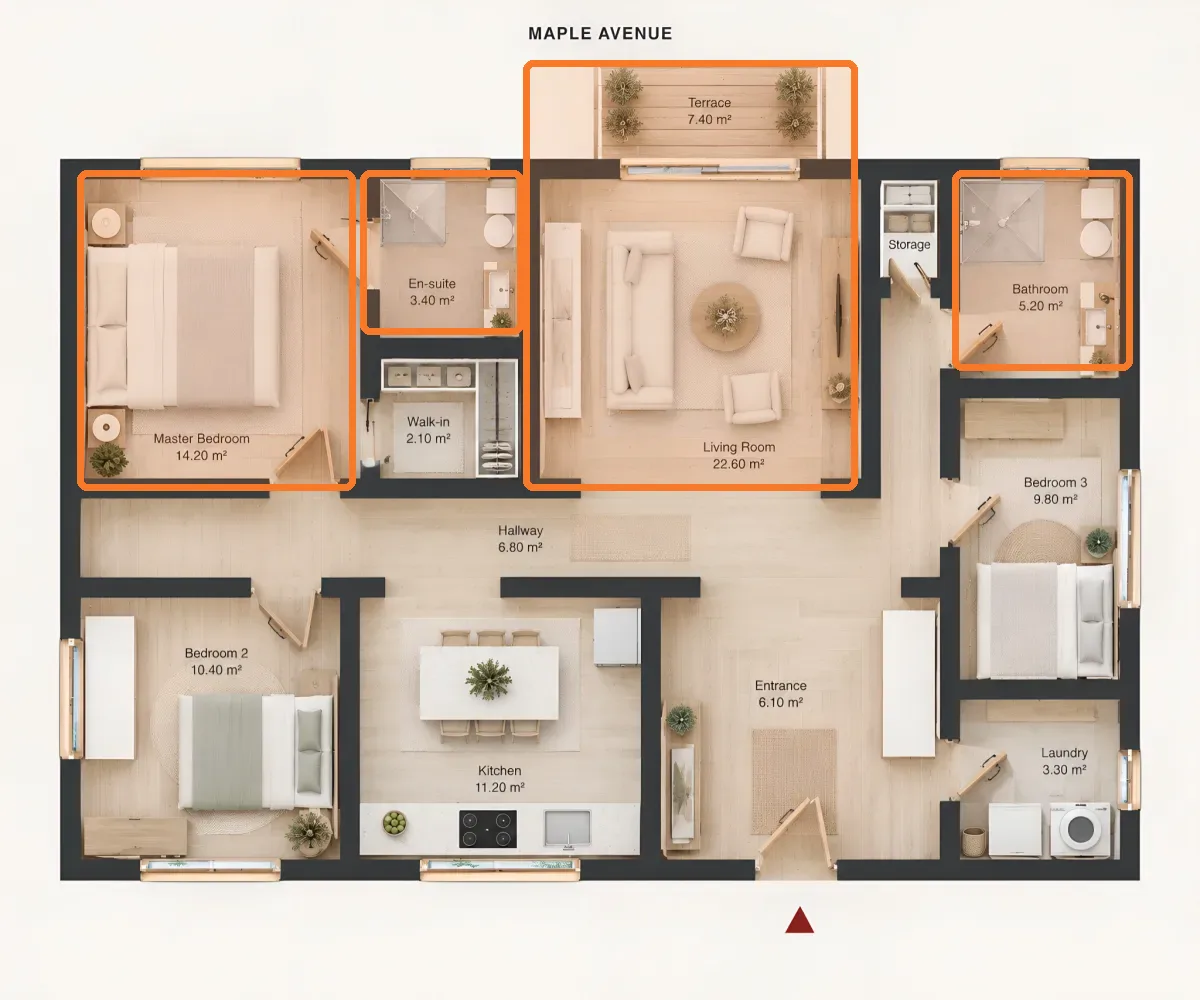
- Realistic floor plan. Upload the plan to a property, click Edit with AI → Renovate, leave the space type on Auto and pick a style. Pedra turns the black and white plan into one with furniture and materials.
- Mark the rooms. In Photos, click the arrow next to Upload photos → Upload floor plan to render → AI. Draw a box over each room: living room, bedroom, bathrooms, terrace.
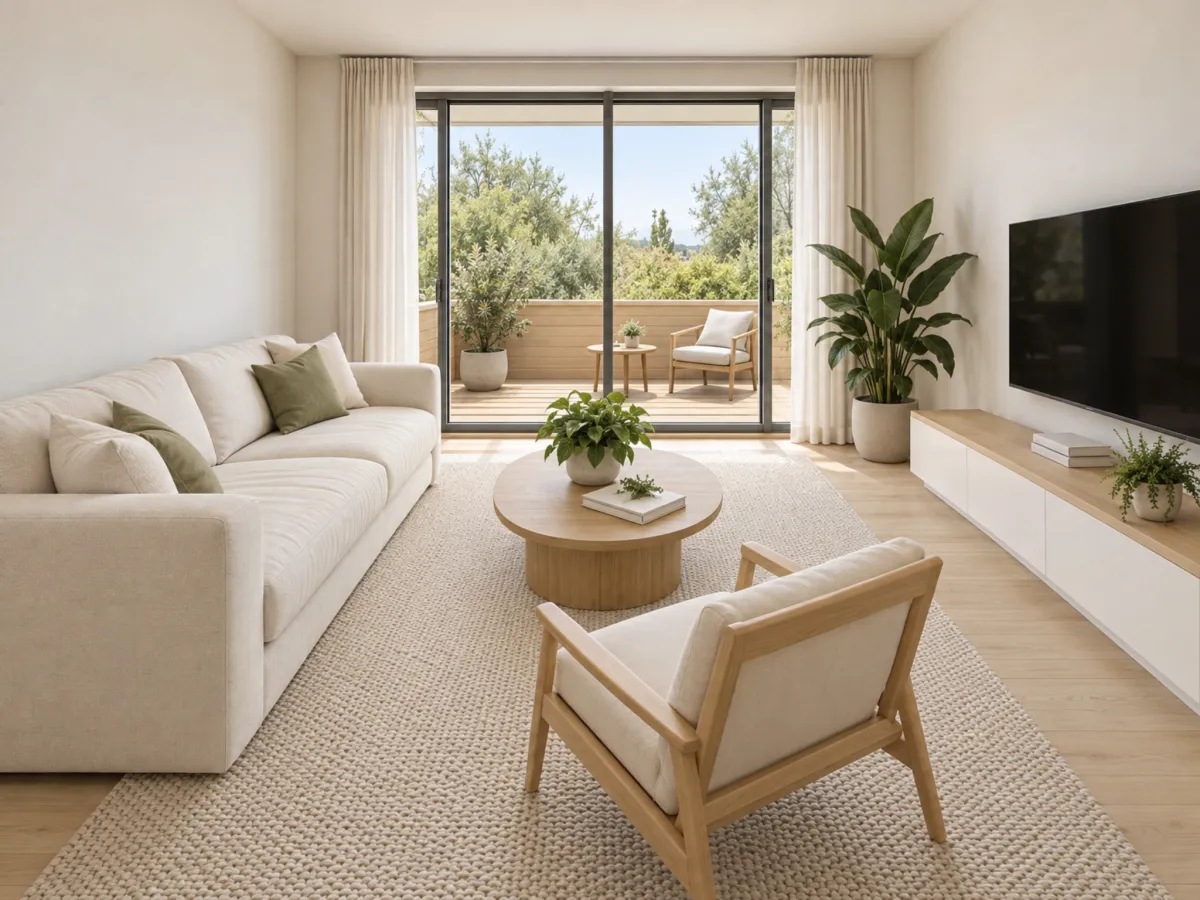
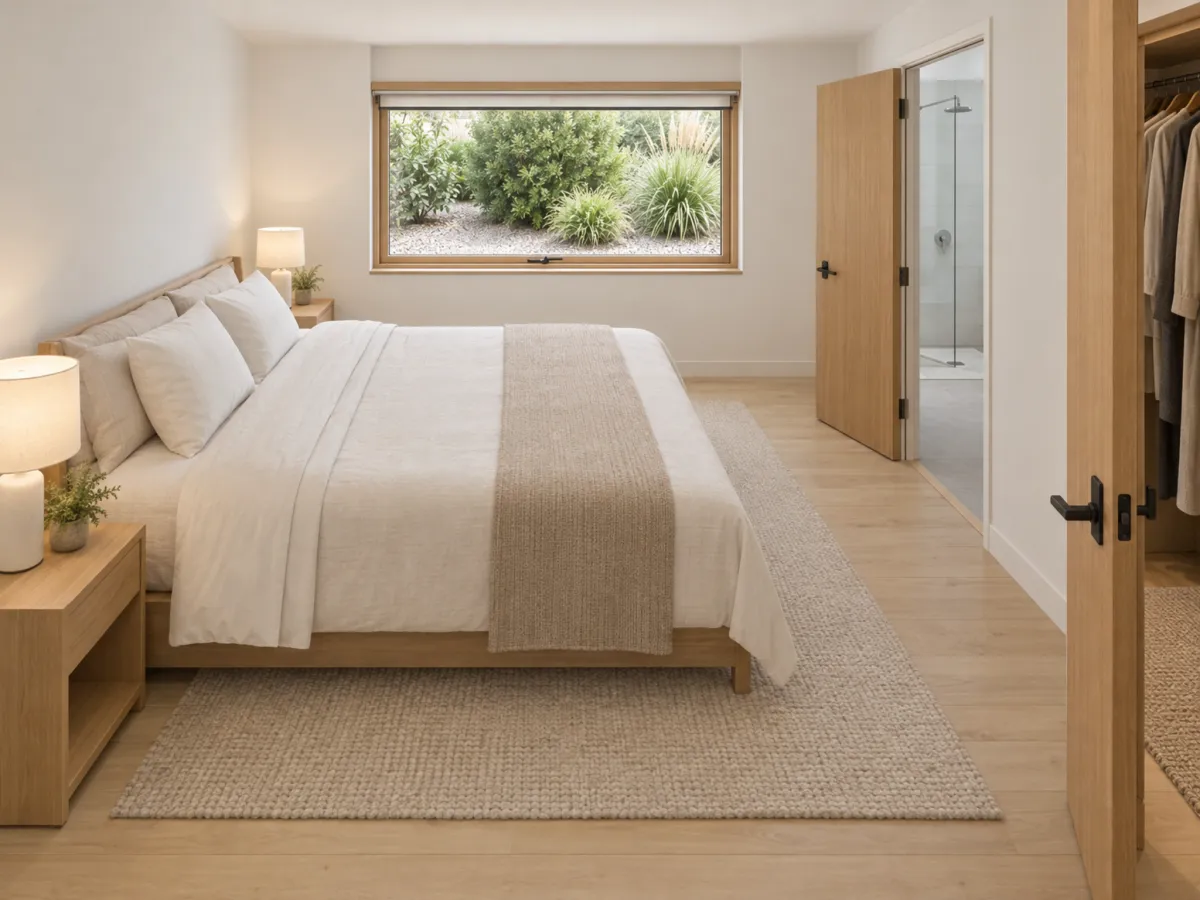
- Generate. With the style "As in the plan", every render uses the same furniture and materials as the realistic floor plan. In each render's details, a red dot shows where the camera stands.
You get a render of every room, all consistent with each other:
Can the renders show the real finishes?
Yes, and for new construction they should: the rendering has to show what you'll actually deliver. Open the render, Edit with AI → Edit with prompt, and describe the finish: "white handleless cabinets, grey quartz countertop". If you have a photo of the material or the supplier's catalogue, add it as a reference.
If the framing doesn't work, generate another viewpoint of the same room. That change costs one more render, not another week of studio time.
What about video for portals and social?
From the plan and the renders, Pedra builds a real estate video in horizontal for listing portals and vertical for Instagram and TikTok, with music, voiceover and subtitles. Upload a photo of the vacant lot and the first scene shows the home being built on it.
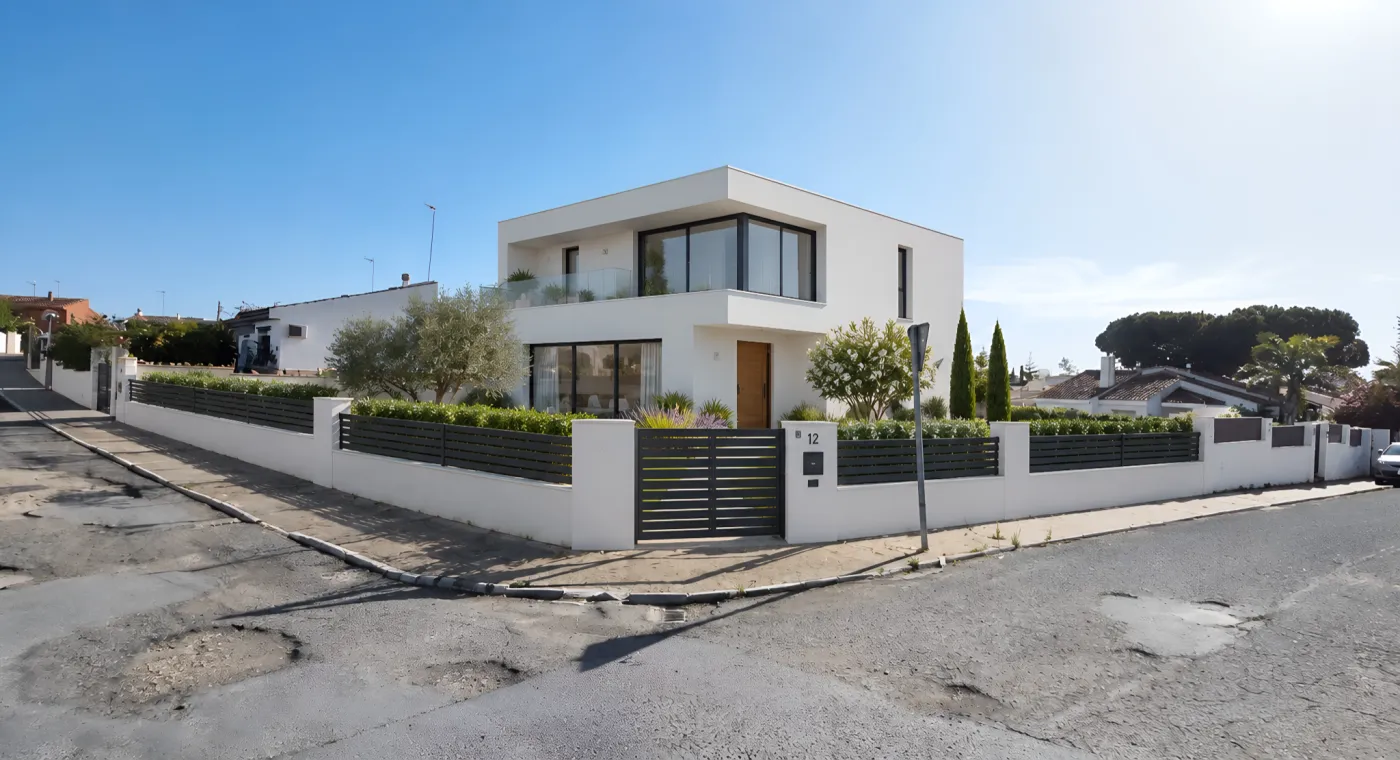
Making videos from your images is unlimited; animating a photo with AI, like building the home on the lot, costs 5 credits.
Rendering studio or AI: comparison
| Rendering studio | Pedra (AI) | |
|---|---|---|
| Price per interior image | $250 to $1,500 | about €0.58 (2 credits) |
| Turnaround for an image | 2 to 8 days | about 1 minute |
| Cost of changing finishes | another revision round | another render |
| Listing video | quoted separately | included |
| Needs photos | no, works from plans | no, works from the floor plan |
Studio prices published by Alden Studios and Rapid Renders for 2026.
A studio still makes sense for a hero exterior shot or a launch campaign with a very specific art direction. To have a rendering of every room and every unit type from the first day of sales, AI is faster and far cheaper.
Start with your floor plan
If you sell new construction and all you have is the floor plan, try Pedra's floor plan render with AI: upload the plan, mark the rooms, and in minutes you have the renders and the listing video. Your first 3 renders are free.
Frequently asked questions
What is 3D rendering for real estate?
3D rendering for real estate is a computer-generated, photorealistic image of a property. For new construction it shows a home that doesn't exist yet: each room furnished, with its finishes and light, built from the project's floor plans.
How much does a real estate 3D rendering cost?
A studio charges roughly $250 to $1,500 per interior image, depending on detail and turnaround. In Pedra, rendering one room from a floor plan costs 2 credits, about €0.58 on the Pro plan at €29 a month.
How long does a rendering studio take?
Studios typically deliver an interior image in 2 to 8 days, plus rounds of revisions. With AI, each room renders in about a minute.
Can you make a rendering without photos?
Yes. Pedra renders new construction homes and videos from a 2D floor plan, with no reference photos. You draw a box over each room on the plan and the AI renders it with furniture, materials and light.
Can the renders show the real finishes?
Yes. Open the render, use Edit with prompt and describe the finish, for example white handleless cabinets and a grey quartz countertop. If you have a photo of the material, add it as a reference.
