
TL;DR
Paste the link of your listing on Idealista, Fotocasa, ImmoScout24 or your agency's website. Pedra brings in every photo at full size and fills in the price, m², rooms, bathrooms and description. It takes 1 to 3 minutes, and it's free. Your video then starts with the characteristics already filled.
Why we built it
Your photos and your property details are already on the portal. Until now, using them in Pedra meant downloading every photo, uploading them again and retyping the price, m² and rooms. It was the slowest step for new agents, and you told us.
Now it's one paste.
How it works
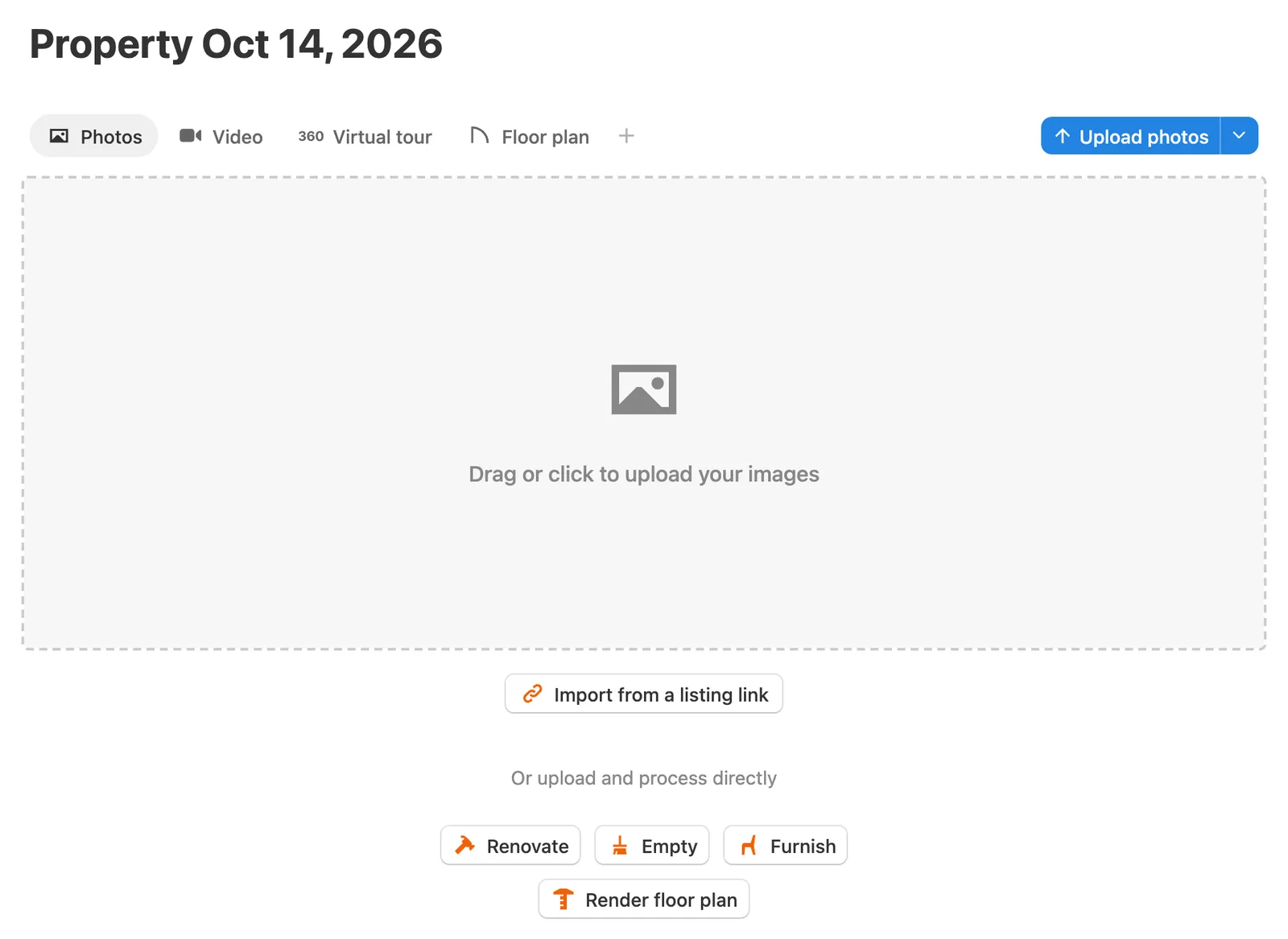
1. Open a property. In Pedra, click New property. In Photos, click Import from a listing link.
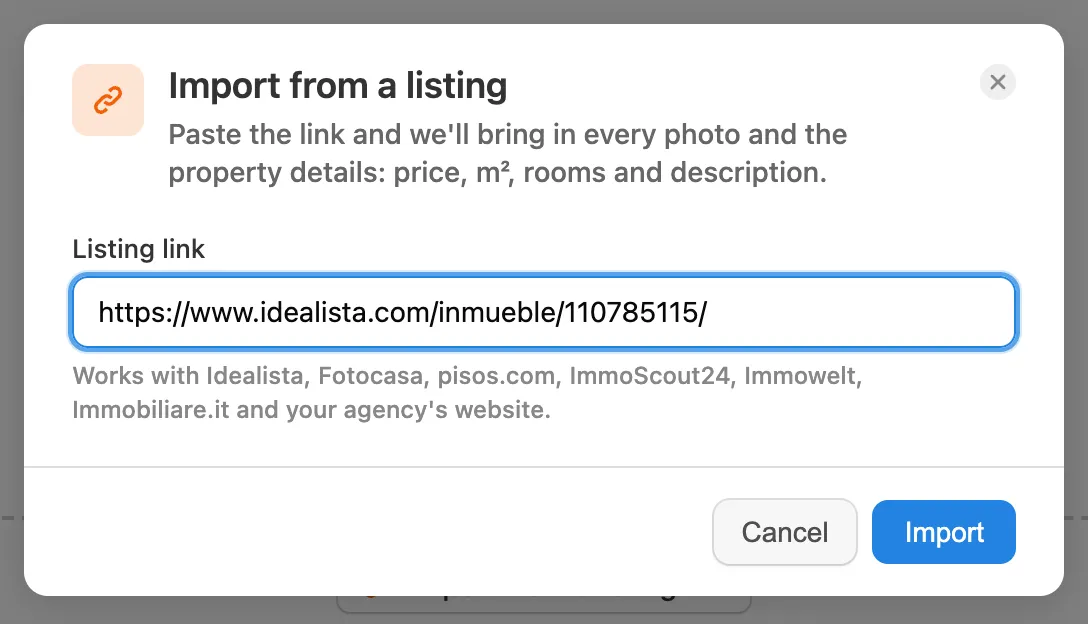
2. Paste the link of your listing and click Import.
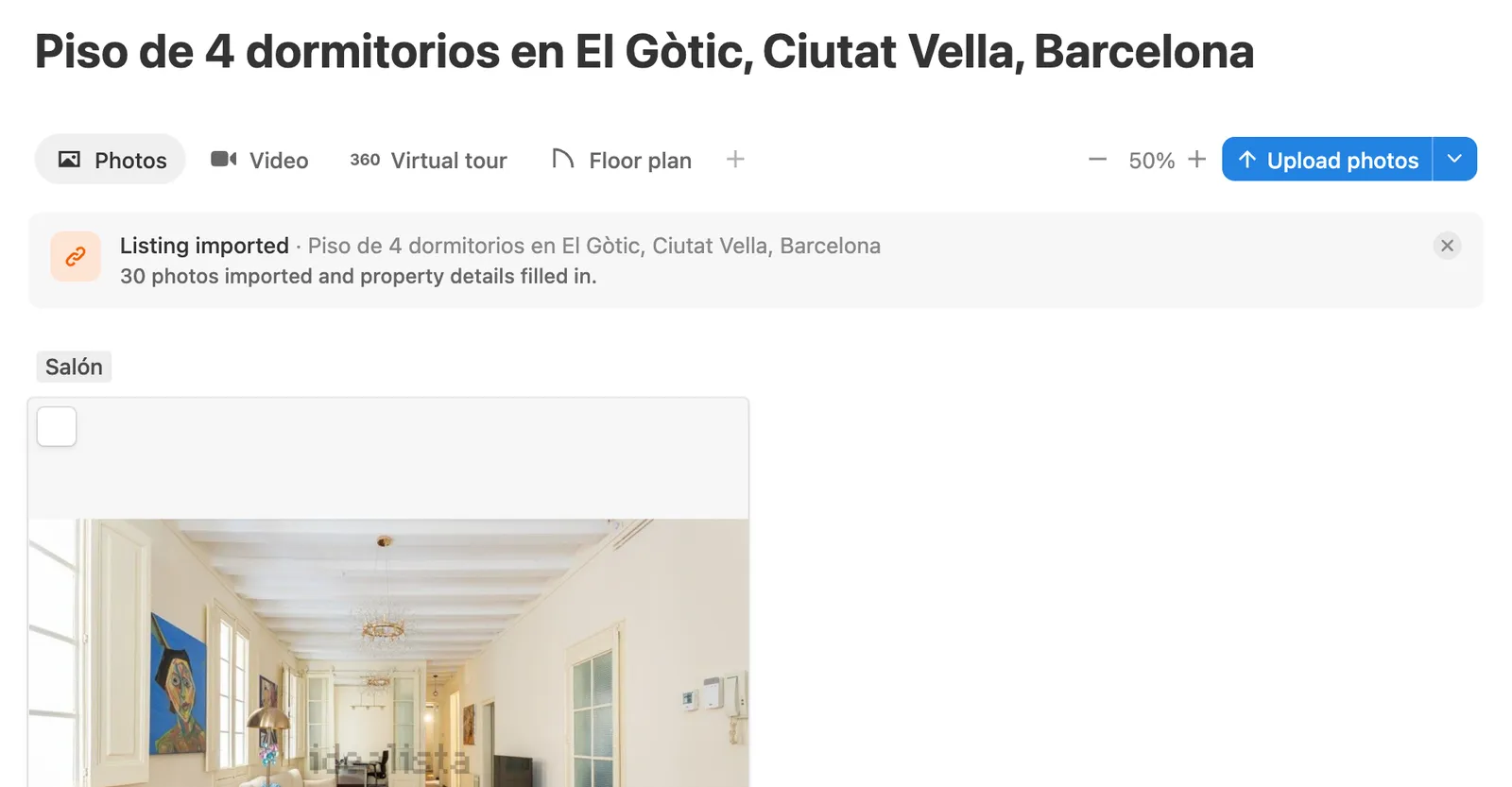
3. Keep working. Pedra reads the listing in the background. When it's done, the photos are in the property and it takes the listing's title.
What gets imported
- Every photo of the listing, at full size.
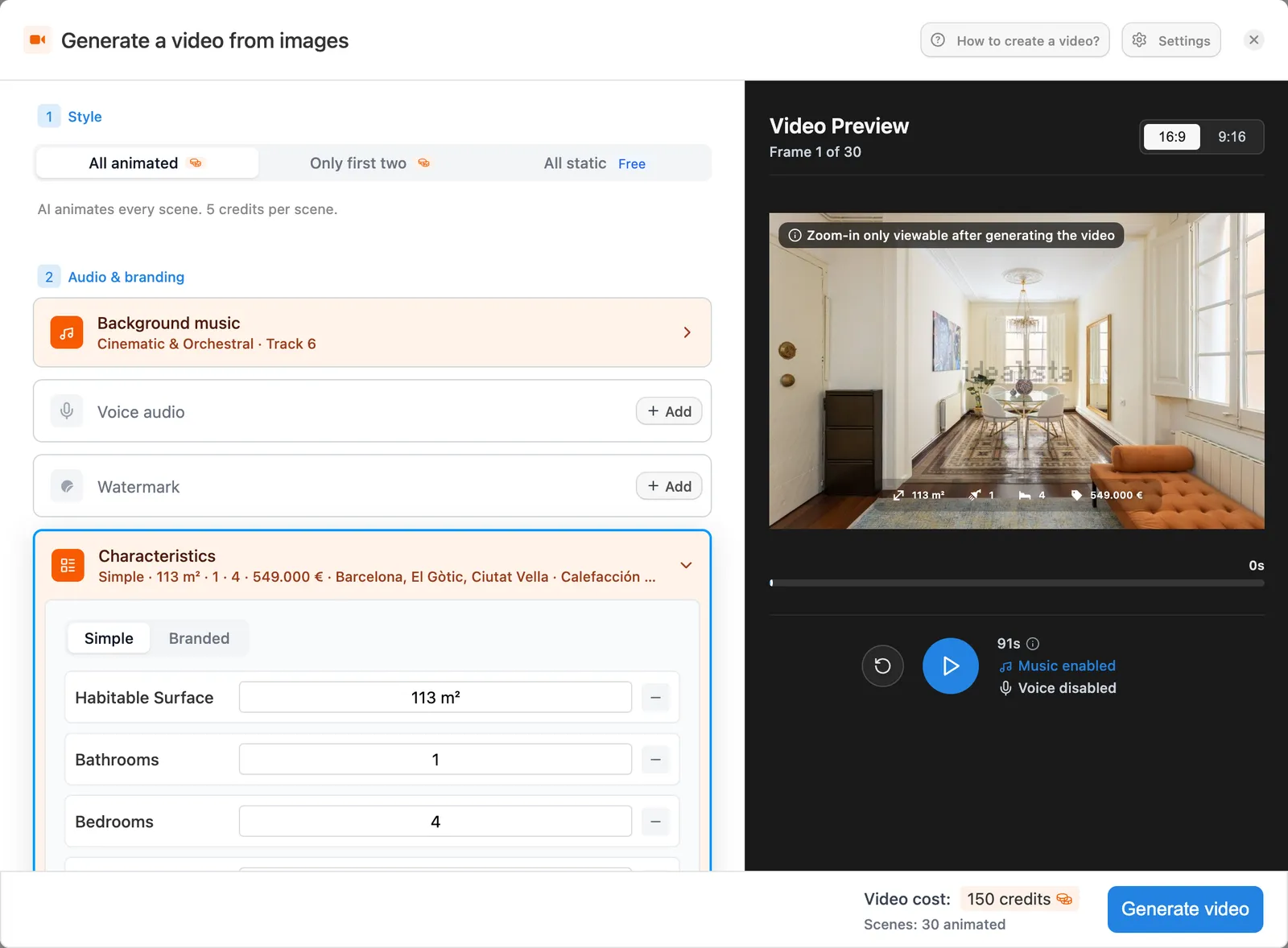
- The details: price, m², rooms, bedrooms, bathrooms, parking, heating and outdoor space.
- The location and the description.
The video reuses them. Open Video and the Characteristics are already filled, ready to show on screen.
Which links work
Idealista, Fotocasa, pisos.com, ImmoScout24, Immowelt, Immobiliare.it and most agency websites. Paste the link of one property, not a search page. Links from WhatsApp, Facebook or Canva don't carry the listing, so upload the photos there.
Try it
Importing is free: 5 imports a day on the free plan, 100 a day on Pro. You'll also find Import from a listing link inside the video, in the Select Photos step.
Step by step guide: how to create a video from an Idealista or Fotocasa link.
