
How to Create a Video From an Idealista or Fotocasa Link
Paste your Idealista or Fotocasa link in Pedra: it imports the photos, price and m² and turns them into a listing video. Step by step, with screenshots.
To create a video from an Idealista or Fotocasa listing, paste the listing link in Pedra. Pedra imports every photo and the property details, and the video editor fills in the characteristics for you. You pick a style and click Generate video.
This guide shows every step, with screenshots.
What you need
- The link of your listing on Idealista or Fotocasa. pisos.com, ImmoScout24, Immowelt, Immobiliare.it and your agency's website work too.
- A Pedra account. Importing the listing is free.
Step 1: Create a property and paste the link
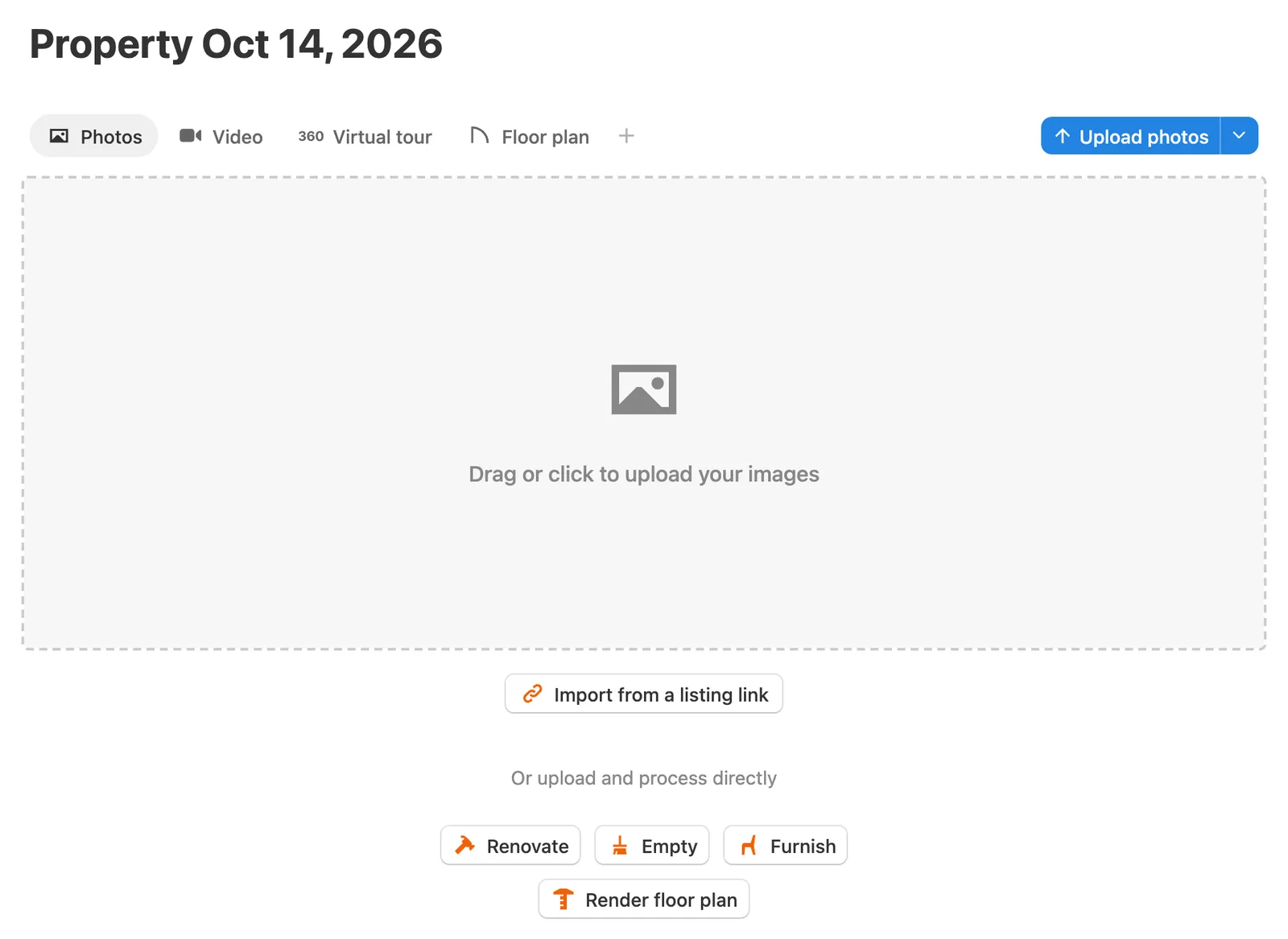
In Pedra, click New property. In Photos, click Import from a listing link.
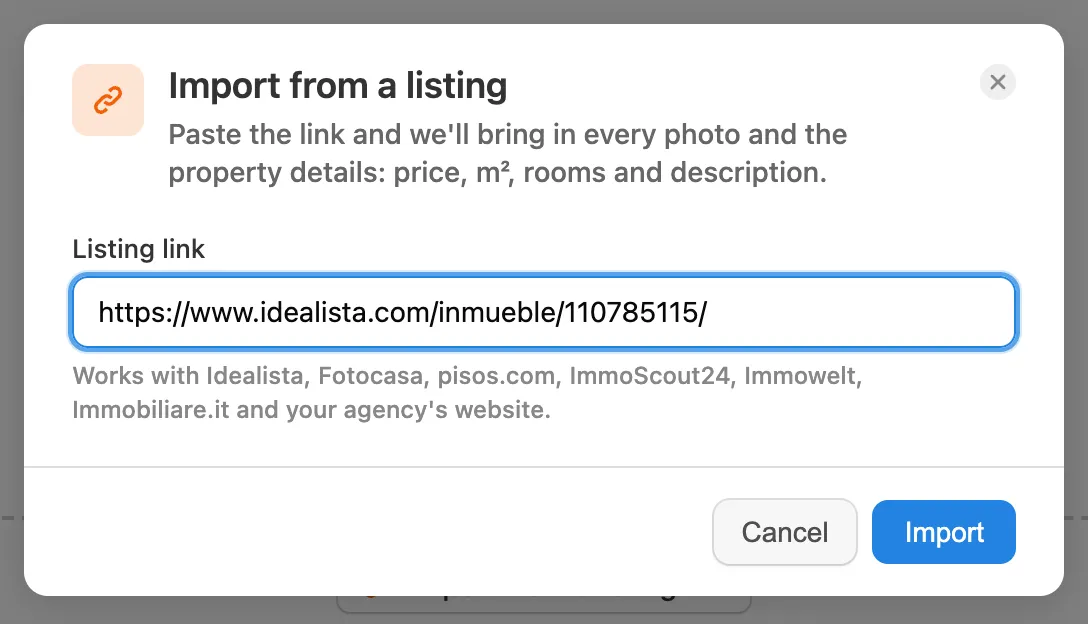
Paste the link of your listing and click Import.
Step 2: Wait for the import
Pedra reads the listing in the background. It takes between a few seconds and 3 minutes, and you can keep working. When it's done you'll see Listing imported: the photos are in the property, the property takes the listing's title, and the price, m², rooms and description are saved.
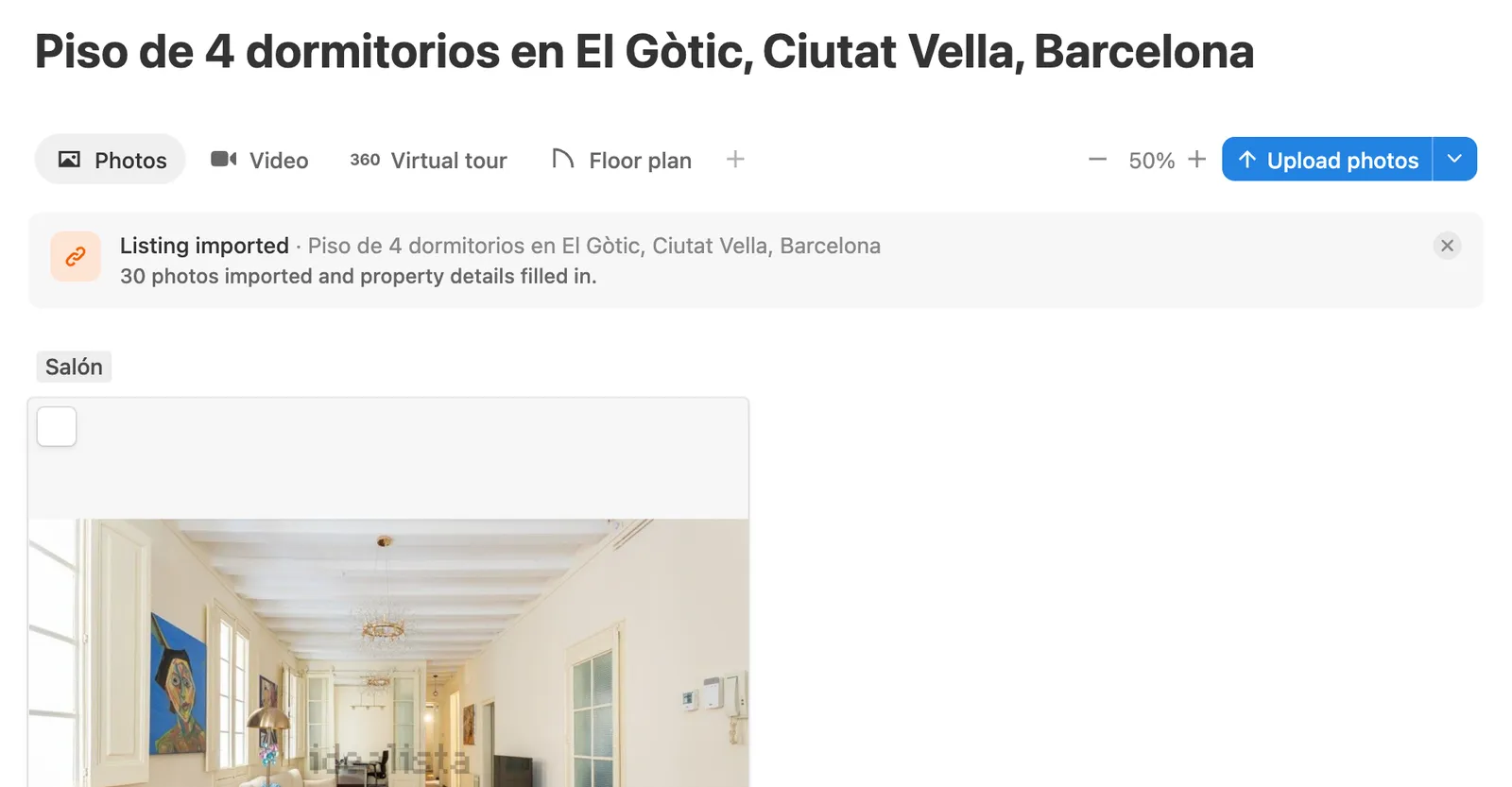
Idealista stamps its logo on its photos. Take it off in one click with watermark removal before you make the video.
Step 3: Open Video and pick the photos
Go to the Video tab and click Create video. The imported photos are already there. Select all of them with the box at the bottom left, or only the ones you want, and click Next.
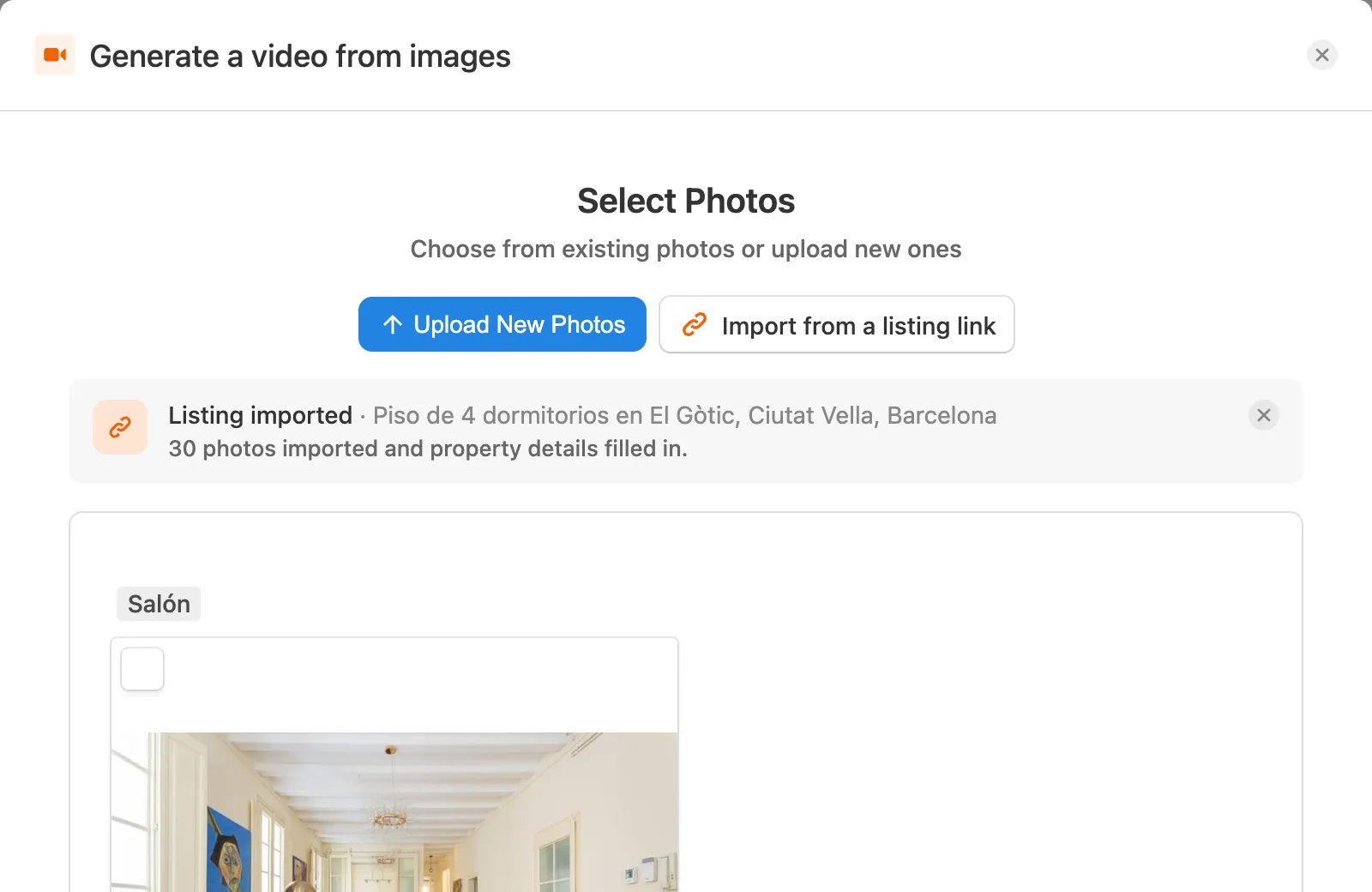
You can also start here: Import from a listing link is in this step too, so you can paste the link without going through Photos.
Step 4: Check the characteristics
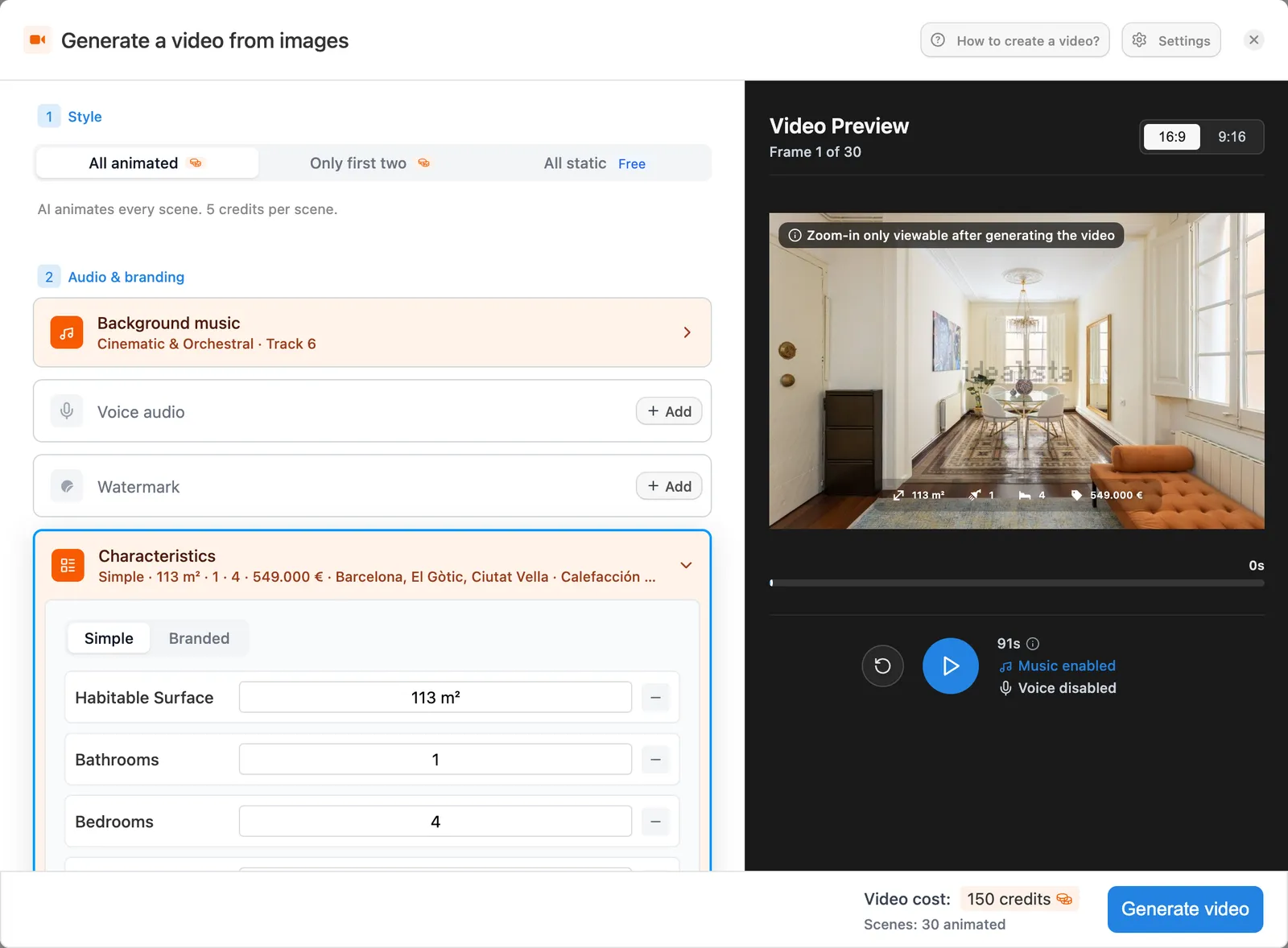
Open Characteristics. The m², rooms, bathrooms, bedrooms, price and location are already filled in from the listing, and they show on screen in the video. Change any field, or remove the ones you don't want to show.
Choose Simple for a clean overlay, or Branded to use your agency's colours.
Step 5: Choose the style and generate
At the top, choose how the photos move:
- All animated: AI animates every scene. 5 credits per scene.
- Only first two: the first two scenes are animated, the rest are static.
- All static: free.
Add music, your voice or a voiceover and your watermark if you want, then click Generate video. You get the horizontal version for portals and YouTube, and the vertical one for Reels and TikTok.
What's new in this release: import a property from its listing link.
