
You need to remove a watermark from a photo you own. Maybe it's:
- An old camera date stamp on family photos
- A watermarked proof you've now purchased
- Your own photo that you've lost the original of
- A "preview" watermark on a licensed image
Good news: Removing watermarks from photos you legally own is now easier than ever. Modern AI tools can do it in 30 seconds with zero editing experience required.
This guide covers:
✅ Free AI tools that work in seconds (best for 90% of cases) ✅ Photoshop methods for complex watermarks (manual but precise) ✅ When it's legal to remove watermarks (and when it's not) ✅ Step-by-step tutorials for each method
Important: This guide is ONLY for photos you own or have legal rights to. Removing watermarks from copyrighted images without permission is illegal. We'll cover when it's OK in the next section.
⚡ Quick Guide: Which Method Should You Use?
| Your Situation | Best Tool | Time Required | Difficulty | Cost |
|---|---|---|---|---|
| Simple watermark on plain background | AI Tool (Pedra, Cleanup.pictures) | 30 seconds | ⭐☆☆☆☆ | Free/cheap |
| Complex watermark on detailed area | Photoshop Content-Aware Fill | 2-5 minutes | ⭐⭐☆☆☆ | $10/mo |
| Text over face or intricate pattern | Photoshop Clone Stamp + Healing | 10-30 minutes | ⭐⭐⭐⭐☆ | $10/mo |
| Multiple watermarks on batch of photos | AI Tool with batch processing | 2-3 minutes | ⭐☆☆☆☆ | Varies |
👇 Keep reading for step-by-step instructions for each method
Legal Check: Do You Have the Right to Remove This Watermark?
Before we dive into the "how," let's quickly answer the "should I?"
✅ YES - It's Legal and Totally Fine:
- You're the photographer/creator - Your own work, your rules
- You bought a license - Purchased from stock sites, you own usage rights
- Accidental watermarks - Camera date stamps, app logos on your own photos
- You have written permission - Creator explicitly allowed you to use it
- It's your property in the photo - Real estate photos you commissioned
❌ NO - Don't Do It (Seriously):
- Stock photo previews you haven't paid for
- Other photographers' work without permission
- Any image you found online and don't own
- "I'll give credit" - Credit doesn't equal permission
The Rule: If you paid for it, created it, or got explicit permission → you're good to go.
Why watermarks exist: Photographers and artists use watermarks to prevent theft while showcasing their work online. Respecting this protects creators' livelihoods. Only remove watermarks from images you legally own.
A watermark isn't just a logo in the corner. It's the creator's signature, a clear sign of ownership that protects their hard work. Scrubbing a watermark without permission isn't just a simple edit; it can land you in serious legal trouble for copyright infringement.
Now that we've covered the legal stuff, let's get to the good part: actually removing those watermarks.
Best AI Tools for Watermark Removal (2025)
AI watermark removers use "inpainting" technology - they analyze surrounding pixels and intelligently reconstruct what's hidden under the watermark. Here are the best options:
1. Pedra (Recommended for Real Estate Pros)
Best for: Property photos, professional use, batch processing
- ✅ Speed: 25-30 seconds per photo
- ✅ Quality: Excellent on complex backgrounds
- ✅ Easy: Zero learning curve
- 💰 Price: From $30/month, 7 free credits to try
Perfect for: Real estate agents removing date stamps or cleaning up commissioned property photos.
2. Cleanup.pictures (Best Free Option)
Best for: Personal photos, one-off removals
- ✅ Speed: 30-60 seconds
- ✅ Quality: Good for simple watermarks
- ✅ Free: Limited free tier
- ❌ Limits: Resolution limits on free tier
Perfect for: Quick fixes on personal photos you own.
3. Photoshop AI (Generative Fill)
Best for: Adobe subscribers who need maximum control
- ✅ Speed: 1-2 minutes
- ✅ Quality: Excellent, plus manual refinement
- 💰 Price: $10-$55/month (part of Adobe subscription)
Perfect for: Professionals who already use Photoshop and want AI + manual control.
How to Use AI Tools (Universal Process)
While each tool has a slightly different interface, the process is basically the same:
- Upload your photo to the tool
- Select the watermark (brush/highlight the area)
- Click "Remove" or "Generate"
- Wait 20-60 seconds for AI processing
- Download your clean photo
That's it. No complex settings, no editing skills needed.
Why AI Is a Game-Changer
The demand for clean, high-quality images for everything from social media to business websites is huge, and it's driving incredible growth in this software niche. The market for AI watermark removers was valued at around $500 million in 2025 and is expected to grow by about 15% annually over the next decade.
The real secret sauce is how AI handles tricky backgrounds. Manual editing often struggles with complex patterns like gradients, detailed textures, or brickwork. AI, on the other hand, excels at recreating these details, whether it's a wispy cloud or the intricate pattern of a wooden floor.
This capability is a massive advantage in fields like real estate, where a single, polished photo can make or break a listing. For agents and marketers, using AI for tasks like this is a no-brainer, and specialized real estate photo editing services often rely on this technology.
Manual Removal in Photoshop (For Complex Cases)

When to Use Photoshop Instead of AI:
- ✅ Watermark crosses multiple different textures (grass, wall, sky)
- ✅ Watermark is over someone's face or intricate details
- ✅ You need pixel-perfect precision for print
- ✅ AI tools left visible artifacts you need to fix
- ✅ You already have Photoshop and prefer manual control
When AI is Better:
- ✅ Simple watermark on plain/uniform background
- ✅ You need results in under 1 minute
- ✅ You don't have Photoshop skills/subscription
- ✅ Processing multiple photos (batch)
While AI tools are fantastic for their speed, sometimes you just need the precision that only manual editing can offer. When you're dealing with a really tricky watermark sitting on a detailed background, Adobe Photoshop is still the king. It gives you absolute control over every pixel. Think of it as the difference between a quick-fix and a surgical procedure.
Method 1: Content-Aware Fill (Fastest Manual Method)
The first tool most people grab is Content-Aware Fill. It's a smart feature that works a lot like modern AI. You just draw a loose selection around the watermark with the Lasso Tool, then head to Edit > Content-Aware Fill. Photoshop looks at the surrounding pixels and tries to intelligently fill in the gap. On simple backgrounds like a clear sky or a patch of grass, it often works like magic.
But when things get more complicated, you'll need to roll up your sleeves and use the classic tools that pros have relied on for decades.
Method 2: Advanced Tools for Tough Jobs
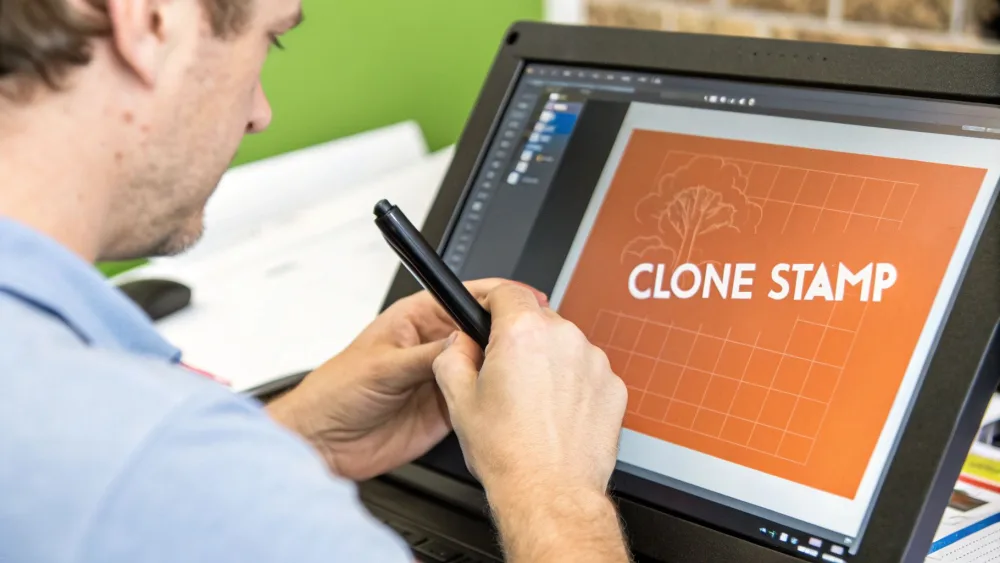
When Content-Aware Fill stumbles, the Clone Stamp and Healing Brush are your go-to tools. These are what give you that pixel-perfect control, which is non-negotiable when a watermark crosses over different textures and patterns.
-
The Clone Stamp Tool is for exact duplication. You pick a source point (
AltorOption+ click) and literally paint those pixels over the watermark. It's brilliant for rebuilding sharp lines or defined edges that the Healing Brush might otherwise blur. -
The Healing Brush Tool is a bit smarter. It also uses a source point, but it blends the texture, color, and light from your sample with the area you're painting. This makes it perfect for removing watermarks from things like skin, fabric, or other organic surfaces where you need a seamless, natural look.
The real secret to using these tools well is to work small and keep resampling. Constantly pick new source points right next to where you're working. This is how you ensure the lighting and texture stay consistent and avoid that blotchy, repetitive pattern that just screams "this was Photoshopped!"
Learning how to manually remove watermarks from photos is a skill that will always serve you well, especially in professional work like cleaning up images for a real estate listing. Many of these same techniques apply to high-end photo editing, and you can dive deeper into that with our real estate photography tips.
Pro Tips for a Flawless Finish
A professional result is about more than just picking the right tool; it's about how you use it. Fine-tuning your brush settings is what separates an amateur edit from an invisible one.
Always start with a soft-edged brush. This helps create a natural, feathered blend between your edit and the original pixels. More importantly, dial back the brush opacity or flow to something low, like 20-30%. This lets you build up the change gradually, layer by layer, giving you much more control and preventing any harsh, obvious strokes.
For instance, if you're tackling a faint text watermark on a textured wall, using the Clone Stamp at a low opacity allows you to slowly paint it out. You can make the text disappear without destroying the delicate texture underneath. It's this patient, layered approach that makes for a truly professional fix.
AI vs. Photoshop: Complete Comparison
| Factor | AI Tools (Pedra, etc.) | Photoshop Manual |
|---|---|---|
| Speed | ⚡⚡⚡ 30-60 seconds | ⚡☆☆ 5-30 minutes |
| Learning Curve | ⭐☆☆☆☆ Zero skills needed | ⭐⭐⭐⭐☆ Moderate-Advanced |
| Cost | Free to ~$30/month | $10-55/month |
| Best For | Simple-medium watermarks | Complex, detailed cases |
| Quality on Simple Backgrounds | ⭐⭐⭐⭐⭐ Excellent | ⭐⭐⭐⭐☆ Excellent but slower |
| Quality on Complex Backgrounds | ⭐⭐⭐⭐☆ Very good | ⭐⭐⭐⭐⭐ Perfect (with skill) |
| Batch Processing | ✅ Yes (most tools) | ❌ Manual one-by-one |
| Control | ❌ Limited | ✅ Pixel-perfect |
The Verdict: For 90% of cases, AI tools are faster and easier. Use Photoshop only when AI fails or you need maximum control.
How AI Watermark Removal Works Behind the Scenes
The battle between watermarks and the tools that remove them is a constant tug-of-war. For years, creators have overlaid their images to protect them, and for just as long, software has been developed to erase those marks. This isn't a new phenomenon; this cat-and-mouse game has been a hot topic since the early 2010s.
In fact, way back in 2012, Getty Images famously overhauled its watermark design to make it more difficult for automated programs to scrub away. This was a direct reaction to software that was already getting pretty good at stripping logos from images. You can get a deeper look at this long-running conflict in this insightful article on Plagiarism Today.
While this has been going on for a while, artificial intelligence is what has truly changed the game recently.
How AI Rebuilds the Missing Pieces
Today's AI watermark removers do more than just clumsily clone or blur out a logo. They rely on sophisticated models that have been trained on vast libraries of images, teaching them to understand things like context, texture, and lighting.
I like to think of it like an expert art restorer. The AI doesn't just blob some paint over a tear in the canvas. It analyzes the entire painting to understand what the missing section should look like, then meticulously recreates it.
This technique is often called inpainting or generative fill. It's a smart process that works by:
- Analyzing the surrounding pixels: The tool first looks at the area immediately around the watermark.
- Recognizing patterns: It then identifies the textures, colors, and gradients in the background—whether it's a brick wall, a patch of grass, or a patterned shirt.
- Generating a replacement: Finally, it creates brand new pixels that seamlessly fill the void left by the watermark.
This is exactly why modern AI tools are so effective on complex backgrounds that used to be a huge headache for manual editing. The AI isn't just guessing; it's using its "knowledge" to reconstruct the image in a way that looks completely natural.
Common Questions About Removing Watermarks
Is it illegal to remove watermarks?
Only if you don't own the image. Removing watermarks from:
- ✅ Legal: Your own photos, purchased stock photos, licensed images
- ❌ Illegal: Someone else's work without permission
The biggest question is always about legality. Is it okay to remove a watermark? The short answer is yes, but only if you own the copyright or have clear permission from the person who does. This could be your own photo, an image you've paid for, or one where the creator gave you the go-ahead. Taking a watermark off a photo you don't have the rights to is a serious no-go and counts as copyright infringement.
What's the fastest way to remove a watermark?
AI tools like Pedra or Cleanup.pictures. Upload photo → select watermark → done in 30 seconds. No editing skills needed.
Can I remove watermarks for free?
Yes. Cleanup.pictures has a free tier. Pedra offers 7 free credits. For Photoshop, you can use the 7-day free trial.
Will removing a watermark damage photo quality?
This is another huge concern. Nobody wants a blurry, patched-up final image. Thankfully, modern AI tools are incredibly good at this. They don't just cover up the watermark; they analyze the surrounding pixels and intelligently rebuild what was underneath.
Of course, a few things can affect the final result:
- Starting Resolution: You'll always get a better outcome if you start with a high-quality, high-resolution photo.
- Watermark Complexity: A faint, transparent watermark on a simple background like a clear sky is much easier to remove than a huge, solid one slapped over a detailed pattern.
The goal is always a clean, seamless removal. With today's technology, that's what you get most of the time. You might see a tiny imperfection on a really tough image, but it's a world away from the smudgy results of older tools.
Which tool is best for removing watermarks?
- Simple watermarks: Any AI tool (Pedra, Cleanup.pictures)
- Complex watermarks: Photoshop with Clone Stamp
- Batch processing: Pedra or other AI tools with batch features
- Free option: Cleanup.pictures
Can I remove watermarks from stock photos?
Only AFTER you purchase the license. Removing watermarks from unpaid "preview" images is illegal copyright infringement.
How do I remove a watermark from a video?
Video watermark removal requires specialized tools like HitPaw or Apowersoft. Most photo tools only work on still images.
What if AI leaves artifacts or imperfections?
Use Photoshop's Clone Stamp or Healing Brush to manually clean up any remaining imperfections. Start with AI for speed, refine manually if needed.
Is AI or manual editing better?
This really comes down to speed versus control. There isn't one "best" way for every situation; it all depends on the photo and what you need.
AI tools are brilliant for getting the job done fast without a steep learning curve. For most people, this is the perfect solution. On the other hand, manual editing in a program like Photoshop gives you absolute control over every single pixel, which is essential for really complex or high-stakes jobs.
In professional fields like real estate, getting the image right is everything. A clean, beautiful photo can make a property look far more appealing, much like how the average cost of home staging is an investment in making a great first impression.
Knowing how to properly remove a watermark is a fantastic skill to have, whether you're tidying up your own photos or preparing a licensed image for a client project.
Remove Your First Watermark in 30 Seconds
Ready to clean up your photos?
Option 1: Fastest & Easiest (Recommended)
Use Pedra's AI watermark remover - designed for real estate pros and anyone who needs clean photos fast.
✅ Remove watermarks in 25 seconds ✅ No editing skills required ✅ Works on complex backgrounds ✅ 7 free credits to try (no card required)
Option 2: Free (Good for Simple Cases)
Try Cleanup.pictures for basic watermark removal on personal photos.
Option 3: Maximum Control
Use Adobe Photoshop if you already subscribe and need pixel-perfect manual control.
Remember: Only remove watermarks from photos you own or have legal rights to. When in doubt, contact the creator or purchase a license.