
Virtual tours have become a baseline expectation on real estate listings — buyers scroll past properties without them, and NAR data shows 54% of buyers rate virtual tours "very useful" when house-hunting. The good news: you no longer need a 360° camera, a production crew, or video editing skills to create one.
This guide shows how to create a virtual tour for real estate in under 30 minutes, step by step. We cover the two paths agents use today — DIY with your phone + an AI tool vs. hiring a tour company — the real cost of each, and which type of tour (360° photo, 3D walkthrough, video) actually gets 87% more listing views.
What Are Virtual Tours and Why Do Realtors Need Them?
Virtual tours are interactive, digital experiences that allow prospective buyers to navigate through a property online as if they were physically present. Unlike static photos or videos, virtual tours give viewers control—they can move from room to room, zoom in on details, and explore spaces at their own pace. To see what that looks like in practice, walk through these real estate virtual tour examples, from a flat shot with a phone to a 70-room house.
For real estate agents, virtual tours offer several critical advantages:
- 24/7 Availability: Buyers can tour properties anytime, anywhere—no scheduling required
- Wider Reach: Attract out-of-state and international buyers who can't visit in person
- Higher Engagement: Listings with virtual tours receive 87% more views than those without
- Pre-Qualified Leads: Buyers who take virtual tours are more serious and better informed
- Competitive Edge: Stand out in crowded markets with modern, tech-forward listings
- Time Savings: Reduce unnecessary in-person showings by filtering serious buyers first
According to the National Association of REALTORS®, 54% of buyers found virtual tours "very useful" when searching for homes, making them one of the most requested features in real estate marketing today.
Types of Virtual Tours for Real Estate
There are several types of virtual tours for real estate agents:
- 360° Photo Tours: Panoramic images stitched together with clickable hotspots for navigation
- 3D Virtual Tours: Fully immersive "dollhouse" views with accurate spatial measurements
- Video Walkthroughs: Guided video tours narrated by the agent
- Live Virtual Tours: Real-time video showings with agent interaction
Most modern real estate professionals opt for 360° virtual tours because they balance quality, cost, and ease of creation—which is exactly what platforms like Pedra specialize in. For a detailed walkthrough, see our guide on how to create a virtual 360° tour.
Benefits of Virtual Tours for REALTORS: Lead Generation, Time Savings & Higher Close Rates
Investing in virtual tour software for realtors isn't just about keeping up with technology—it's about measurably improving your business outcomes. Here's how virtual tours directly impact your bottom line:
1. Generate More Qualified Leads
Listings featuring virtual tours generate up to 95% more inquiries than those without. When buyers can explore properties virtually before reaching out, they're more likely to be genuinely interested—saving you time on tire-kickers and increasing conversion rates.
2. Save Time on Unnecessary Showings
The average realtor spends 15-20 hours per week conducting property showings. With virtual tours, buyers can pre-screen properties on their own, meaning you only schedule in-person showings with serious, qualified prospects. This can cut your showing time in half.
3. Close Deals Faster
Properties with virtual tours sell 31% faster than those without, according to real estate industry data. Buyers make decisions more quickly when they can thoroughly explore properties online first, reducing the typical 60-90 day sales cycle.
4. Stand Out in Competitive Markets
In major metro areas where inventory moves quickly, realtor virtual tours give you a decisive competitive advantage. Buyers often filter listings by "virtual tour available," meaning properties without tours may not even appear in search results.
5. Reach Out-of-State and International Buyers
For realtors in attractive relocation markets like Florida, Texas, and California, virtual tours are invaluable for capturing out-of-state buyers. International investors also rely heavily on virtual tours when purchasing U.S. properties sight-unseen.
6. Enhance Your Professional Brand
Offering high-quality virtual tours positions you as a tech-savvy, forward-thinking agent. This modern approach attracts higher-value clients and helps you command premium commission rates. Virtual tours are a key component of modern real estate marketing strategies that set top-performing agents apart.
Pedra vs. Matterport vs. Ricoh360: Comparing Virtual Tour Platforms for Realtors
When choosing virtual tour software for realtors, you'll encounter several popular options. Here's an honest comparison of the top three platforms:
| Feature | Pedra | Matterport | Ricoh360 Tours |
|---|---|---|---|
| Best For | Realtors wanting all-in-one photo + tour solution | High-end luxury listings | Simple, affordable 360° tours |
| Hardware Required | Any 360° camera or smartphone | Matterport Pro2 camera ($3,500+) or compatible camera | Ricoh Theta camera ($300-$500) |
| Pricing | $29/month (includes 100 AI images + unlimited tours) | $69-$319/month + camera investment | $15-$50/month |
| Setup Time | 10 minutes | 30-60 minutes per property | 15-20 minutes |
| Virtual Staging Included | ✅ Yes (AI-powered) | ❌ No (requires separate service) | ❌ No |
| Photo Enhancement | ✅ Yes (sky replacement, lighting, declutter) | ❌ No | ❌ No |
| Floor Plans | ✅ Auto-generated from photos | ✅ Yes (highly accurate) | ⚠️ Limited |
| MLS Integration | ✅ Easy embed codes | ✅ Yes | ✅ Yes |
| Learning Curve | Very Easy (no training needed) | Moderate (requires practice) | Easy |
| Best Value for | Solo agents & small teams | Large brokerages with budget | Budget-conscious agents |
Key Differences Explained:
Pedra stands out for realtors who want more than just virtual tours—it's an all-in-one platform that includes virtual staging, photo enhancement, and unlimited 360° tours. You can create stunning listing presentations without purchasing expensive hardware or hiring multiple vendors. Perfect for agents who want professional results without technical complexity.
Matterport is the premium choice for luxury real estate or commercial properties where measurement accuracy and true 3D depth are critical. However, it requires significant upfront investment in specialized cameras and ongoing monthly fees that can exceed $300 for higher-tier plans.
Ricoh360 Tours offers a budget-friendly entry point for agents who only need basic 360° tour functionality. While affordable, it lacks the photo editing and virtual staging capabilities that modern buyers expect.
For most U.S. realtors, Pedra offers the best balance of features, price, and ease of use—which is why it's trusted by over 30,000 real estate professionals worldwide.
1. Pedra – Best Virtual Tour Software for Real Estate Agents
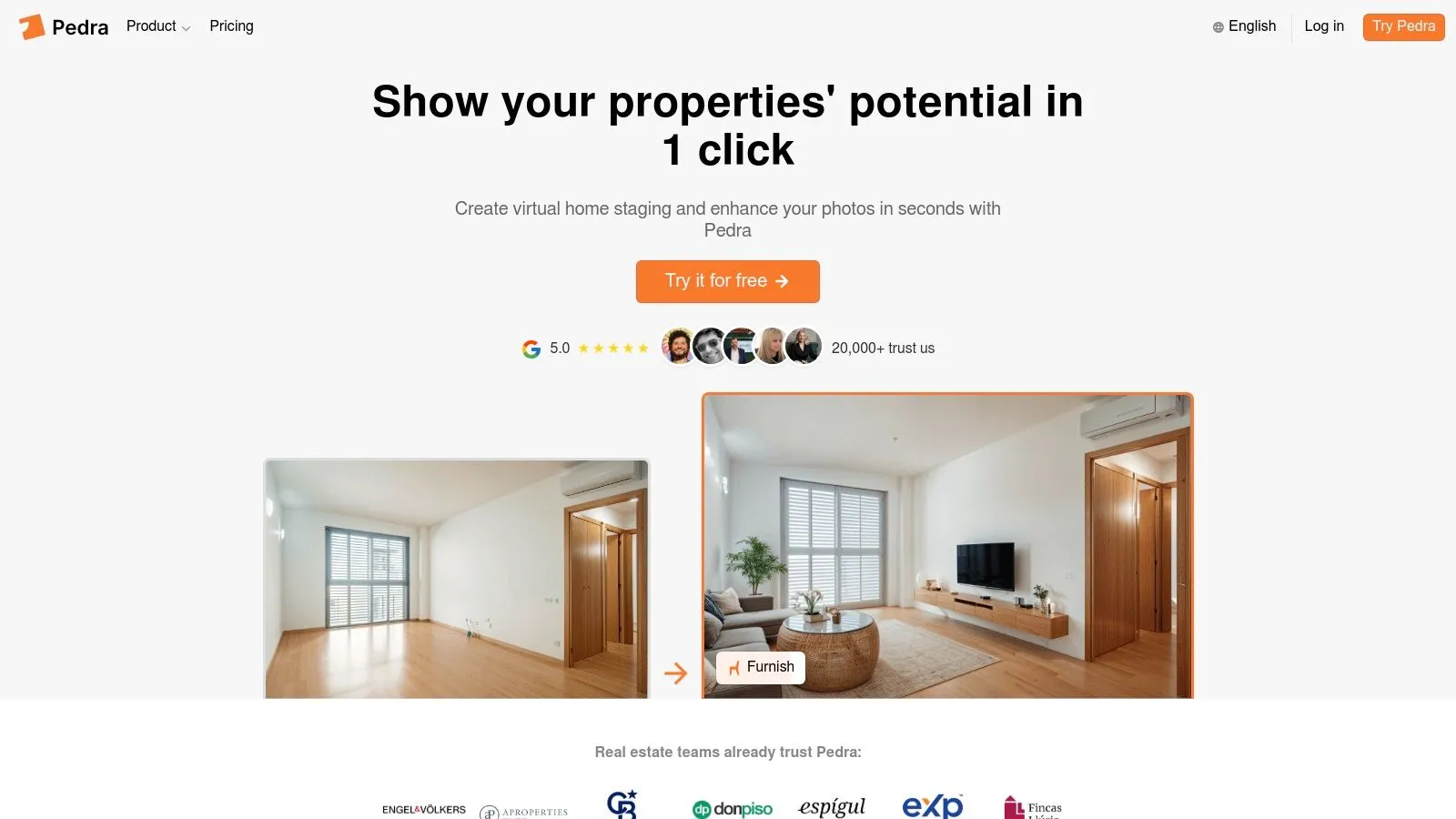
Pedra is the top choice for real estate agents looking to create professional 360° virtual tours without specialized equipment or technical expertise. Unlike platforms that only offer tour creation, Pedra is a complete visual marketing solution that combines virtual tours, AI-powered virtual staging, photo enhancement, and floor plan rendering in one affordable package.
Why Realtors Choose Pedra for Virtual Tours
No Expensive Hardware Required: Create stunning virtual tours using any 360° camera, smartphone panorama, or even a budget Ricoh Theta camera. Pedra works with the equipment you already have.
Unlimited Virtual Tours: Unlike competitors that charge per tour or limit hosting, Pedra includes unlimited 360° virtual tours in every plan. Create as many tours as you need for all your listings.
AI-Powered Enhancements: While other platforms require you to hire photographers or editors separately, Pedra's AI can automatically enhance your tour images—fixing lighting, removing clutter, changing skies, and even virtually staging empty rooms within the tour itself.
10-Minute Setup: Most realtors create their first complete virtual tour in under 10 minutes. The intuitive interface requires zero training—just upload 360° photos, add navigation hotspots, and publish your tour link.
All-in-One Marketing Hub: Beyond virtual tours, use Pedra to create listing videos, enhance property photos, render floor plans, and generate social media content—all from the same platform. This consolidation saves time and money compared to juggling multiple tools.
Pricing That Makes Sense for Solo Agents
Starting at just $29/month, Pedra includes:
- 100 AI-enhanced images per month
- Unlimited 360° virtual tours
- Auto-generated floor plans
- Photo enhancement tools (sky replacement, lighting fixes, object removal)
- Virtual staging capabilities
- Video creation from photos
- Priority support
For comparison, competing solutions often cost $200-500/month when you factor in tour hosting, photo editing services, and virtual staging fees.
Perfect for U.S. Real Estate Professionals
Over 30,000 real estate agents and brokerages across the United States trust Pedra to elevate their listings. Whether you're a solo agent in a suburban market or part of a large brokerage in a major metro area, Pedra scales to fit your needs without complex tier structures or hidden fees.
Pros:
- No specialized hardware required – works with any 360° camera or smartphone
- Unlimited virtual tour hosting included in every plan
- AI-powered virtual staging and photo enhancement built-in
- 10-minute tour creation – fastest in the industry
- Best value for money – all-in-one solution eliminates multiple vendor fees
- U.S.-based support for American realtors
- 5-star rating from thousands of real estate professionals
Cons:
- The 100 image-per-month limit may require add-ons for extremely high-volume agents (though unlimited tours are always included)
- Some advanced 3D measurement features found in Matterport are not available (though most realtors don't need this level of detail)
Website: https://pedra.ai
Start creating virtual tours with Pedra today →
How to Create a Virtual Tour for Your Real Estate Listings (Step-by-Step Guide)
Creating professional 360° virtual tours for your real estate listings is easier than you might think. Follow this comprehensive guide to create your first tour in under 15 minutes using Pedra.
Step 1: Capture Your 360° Photos
Before you can create a virtual tour, you need 360° panoramic images of the property. You have several equipment options:
Option A: Use a 360° Camera (Recommended)
- Ricoh Theta Z1 ($999) – Best quality for real estate
- Ricoh Theta SC2 ($299) – Budget-friendly option
- Insta360 X3 ($450) – Great for video tours too
Option B: Use Your Smartphone
- iPhone: Use the native Camera app's "Pano" mode
- Android: Use Google Street View app's Photo Sphere feature
- Free and accessible, though lower quality than dedicated cameras
Pro Tips for Capturing Great Tour Photos:
- Start at the entrance and work your way through the property logically
- Capture one 360° photo per room (minimum) – more for large spaces
- Keep the camera at chest height (about 5 feet) for natural perspective
- Ensure good lighting – open blinds, turn on lights, shoot during daylight hours
- Remove clutter or use Pedra's AI to declutter later
- Avoid extreme angles – stay centered in rooms for best results
Recommended Photo Sequence:
- Exterior/front entrance
- Foyer/entry
- Living room
- Kitchen
- Dining room
- All bedrooms
- All bathrooms
- Outdoor spaces (patio, backyard, pool)
- Garage (if applicable)
Capture 8-15 photos for a typical single-family home.
Step 2: Upload Your Photos to Pedra
- Log in to your Pedra account at pedra.ai
- Navigate to the Virtual Tours section from the main dashboard
- Click "Create New Virtual Tour"
- Upload your 360° images by dragging and dropping files or clicking to browse
- Wait 30-60 seconds for Pedra to process your images
Pedra automatically optimizes your images for web viewing and prepares them for tour creation.
Step 3: Connect Rooms with Navigation Hotspots
Once your images are uploaded, you'll see them displayed in the tour editor. Now it's time to create navigation between rooms:
- Click on your first image (usually the front entrance)
- Click the "Add Hotspot" button and place a navigation arrow pointing toward the next room
- Link the hotspot to the corresponding image of that adjacent room
- Repeat for all rooms – create logical pathways through the property
- Add labels to each hotspot (e.g., "Master Bedroom," "Kitchen," "Backyard")
Best Practice: Create a circular flow so viewers can navigate the entire property without dead ends.
Step 4: Enhance Your Tour with AI Features (Optional but Recommended)
Pedra's AI tools can significantly improve your tour's visual appeal:
- Virtual Staging: Click any empty room and select "Stage Room" to add furniture
- Sky Replacement: Change gloomy skies to bright, blue skies
- Photo Enhancement: Automatically brighten dark spaces and improve image quality
- Declutter: Remove unwanted objects from images
- Floor Plan Generation: Auto-create a 2D floor plan from your tour
These enhancements make your virtual tour more appealing to buyers without reshooting photos. Learn more about how to create virtual home staging to maximize your listing appeal.
Step 5: Add Property Information and Branding
Customize your tour with professional details:
- Add property address and listing price
- Include your contact information and headshot
- Upload your brokerage logo for branding
- Write a property description (optional)
- Enable lead capture form to collect buyer information
Step 6: Publish and Share Your Virtual Tour
Once your tour is complete:
- Click "Publish Tour" to make it live
- Copy the public tour link – this is what you'll share
- Get the embed code for your website or MLS listing
- Download QR code for print marketing materials
Where to Share Your Virtual Tour:
- MLS listings (paste the link or embed code)
- Your brokerage website
- Property listing websites (Zillow, Realtor.com, etc.)
- Social media for real estate (Facebook, Instagram, LinkedIn)
- Email campaigns to potential buyers
- Text messages to interested clients
- Print materials (QR code on flyers and postcards)
- Instagram for real estate marketing
Step 7: Track Performance and Update as Needed
Pedra provides analytics to help you understand tour performance:
- View counts
- Average time spent in tour
- Most-viewed rooms
- Lead capture conversions
Use these insights to refine future tours and understand what buyers care about most.
Real-World Example: Creating a Tour for a 2,000 sq ft Home
Time breakdown:
- Photo capture: 20 minutes (12 photos)
- Upload to Pedra: 2 minutes
- Add hotspots and labels: 5 minutes
- AI enhancements (staging 2 empty bedrooms): 3 minutes
- Add branding and property info: 2 minutes
- Publish and share: 1 minute
Total time: 33 minutes from start to finish
Most realtors create subsequent tours even faster (15-20 minutes) once they've established their workflow.
Common Mistakes to Avoid When Creating Virtual Tours
❌ Taking too few photos – Viewers should be able to see every major space
✅ Aim for 10-15 photos minimum for comprehensive coverage
❌ Poor lighting – Dark, grainy photos hurt your listing
✅ Shoot during daylight hours with all lights on
❌ Disconnected navigation – Hotspots that don't flow logically
✅ Create a natural walking path through the property
❌ No mobile optimization – Most buyers view on phones
✅ Pedra automatically optimizes for mobile (but always test your tour)
❌ Forgetting contact information – Buyers can't reach you
✅ Always include your contact details and lead capture form
❌ Not staging empty rooms – Vacant spaces are hard to visualize
✅ Use Pedra's AI virtual staging to show the potential of empty spaces
Start creating your first virtual tour with Pedra now →
2. Matterport
Matterport is a leading platform for creating realtor virtual tours, offering immersive digital twins of properties that go far beyond simple 360° photos. This allows potential buyers to explore a property remotely as if they were actually there, providing a significant advantage in today's competitive real estate market. By using Matterport's Pro2 camera or other compatible devices, realtors can capture highly detailed, navigable 3D models, complete with dollhouse views, accurate floor plans, and even measurement tools. This level of detail makes it easier for buyers to visualize themselves in the space and understand the layout, ultimately leading to more qualified leads and faster sales. Matterport's reputation for high-quality visuals and a comprehensive feature set makes it a popular choice for professional real estate marketing, appealing to both real estate agents and companies alike.
One of Matterport's standout features is the "dollhouse view," a unique 3D representation that gives viewers a complete overview of the property's structure and layout. Imagine being able to rotate and examine a miniature version of the entire house—that's the power of Matterport. Coupled with the walkthrough capability, potential buyers can navigate through the digital twin at their own pace, exploring every room and corner as if they were physically present. Furthermore, Matterport automatically generates accurate floor plans and provides space measurement tools, answering buyers' practical questions about dimensions and layout. This is incredibly valuable for those looking to plan furniture placement or visualize renovations. You can even learn more about Matterport and explore features like adding 3D objects to further enhance the experience.
The platform's VR compatibility elevates realtor virtual tours even further, providing an even more immersive experience for potential buyers. This is especially impactful for out-of-town buyers or those with busy schedules, allowing them to "visit" properties from anywhere in the world. The addition of 4K photography ensures crisp, high-resolution visuals, further enhancing the realism and appeal of the tours. Mattertags allow realtors to highlight key property features, providing additional context and information within the virtual tour itself. Finally, easy embedding options enable seamless integration across websites, MLS listings, and social media platforms, maximizing the reach and impact of your marketing efforts.
While Matterport offers many advantages, it's important to consider the cost. It is generally more expensive than some other virtual tour solutions, especially considering the potential need for specialized equipment like the Pro2 camera for the best results. There's also a slightly steeper learning curve for new users compared to more basic platforms. However, the investment can be worthwhile for realtors looking to create truly high-quality, immersive virtual tours that stand out from the competition. The comprehensive analytics dashboard provides valuable insights into viewer engagement, helping realtors understand what aspects of a property are most appealing to potential buyers. The excellent mobile compatibility ensures that the tours are accessible to a wide audience, regardless of the device they are using. Finally, the strong brand recognition among consumers adds an extra layer of credibility and professionalism.
3. Zillow 3D Home Tours
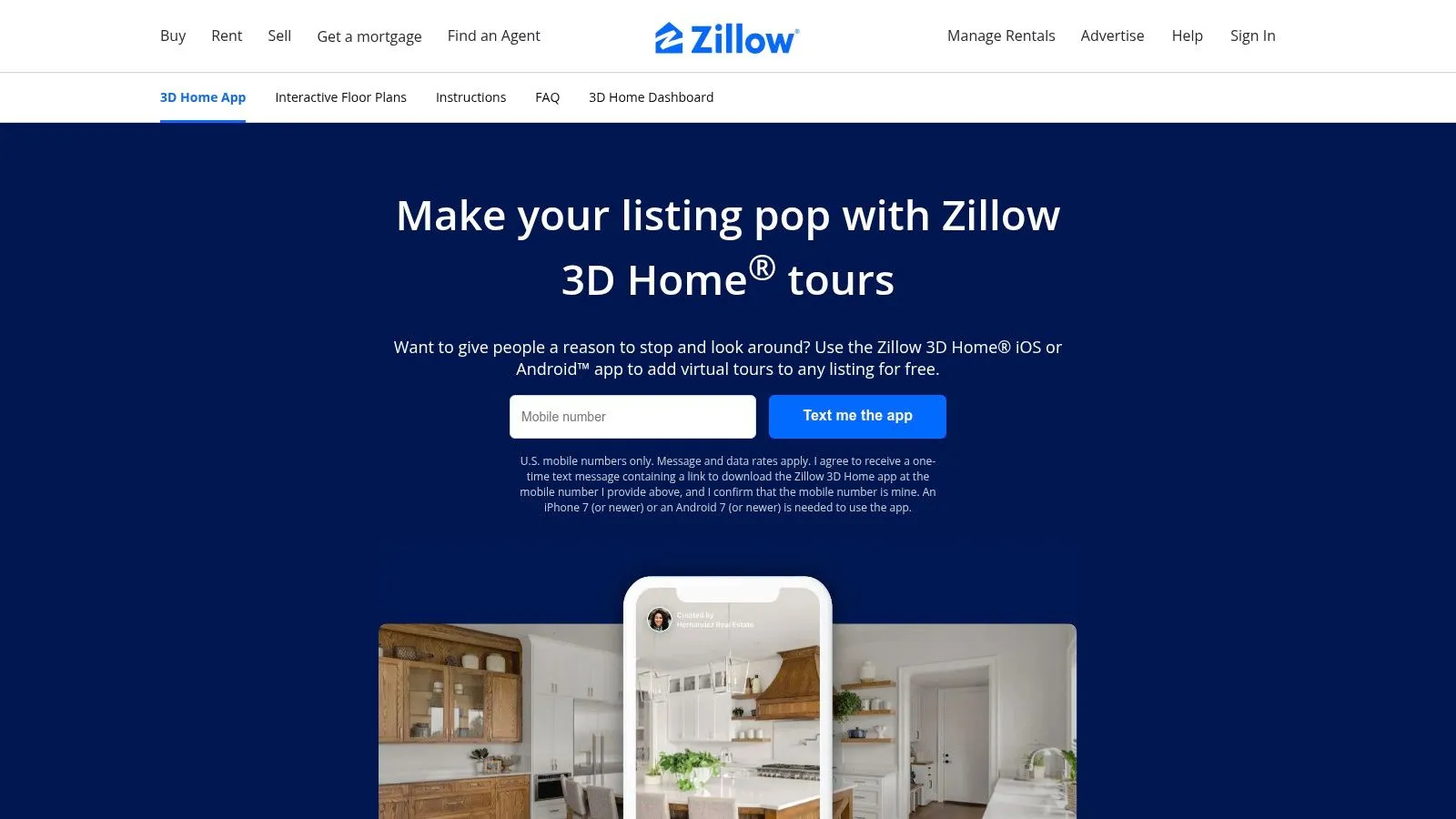
Zillow 3D Home Tours provides a convenient and streamlined way to create realtor virtual tours, specifically designed for properties listed on the Zillow platform. This tool empowers real estate agents to generate immersive 360° experiences using readily available equipment, such as an iPhone or a compatible 360° camera. This direct integration with Zillow, a site boasting millions of daily views, gives listings significant exposure to potential buyers. The simplified capture process, facilitated through a user-friendly smartphone app, makes creating high-quality virtual tours accessible even to agents without specialized technical skills. This makes it an invaluable tool for showcasing properties and attracting buyer interest.
For Zillow Premier Agents, the platform is free to use, eliminating subscription fees and making it a budget-friendly choice for enhancing listings. The app guides agents through the capture process, making it quick and easy to learn and implement. This allows realtors to focus on showcasing the property's best features and generating leads rather than grappling with complex software. Moreover, the AI-assisted tour creation and enhancement features, including floor plan generation capabilities, further simplify the process and add value to the virtual tours. Imagine effortlessly capturing a property's layout and offering potential buyers an interactive floor plan with just a few taps on your phone! This is a game-changer for busy real estate professionals.
Compared to more sophisticated, and often expensive, 3D tour platforms, Zillow 3D Home Tours offers a faster, more accessible solution, especially for those already heavily invested in the Zillow ecosystem. While professional photography services might offer higher image quality and extensive customization, Zillow 3D Home Tours provides a quick and effective way to create engaging virtual tours that reach a broad audience directly on Zillow.
Implementation Tips:
- Plan your route: Before you start capturing, walk through the property and plan the optimal path to showcase key features.
- Stabilize your phone: Use a tripod or steady surface to avoid shaky footage.
- Ensure adequate lighting: Open blinds and curtains to maximize natural light.
- Highlight key features: Focus on capturing spacious rooms, updated kitchens, and attractive outdoor spaces.
Pros:
- No subscription fees (for Zillow Premier Agents)
- Easy to learn and implement quickly
- Immediate visibility on the high-traffic Zillow platform
- Works with basic equipment (smartphone)
Cons:
- Limited customization options compared to other platforms
- Visuals may not be as polished as professional photography services
- Primarily benefits Zillow listings, limiting use on other marketing channels
If you are a Zillow Premier Agent looking for a quick, easy, and free way to create realtor virtual tours directly on the Zillow platform, Zillow 3D Home Tours is an excellent option. It allows you to leverage the immense reach of Zillow and provide potential buyers with an immersive experience, ultimately boosting your listing's visibility and attracting more qualified leads.
4. iGuide
iGuide offers realtor virtual tours focused on accuracy and detailed property information, making it an excellent choice for professionals targeting discerning buyers. It goes beyond simple 360° views by incorporating precise floor plans, measurements, and property specifications. This allows potential buyers to explore a property virtually while also obtaining the reliable data they need to make informed decisions. This makes iGuide stand out from more basic virtual tour solutions that prioritize visual immersion over precise details.
iGuide uses a proprietary camera system to capture both 360° imagery and laser measurements simultaneously. This integrated approach streamlines the process and ensures the accuracy of the floor plans and square footage calculations. The platform generates interactive floor plans with embedded 360° panoramic images, allowing users to virtually "walk" through the property and see the layout in detail. Room dimensions and other essential property specifications are also readily available within the tour. For real estate companies and realtors, this level of detail can significantly reduce buyer uncertainty and increase confidence in the property.
Features:
- Highly accurate laser-measured floor plans
- Detailed property square footage calculations
- Integrated 360° panoramic photography
- Room dimensions and property specifications
- White-label options for branding
Pros:
- Exceptional measurement accuracy: Appeals to detail-oriented buyers and minimizes potential disputes over property dimensions.
- Comprehensive property documentation: Provides a single source of truth for property information, valuable for both buyers and agents.
- Strong reputation for reliability: iGuide is known for its accurate and dependable service.
- Appeals to detail-oriented buyers: Provides the hard data and measurements that serious buyers often require.
Cons:
- Requires specialized iGuide camera system: This represents a higher initial investment compared to smartphone-based solutions.
- Higher investment than smartphone-based solutions: While offering greater accuracy, iGuide's professional-grade equipment comes at a premium.
- Less emphasis on immersive experience compared to some competitors: While visuals are high-quality, the focus is on data accuracy, not cinematic virtual reality experiences.
Implementation/Setup Tips:
While specific pricing isn't publicly listed, iGuide operates through a network of certified photographers. Contact them directly for pricing tailored to your specific needs and property size. Becoming a certified iGuide photographer yourself requires training and investment in the specialized equipment, which may be a worthwhile investment for high-volume real estate businesses or those specializing in luxury properties.
Website: https://goiguide.com
5. Ricoh360 Tours
Ricoh360 Tours offers a compelling solution for realtors looking to enhance their property listings with high-quality virtual tours. This platform stands out for its balance of simplicity and professional features, making it a strong contender for agents of all tech skill levels who want to create immersive online experiences for potential buyers. If you're seeking an easy-to-use platform specifically designed for realtor virtual tours, Ricoh360 Tours deserves a closer look.
One of the platform's key strengths is its straightforward capture-and-upload workflow. You can quickly capture images using a Ricoh 360° camera (or other compatible models) and seamlessly upload them to the platform. This simplifies the process considerably, allowing real estate agents to create virtual tours efficiently, even while juggling busy schedules. The intuitive user interface requires minimal training, meaning you can start creating virtual tours almost immediately.
Ricoh360 Tours understands the importance of branding in real estate. You can customize your tours with your branding and agent information, ensuring a consistent professional presentation across all your listings. Furthermore, integrating lead capture forms directly into the virtual tours allows you to gather valuable contact information from prospective buyers. This feature streamlines lead generation and helps you connect with interested parties quickly. You can even conduct live guided virtual tours, providing an interactive experience for potential buyers and addressing their questions in real-time.
For wider distribution, Ricoh360 Tours offers seamless MLS and website embedding options. This ensures your virtual tours reach the widest possible audience, maximizing their impact on your marketing efforts. While pricing isn't publicly listed on their website, they offer affordable monthly subscription options tailored to different business sizes. This flexibility allows you to choose a plan that aligns with your needs and budget.
While Ricoh360 Tours excels in simplicity and ease of use, it's worth noting that it may offer fewer advanced features compared to some premium virtual tour platforms. For instance, its floor plan functionality is somewhat limited. Also, while the platform is gaining traction within the real estate industry, it may have less name recognition with consumers compared to more established brands.
Key Features:
- Simple capture-and-upload workflow
- Custom branding and agent information
- Lead capture forms integration
- Live guided tour capabilities
- MLS and website embedding options
- Flexible camera compatibility
Pros:
- Intuitive user interface requires minimal training
- Affordable monthly subscription options
- Good balance of features and simplicity
Cons:
- Less advanced features than premium platforms
- Limited floor plan functionality
- Less name recognition with consumers
Implementation Tip: Start with a free trial or the most basic subscription to explore the platform's features. Experiment with different camera angles and settings to create captivating virtual tours that showcase your properties effectively.
Website: https://tours.ricoh360.com
In conclusion, Ricoh360 Tours offers a practical and accessible solution for realtors seeking to leverage the power of virtual tours. Its user-friendly approach and focus on core features make it an excellent option for those looking to enhance their listings without a steep learning curve or hefty investment. It provides a strong foundation for creating engaging realtor virtual tours that can attract more buyers and drive sales.
6. CloudPano
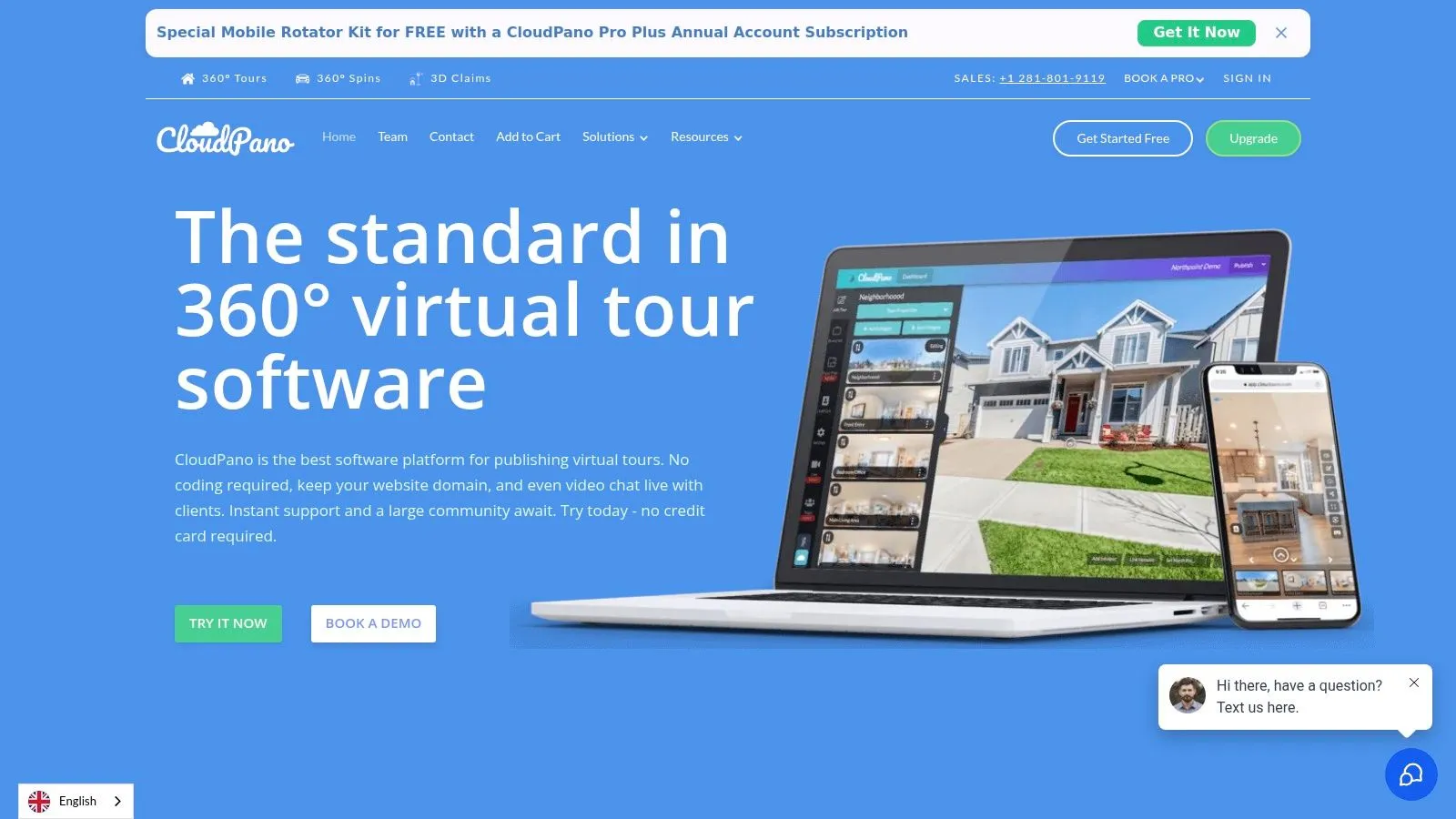
CloudPano is a user-friendly and budget-conscious virtual tour platform tailored for real estate professionals seeking an efficient way to create and share immersive property experiences. This subscription-based service allows realtors to quickly produce high-quality 360° virtual tours using a range of capture devices, from professional cameras to smartphones with 360° lenses. This flexibility makes it a viable option for both seasoned real estate agents and those just starting to leverage the power of realtor virtual tours. Its emphasis on simplicity and fast deployment caters to busy agents needing to create multiple property showcases without a steep learning curve.
CloudPano's biggest draw is its straightforward monthly subscription model, which includes unlimited virtual tours. This predictable pricing structure is especially beneficial for high-volume real estate businesses and agents constantly generating new listings. Imagine showcasing every listing with a stunning virtual tour without worrying about per-tour or storage fees – CloudPano makes that possible. Its drag-and-drop interface simplifies tour creation, allowing even tech-novices to build engaging virtual experiences quickly. Beyond just showcasing the property, CloudPano also includes lead capture functionality, enabling agents to collect valuable contact information from prospective buyers directly within the virtual tour. It even offers basic virtual staging capabilities, allowing agents to present furnished rooms and spaces within the tour.
This platform deserves a spot on this list due to its compelling combination of affordability, ease of use, and unlimited tour creation capabilities. While other platforms might offer more advanced features, CloudPano excels in its simplicity and cost-effectiveness, making it a powerful tool for realtors seeking a practical and scalable virtual tour solution.
Features:
- Unlimited tour hosting
- Drag-and-drop tour creation
- Lead capture functionality
- Virtual staging capabilities
- Basic analytics and tracking
Pros:
- Unlimited tours with a fixed monthly fee
- No per-tour or storage fees
- Works with a variety of capture devices (including smartphones)
- Quick learning curve for new users
Cons:
- Less comprehensive feature set than premium alternatives (e.g., Matterport)
- Basic analytics compared to competitors
- Limited floor plan integration
Implementation Tips:
- Plan your shots beforehand to ensure a smooth and logical flow within the tour.
- Use a tripod for stable and professional-looking 360° images.
- Take advantage of the virtual staging feature to enhance empty rooms.
- Embed the completed virtual tours on your website, property listings, and social media channels.
Website: https://cloudpano.com
By offering unlimited realtor virtual tours for a fixed monthly price, CloudPano stands out as a practical solution for real estate professionals. It enables agents and agencies to enhance their marketing efforts, engage potential buyers, and ultimately drive sales through immersive and easily accessible virtual property experiences.
7. EyeSpy360
EyeSpy360 stands out as a versatile and flexible platform for creating realtor virtual tours, making it an excellent choice for both individual agents and larger brokerages. Whether you're working with professional 360° cameras, smartphone panoramas, or even standard DSLR photos, EyeSpy360 can accommodate your needs. Its unique strength lies in the live guided tour feature, allowing you to connect with remote clients in real-time and walk them through a property as if they were there in person. This is a game-changer for reaching out-of-town buyers or busy professionals who can't easily make in-person showings. Furthermore, its robust white-labeling and CRM integration options allow for seamless branding and lead management, particularly appealing for agencies looking to streamline their operations.
Think of showcasing a newly listed property to an international client. With EyeSpy360, you can schedule a live virtual tour, highlight key features using hotspots, and answer questions in real-time via video chat, all within a branded environment. This level of personalized service elevates the client experience and can significantly shorten the sales cycle. For busy realtors, the ability to host multiple virtual showings without the constraints of travel significantly increases efficiency. Home staging companies and real estate marketers can also leverage EyeSpy360's virtual staging capabilities to showcase furnished or unfurnished spaces, appealing to a wider audience and potentially increasing the perceived value of the property.
While EyeSpy360 offers a comprehensive feature set, it's worth noting that the interface can feel overwhelming for beginners. Some of the more advanced features, like virtual staging and furniture placement, might require a higher-tier subscription. Customer support response times can also vary, which could be a concern for users requiring immediate assistance. While pricing information isn't readily available on their website, it's advisable to contact EyeSpy360 directly to discuss specific pricing plans and determine the best fit for your needs.
Key Features and Benefits:
- Live Guided Tours: Conduct real-time virtual showings with integrated video chat.
- Flexible Input: Supports 360° cameras, smartphones, and DSLR photos.
- Virtual Staging: Enhance property presentation with virtual furniture and decor.
- Hotspots: Highlight key features and provide additional information.
- CRM Integration: Streamline lead management and client communication.
- White-Labeling: Reinforce your brand identity with custom branding.
- Multi-Platform Compatibility: Access tours on web, mobile devices, and VR headsets.
Pros:
- Excellent live tour capabilities for remote showings
- Flexible input options catering to various budgets and skill levels
- Strong white-labeling and branding options for agencies
- Good value for the comprehensive feature set
Cons:
- Interface can be initially challenging to navigate
- Advanced features often require higher-tier subscription plans
- Customer support response times can be inconsistent
Website: https://eyespy360.com
EyeSpy360 earns its place on this list by providing a powerful and flexible platform for creating engaging realtor virtual tours. Its live tour functionality, combined with robust branding and integration options, makes it a valuable tool for real estate professionals seeking to enhance their client experience and streamline their operations.
8. BoxBrownie.com
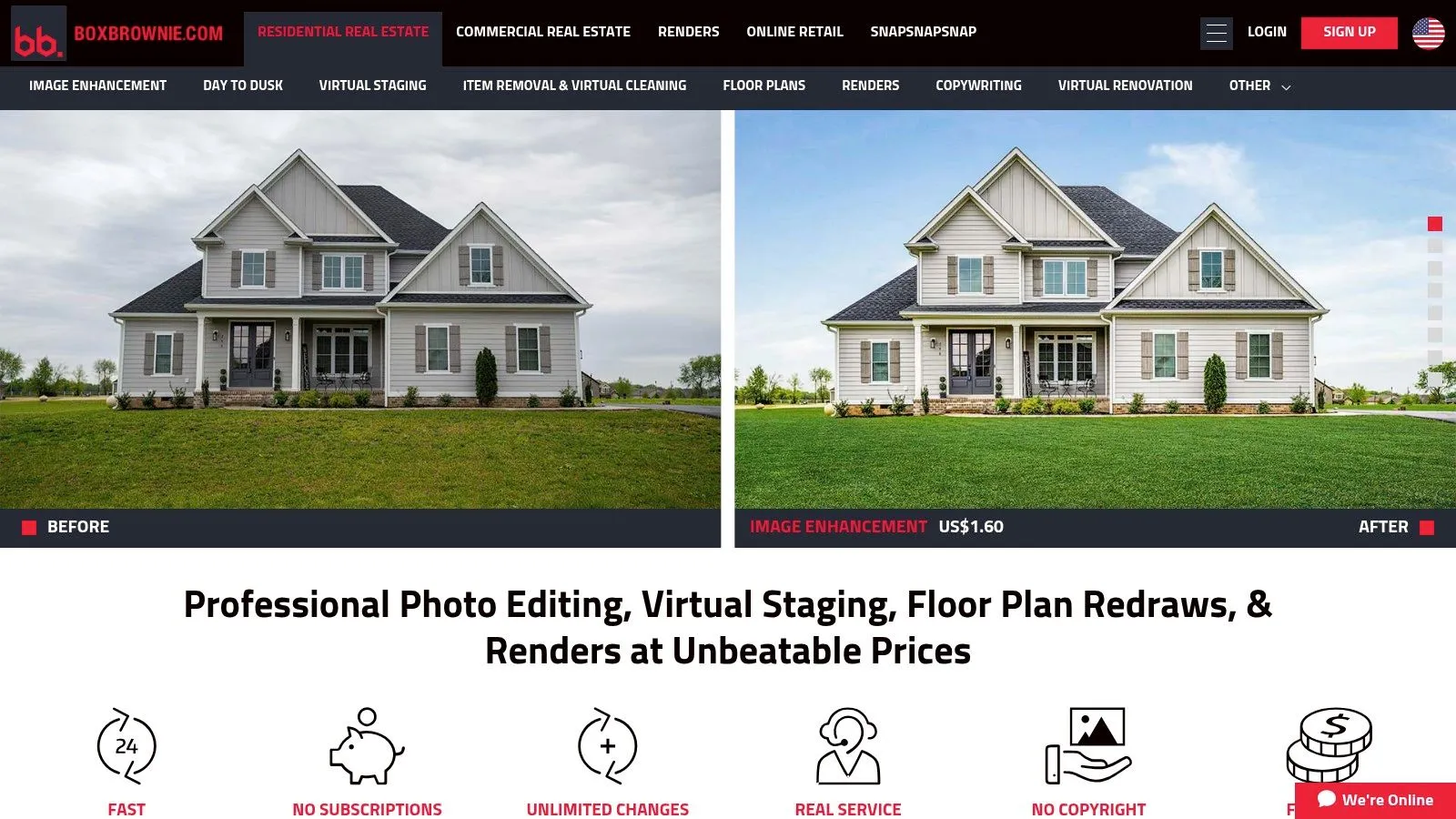
BoxBrownie.com offers a unique approach to realtor virtual tours by focusing on professional photo editing and enhancement services, including 360° virtual tour creation. Unlike many other platforms that require subscriptions, BoxBrownie.com operates on a pay-per-use model, making it a cost-effective option for real estate agents who only need virtual tours occasionally. This makes it perfect for agents who might be testing the waters with virtual tours or have properties that don't necessarily warrant the investment of a full-blown subscription service. You simply upload your 360° images, and their team of experts stitches them together into a polished and professional virtual tour.
Beyond virtual tours, BoxBrownie.com provides a comprehensive suite of visual marketing services for real estate professionals. Need virtual staging to showcase a vacant property's potential? They've got you covered. Want to transform daytime photos into captivating twilight images? They can do that too. They even offer floor plan creation services from blueprints or sketches, providing a one-stop shop for all your visual asset needs. This makes BoxBrownie.com a valuable resource not just for creating realtor virtual tours, but for enhancing your entire property marketing portfolio. Imagine easily transforming a simple sketch into a professional floor plan – a powerful tool for attracting potential buyers.
One of the key advantages of using BoxBrownie.com is the professional quality results you can achieve without needing any technical expertise. This is a huge benefit for busy realtors who may not have the time or resources to learn complex editing software. Their fast turnaround times, typically 24-48 hours, also mean you can get your virtual tours and other marketing materials quickly. While this might not be ideal for agents requiring instant tour creation, the speed and quality combined make it a compelling option. You can also learn more about BoxBrownie.com and how to create compelling listing descriptions.
However, the pay-per-use model, while beneficial for occasional use, can become expensive for high-volume users. Additionally, you have less control over the editing process compared to using dedicated editing software yourself. BoxBrownie.com also lacks built-in lead capture features, which some other virtual tour platforms offer.
Features:
- Pay-per-use pricing (no subscriptions)
- Professional editing of 360° panoramas
- Virtual staging services
- Day-to-dusk image conversion
- Floor plan creation
Pros:
- Cost-effective for occasional realtor virtual tours
- Professional quality results without technical expertise
- Comprehensive real estate visual marketing services
- Fast turnaround times (24-48 hours)
Cons:
- Not ideal for agents needing immediate tour creation
- Costs can add up for high-volume users
- Less control over the editing process
- No built-in lead capture features
Website: https://www.boxbrownie.com
BoxBrownie.com earns its place on this list by providing a valuable service for realtors who need high-quality virtual tours and other visual marketing materials without the commitment of a subscription or the need for advanced editing skills. Its pay-per-use model offers flexibility and accessibility, making it a smart choice for those looking to elevate their property listings without breaking the bank.
Top 8 Realtor Virtual Tour Platforms Comparison
| Platform | Core Features / Capabilities | User Experience & Quality ★ | Value & Pricing 💰 | Target Audience 👥 | Unique Selling Points ✨ |
|---|---|---|---|---|---|
| 🏆 Pedra | AI virtual staging, photo/video enhancement, floor plans | ★★★★★ Intuitive, no tech skills needed | €29/month (100 images) + add-ons | Realtors, staging companies, marketing | One-click AI, professional edits, sky change |
| Matterport | 3D tours, dollhouse view, floor plans, VR | ★★★★☆ High-quality 3D, analytics | Higher cost, requires special camera | Pro real estate marketers | True 3D, VR compatibility, detailed analytics |
| Zillow 3D Home | 360° tours via phone, Zillow integration | ★★★☆☆ Easy, smartphone friendly | Free for Zillow Premier Agents | Zillow-listed agents | Direct Zillow listing integration |
| iGuide | Laser-measured floor plans, 360° panoramas | ★★★★☆ Exceptional accuracy | Higher investment, proprietary camera | Detail-oriented buyers & agents | Laser measurement, detailed specs |
| Ricoh360 Tours | 360° capture, custom branding, lead forms | ★★★☆☆ Simple UI, basic virtual tours | Affordable subscriptions | Small to mid real estate businesses | Flexible cameras, lead form integration |
| CloudPano | Unlimited 360° tours, drag-and-drop creation | ★★★☆☆ Easy for high-volume users | Fixed monthly fee, unlimited tours | High-volume realtors | Unlimited tours, affordable |
| EyeSpy360 | Live guided tours, virtual staging, CRM integration | ★★★★☆ Powerful but complex | Good value, tiered pricing | Agents & brokerages | Live tours with video chat, multi-input methods |
| BoxBrownie.com | Pay-per-use editing, virtual staging, floor plan creation | ★★★☆☆ Pro editing, quick turnaround | Pay-per-use, cost adds up if frequent | Agents needing occasional professional edits | No subscription, pay as you go, professional edits |
Frequently Asked Questions About Realtor Virtual Tours
How do realtors create a virtual tour?
Realtors can create a virtual tour in three simple steps: (1) Capture 360° panoramic photos of the property using a 360° camera or smartphone, (2) Upload the images to a virtual tour platform like Pedra, and (3) Add navigation hotspots between rooms, customize with property details, and publish the tour link. Most realtors complete their first tour in 15-30 minutes. Pedra makes the process especially easy with AI-powered enhancements like automatic virtual staging and lighting optimization—no technical skills required.
What is the best virtual tour software for real estate agents?
Pedra is consistently rated as the best virtual tour software for real estate agents because it combines unlimited 360° tour creation with AI-powered photo enhancement and virtual staging in one affordable package ($29/month). Unlike specialized tour-only platforms, Pedra is an all-in-one solution that eliminates the need for multiple vendors. Other quality options include Matterport (premium 3D tours for luxury listings) and Ricoh360 Tours (budget-friendly basic tours). The best choice depends on your budget, technical comfort level, and whether you need additional features like virtual staging.
Does Pedra support 360° photos?
Yes, Pedra fully supports 360° photos from any camera or device. You can upload panoramic images from dedicated 360° cameras (like Ricoh Theta, Insta360, or GoPro Max), smartphone panoramas (iPhone or Android), or any compatible 360° image file. Pedra automatically processes and optimizes your 360° photos for smooth navigation and fast loading. Additionally, Pedra's AI can enhance your 360° images with virtual staging, sky replacement, lighting improvements, and clutter removal—making it more than just a tour platform.
Can virtual tours increase listing views?
Yes, virtual tours dramatically increase listing views. Properties with virtual tours receive 87% more views than those without, according to real estate industry data. Virtual tours also generate up to 95% more inquiries from prospective buyers. This is because buyers actively search for listings with virtual tours, and many MLS platforms and property sites (like Zillow and Realtor.com) allow users to filter results to show only properties with tours. Virtual tours also keep buyers engaged longer—the average tour viewing time is 5-8 minutes, compared to 30 seconds for static photo galleries.
How much does it cost to create a virtual tour for real estate?
The cost varies significantly depending on the method:
- DIY with Pedra: $29/month for unlimited virtual tours (plus one-time camera cost of $0-$999 depending on equipment choice)
- Matterport: $69-$319/month plus $3,500+ for specialized camera
- Professional photographer: $150-$500 per property for tour creation services
- Ricoh360 Tours: $15-$50/month for basic tours
- Free options: Zillow 3D Home Tours (free for Zillow Premier Agents)
For most realtors, Pedra offers the best value because the $29/month subscription includes unlimited tours AND virtual staging/photo enhancement—services that would cost hundreds per listing if purchased separately.
Do I need special equipment to create virtual tours?
Not necessarily. While dedicated 360° cameras ($299-$999) produce the best results, you can create basic virtual tours using just your smartphone's panorama feature. Most modern iPhones and Android devices can capture 360° or wide panoramic images that work with tour platforms like Pedra. However, if you plan to create virtual tours regularly, investing in an entry-level 360° camera like the Ricoh Theta SC2 ($299) will significantly improve image quality and make the capture process faster. The good news is that Pedra works with ANY 360° camera or smartphone, so you can start with what you have and upgrade later.
How long does it take to create a virtual tour?
Most realtors create a complete virtual tour in 15-30 minutes once they've captured the 360° photos. The breakdown:
- Photo capture: 15-25 minutes (depends on property size)
- Upload to platform: 1-2 minutes
- Add navigation hotspots: 5-10 minutes
- Customize and publish: 2-5 minutes
With Pedra, many experienced users complete tours in under 15 minutes because the platform automates many tasks (like image optimization and floor plan generation) and requires no technical expertise. The first tour always takes longer as you learn the workflow, but subsequent tours become much faster.
Can virtual tours help sell properties faster?
Yes, absolutely. Real estate industry studies show that properties with virtual tours sell 31% faster than those without. Virtual tours accelerate sales because they:
- Pre-qualify buyers – Only seriously interested buyers request in-person showings after thoroughly exploring the virtual tour
- Expand your reach – Out-of-state and international buyers can tour properties remotely
- Create urgency – Buyers can tour properties immediately (24/7) rather than waiting for scheduled showings
- Increase confidence – Buyers feel more prepared and informed, leading to faster decision-making
- Generate more interest – Listings with tours receive significantly more views and inquiries
For realtors using Pedra, the combination of virtual tours PLUS AI-enhanced photos and virtual staging creates an even more compelling listing package that stands out in competitive markets.
Are virtual tours worth it for lower-priced properties?
Yes, virtual tours are valuable for properties at all price points—not just luxury homes. Even modest homes benefit from virtual tours because:
- Buyers are increasingly expecting virtual tours regardless of price point
- Virtual tours help first-time homebuyers visualize themselves in the space
- Lower-priced properties often need MORE marketing help to stand out
- The cost of creating tours with platforms like Pedra ($29/month unlimited) is minimal compared to the benefit of selling even 1-2 days faster
In fact, virtual tours can be MORE important for lower-priced properties because these buyers often have tighter schedules (working multiple jobs, limited time off) and appreciate the ability to tour properties remotely before scheduling in-person visits. With Pedra's affordable unlimited tour creation, there's no reason NOT to create tours for every listing.
What's the difference between a video tour and a 360° virtual tour?
Video tours are pre-recorded walkthroughs where the agent or videographer controls what you see and the pace of the tour. Viewers watch passively, like a movie.
360° virtual tours are interactive experiences where the viewer controls the navigation—they can move from room to room, look in any direction, zoom in on details, and explore at their own pace.
Key differences:
| Feature | Video Tour | 360° Virtual Tour |
|---|---|---|
| Viewer Control | None (passive viewing) | Full (interactive exploration) |
| Navigation | Linear, follows videographer's path | Non-linear, viewer chooses path |
| Engagement Time | 1-3 minutes average | 5-8 minutes average |
| Revisiting Rooms | Must rewind/fast-forward | Instant return to any room |
| SEO Value | Lower | Higher (longer engagement signals) |
| Best Use | Social media, quick previews | MLS listings, serious buyers |
Most successful realtors use BOTH—short video tours for social media marketing and comprehensive 360° virtual tours for MLS listings and serious buyers. Pedra allows you to create both from the same set of images.
How do I share virtual tours with potential buyers?
Virtual tours created in Pedra (and most platforms) can be shared in multiple ways:
- Direct link – Copy and paste the tour URL into emails, text messages, or messaging apps
- MLS listings – Paste the tour link in the MLS "virtual tour" field
- Website embedding – Add the embed code to your property listing pages
- Property portals – Add tour links to Zillow, Realtor.com, Trulia, etc.
- Social media – Share the link on Facebook, Instagram (link in bio), LinkedIn
- QR codes – Print QR codes on flyers, yard signs, and postcards for instant mobile access
- Email campaigns – Include tour links in your email marketing
- Lead capture – Pedra's built-in forms collect contact info from viewers
The beauty of virtual tours is that one tour link works everywhere—you create it once and share it across all your marketing channels simultaneously.
Choosing the Perfect Virtual Tour Platform for Your Needs
Finding the right virtual tour solution can feel overwhelming with so many options available. From simple 360° captures to fully immersive experiences, platforms like Matterport, Zillow 3D Home Tours, iGuide, Ricoh360 Tours, CloudPano, EyeSpy360, and BoxBrownie.com each offer unique features and benefits for creating realtor virtual tours.
Remember to consider your budget, technical comfort level, and the specific needs of your real estate business when making your decision. Features like image quality, ease of navigation, and integration with other marketing tools are crucial factors to evaluate. Ultimately, the best realtor virtual tours are those that effectively showcase a property's potential and connect with prospective buyers.
Successfully implementing virtual tours for real estate agents relies on selecting the right platform and streamlining your workflow. Think about how easily the platform integrates with your existing processes, how quickly you can create and publish tours, and the level of customer support available. These considerations will help ensure a smooth experience and maximize your return on investment.
Start Creating Virtual Tours That Convert Browsers into Buyers
As the real estate landscape continues to shift, embracing technology like 360° virtual tours is essential for staying competitive and providing exceptional client service. Don't just list your properties – bring them to life!
Ready to create professional virtual tours in minutes?
Pedra offers the complete solution for real estate agents who want to create stunning realtor virtual tours without expensive equipment or technical expertise. With unlimited tour creation, AI-powered virtual staging, and photo enhancement all in one affordable platform, Pedra helps you:
- ✅ Create unlimited 360° virtual tours for all your listings
- ✅ Virtually stage empty rooms with AI in seconds
- ✅ Enhance property photos automatically (lighting, sky, declutter)
- ✅ Generate floor plans from photos
- ✅ Track performance with built-in analytics
- ✅ Capture leads directly from your tours
Over 30,000 real estate professionals trust Pedra to elevate their listings and close deals faster.
Comparing tools before you choose? We priced 13 of them in the best virtual tour software for real estate (2026).
Whether you're a solo agent looking to compete with larger brokerages or part of a team seeking to scale your marketing efforts, Pedra provides the virtual tour software for realtors that delivers professional results without the professional price tag. Create your first 360° virtual tour in under 15 minutes and see the difference immersive property experiences can make for your real estate business.