
TL;DR
Pedra's AI now links your 360 tour the way the floor plan connects the rooms. It looks at each photo, finds the doors and openings, and puts the navigation point on the door, on the floor. Every room is reachable, and when you walk through you arrive facing the way you walked. It takes a few minutes and costs 1 credit per 2 photos.
Why we built it
Linking is the slow part of a 360 tour. You've shot 15 rooms; now you have to open each photo, find every door and drop a point that leads to the right room. Most tour tools still make you do that by hand.
Our first AI linking chained the photos in upload order, so the hall could lead to a bedroom it doesn't touch, and a room could end up with no way out. It now reads the property instead of the file list.
How it works
1. Upload your 360 photos and click Create virtual tour. Up to 150 photos per tour.
2. Choose Automatic with AI. The price shows before you start: 1 credit per 2 photos.
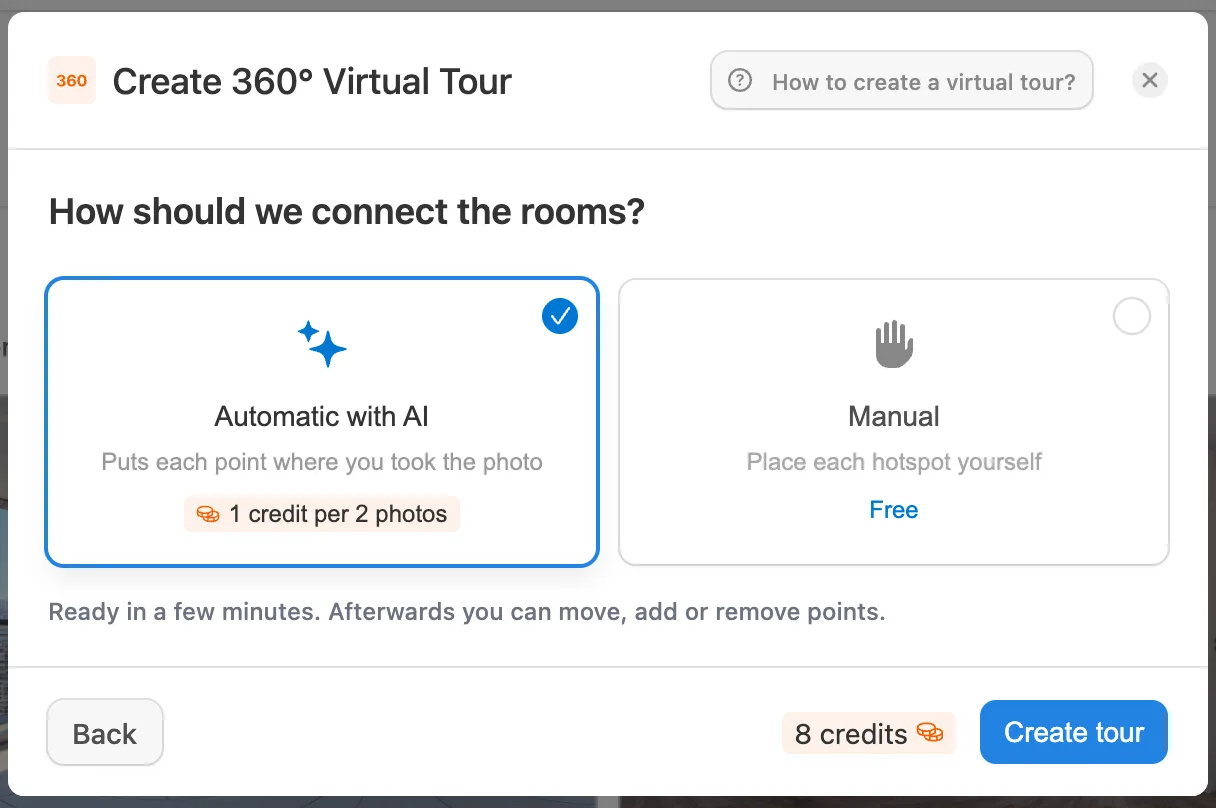
3. Pedra links the rooms. For each photo, the AI finds the openings you can walk through and which room is on the other side. It drops links to rooms seen through the same door (you go to the nearest one), adds the way back, and makes sure no room is left without a way in or out.
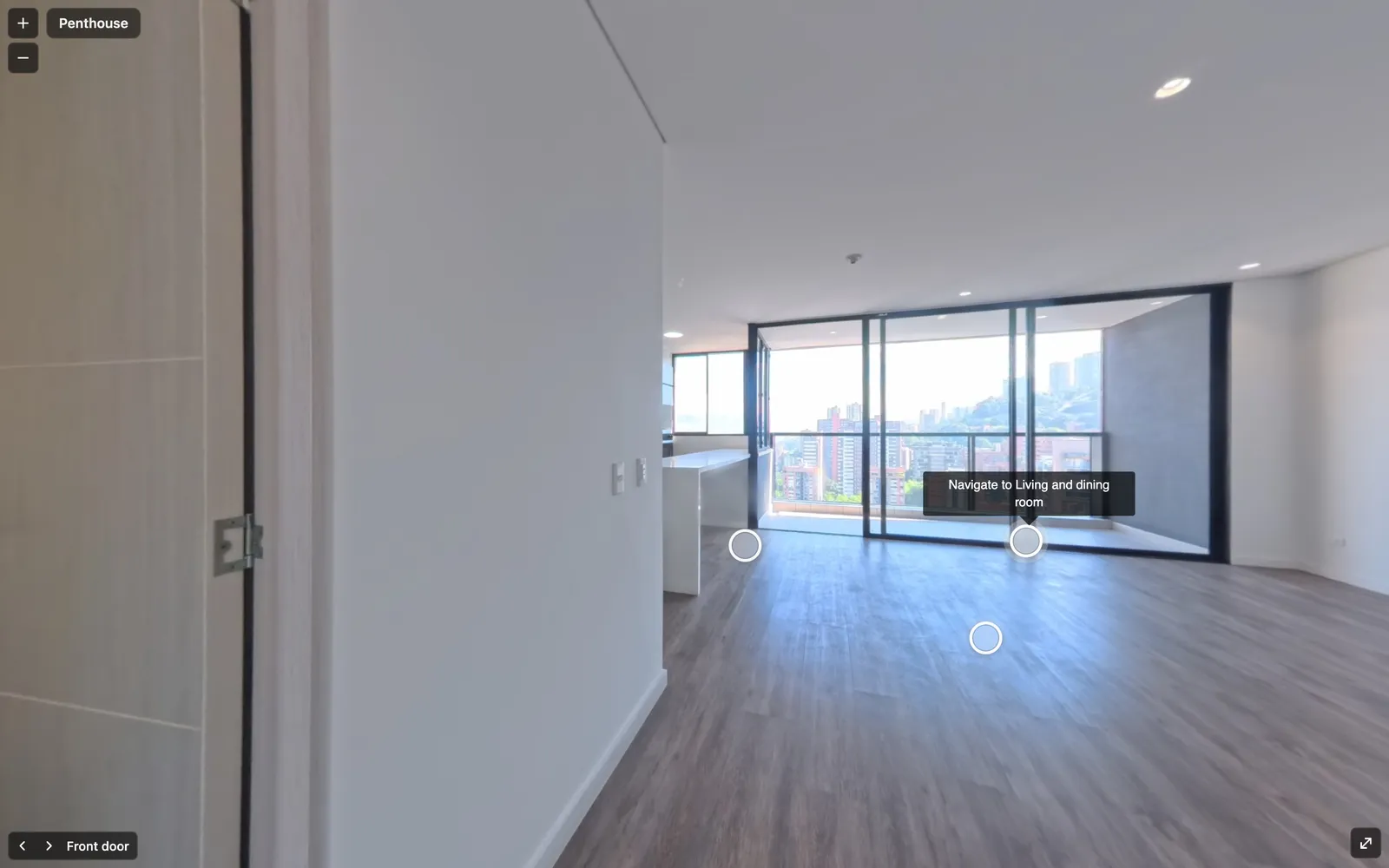
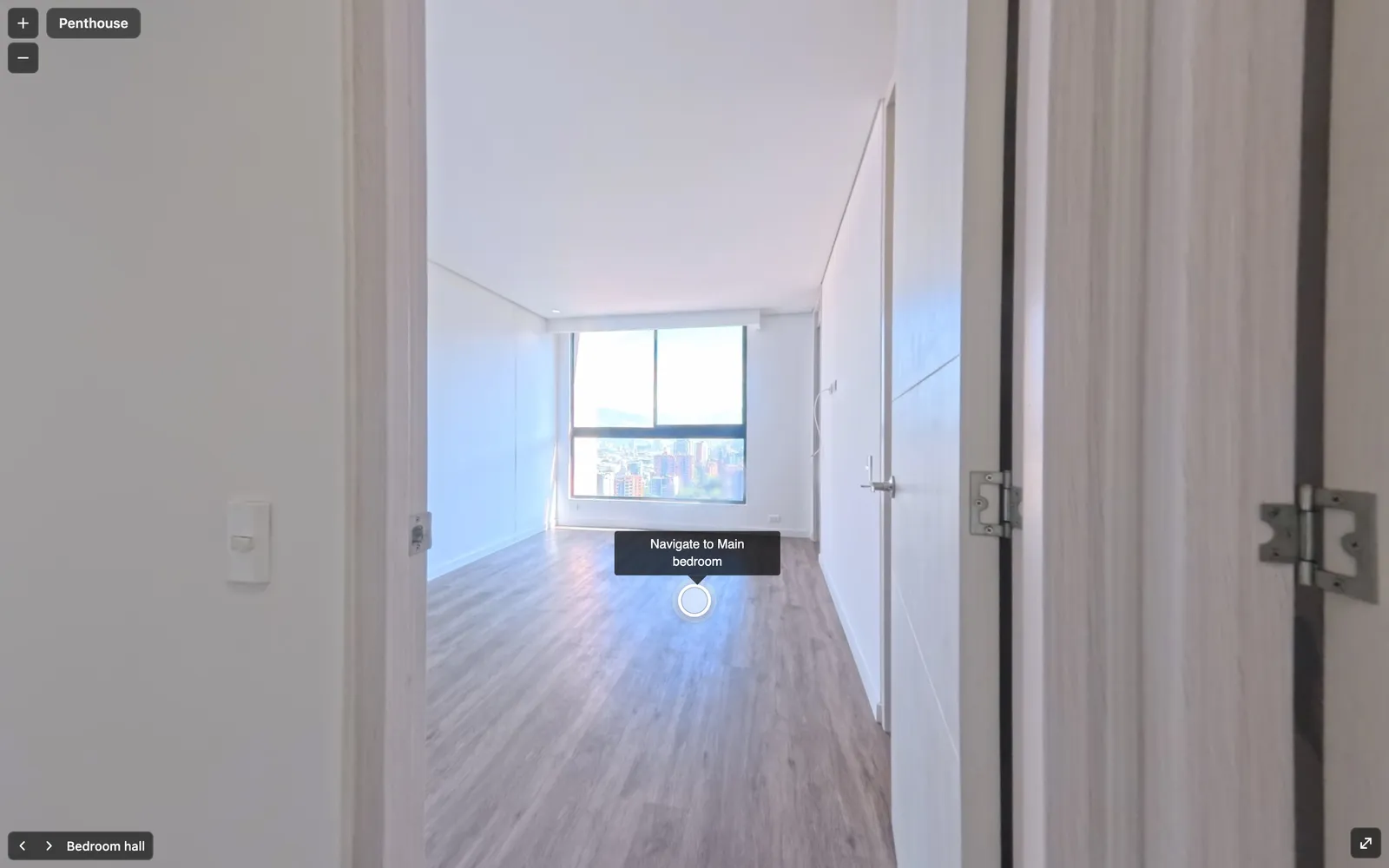
The points land where you'd expect them: on the floor, in the doorway.
A real example
We ran it on the 15 rooms of the penthouse from our virtual tour examples, uploaded in alphabetical order rather than walking order. The AI made 20 connections between rooms, every room was reachable, and the whole tour cost 8 credits.
Good to know
- Order doesn't matter up to 15 photos. The AI compares every photo with every other one. For bigger tours it compares each photo with the ones shot around it, so upload them roughly in walking order.
- You stay in control. Move, add or delete points afterwards, for free.
- Manual linking is still free if you prefer to place every point yourself.
- Same engine in the API. Smart linking through the API or MCP gives the same result.
Try it
Open a property in Pedra, go to Virtual tour, upload your 360 photos and choose Automatic with AI. No 360 camera? The Pedra app takes the 360 photos with your phone.
Step by step guide: how to create a 360 virtual tour.
