
How to Download the Photos From a Property Listing
Download every photo from your Idealista, ImmoScout24 or website listing at full size, and remove the portal's watermark in one click. Step by step.
To download the photos from a property listing, paste the listing link in Pedra. Pedra imports every photo at full size in 1 to 3 minutes. If the portal stamped its logo on them, like Idealista does, remove it in one click. Then select the photos and download them.
It works with Idealista, Fotocasa, pisos.com, ImmoScout24, Immowelt, Immobiliare.it and most agency websites. This guide shows every step, with screenshots.
Step 1: Paste the listing link
In Pedra, click New property. In Photos, click Import from a listing link, paste the link of your listing and click Import.
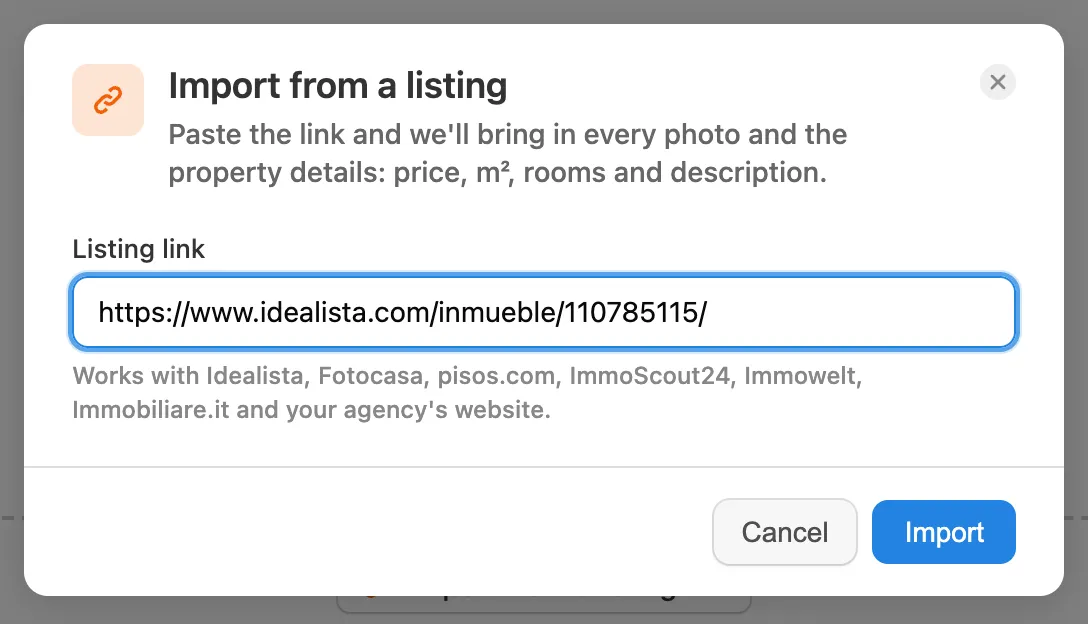
Pedra reads the listing in the background, so you can keep working. Every photo comes in at full size, with the price, m² and description.
Step 2: Select the photos
Tick the first photo, then the box in the bar at the bottom to select all of them. Open Edit with AI and click Remove watermark. It costs 1 credit per photo and takes about 10 seconds each.
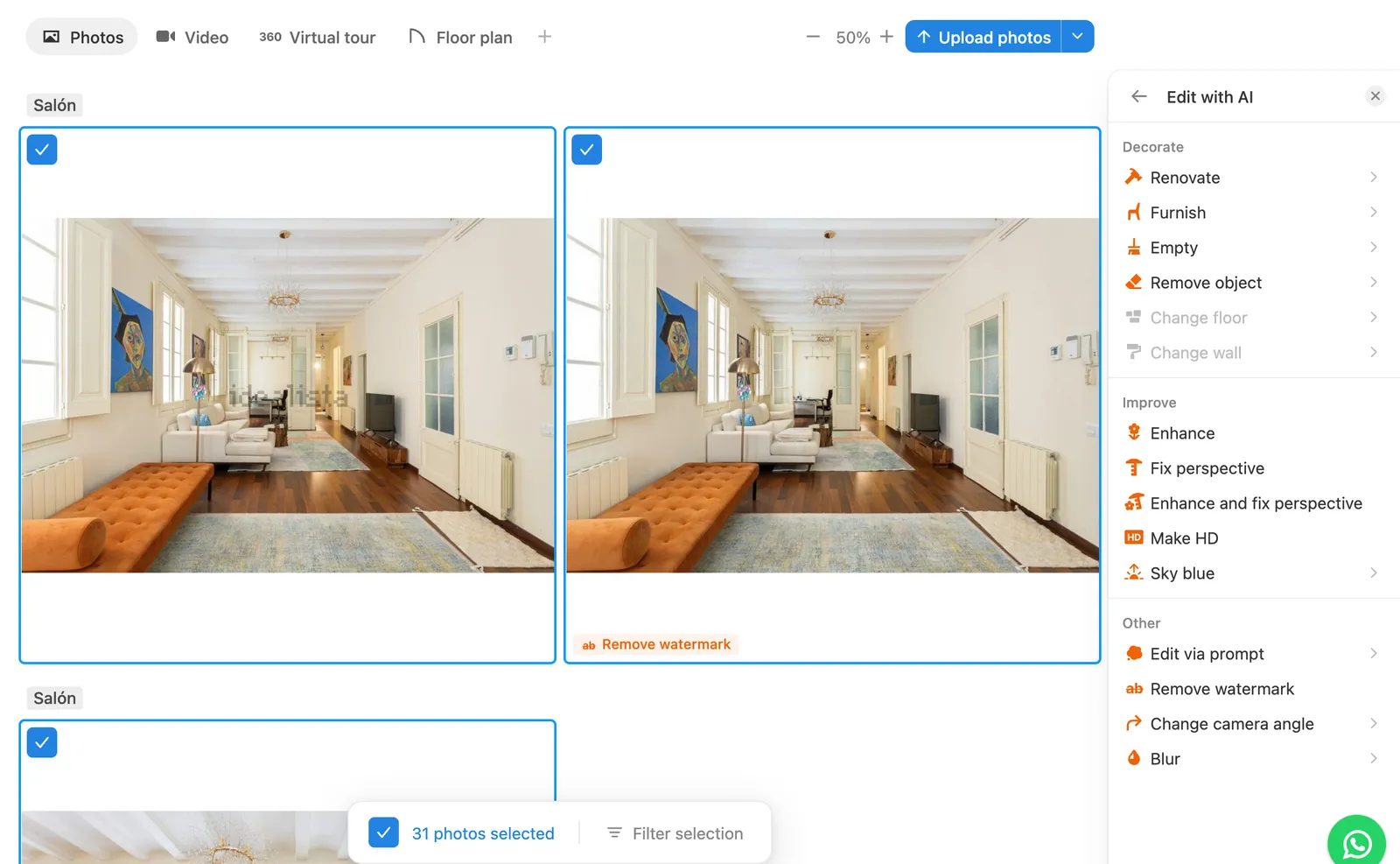
If the portal doesn't add a logo, skip this step and go straight to Step 4.
Step 3: Check the clean photos
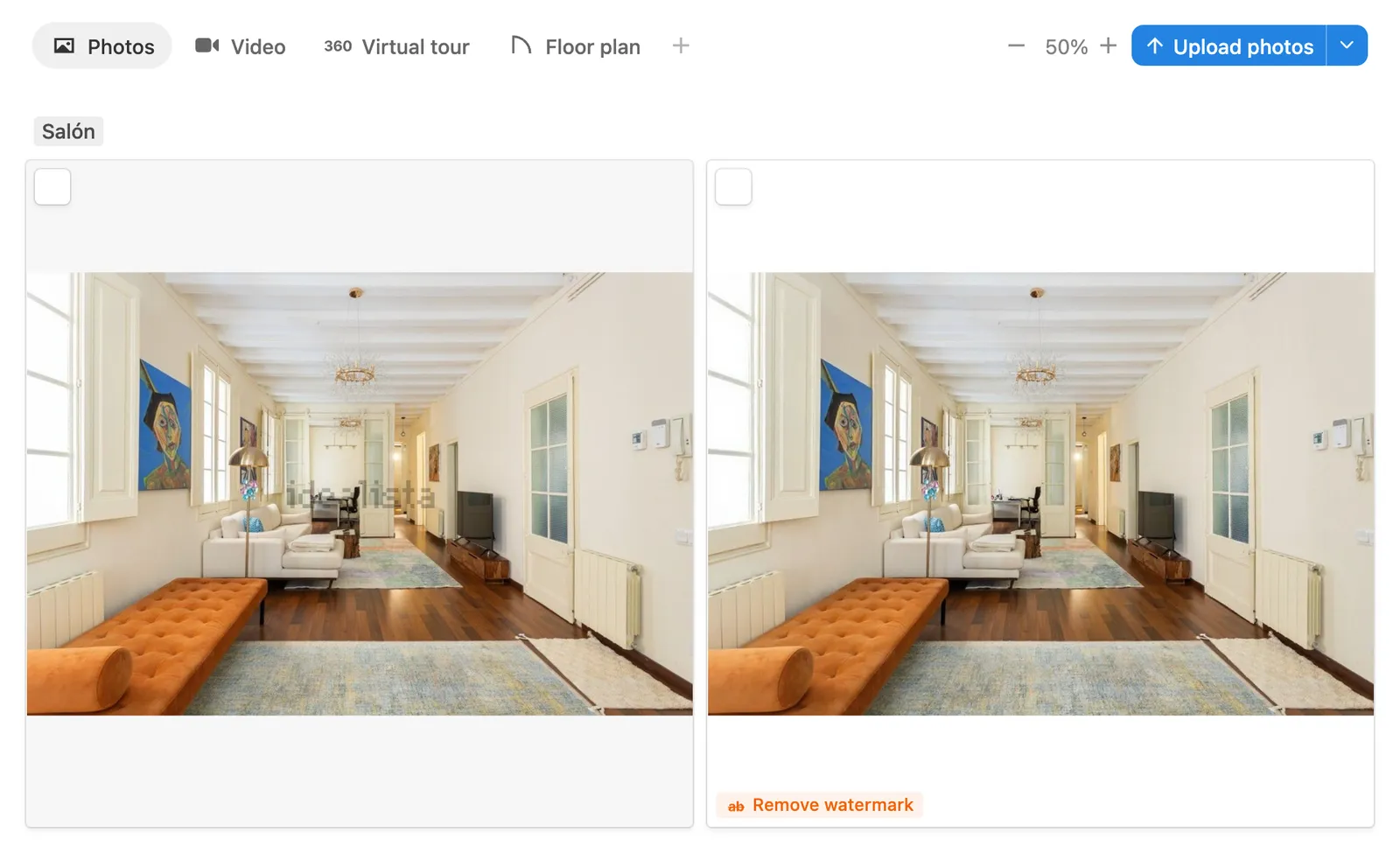
Each clean photo appears next to its original, tagged Remove watermark. The logo is gone and nothing else changes.
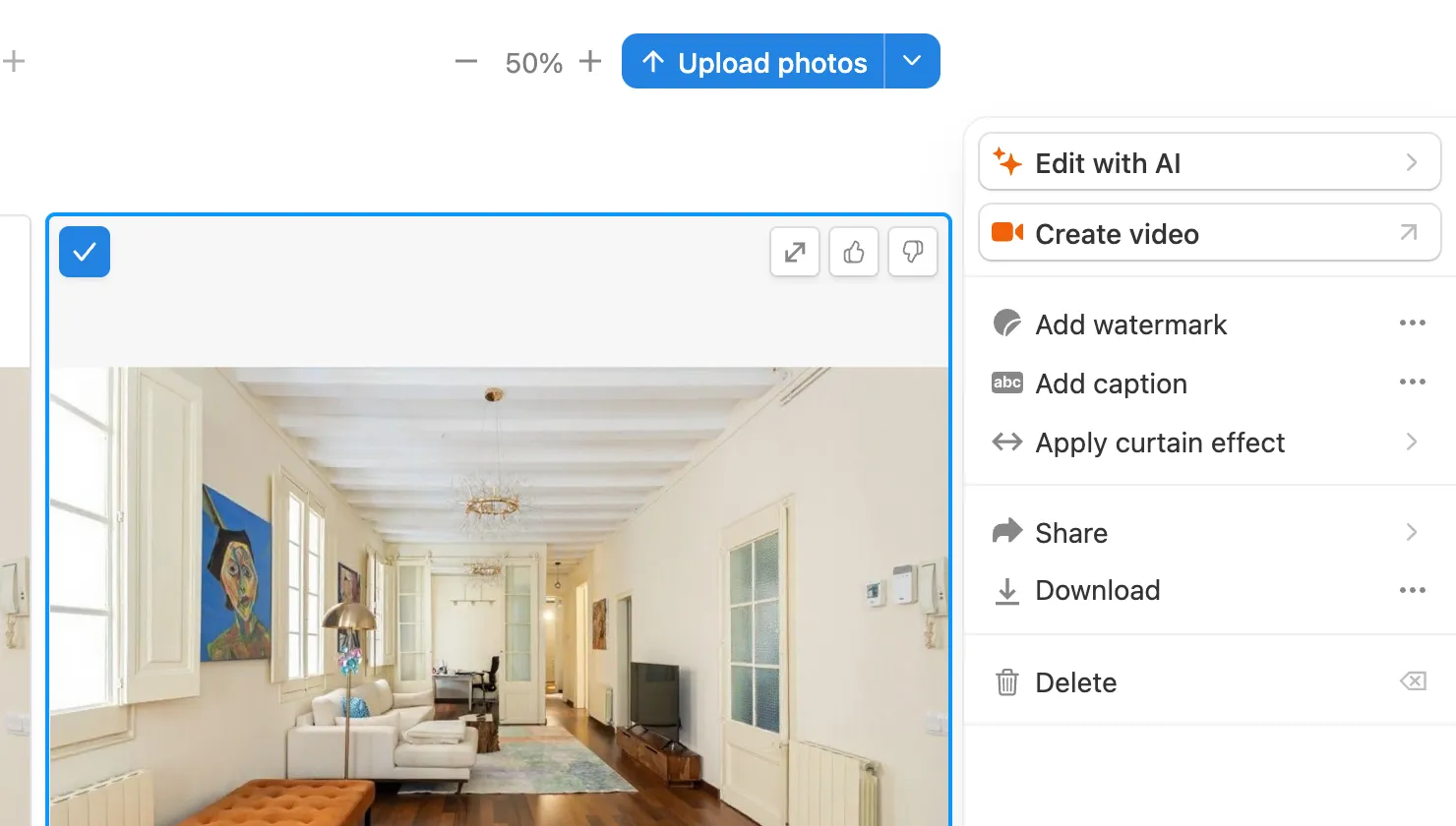
Step 4: Download
Select the clean photos and click Download in the panel on the right. Choose the format you need.
What else you can do with them
The photos are now in a property in Pedra, ready to use:
- Make a video with the price and m² already filled in: how to create a video from an Idealista or Fotocasa link.
- Stage or renovate the empty or dated rooms: how to furnish virtually.
- More on watermarks: 1-click watermark removal for real estate photos.
