
How to Automate Real Estate Social Media Posts
How to automate real estate social media posts: paste your website and Pedra plans a month of Instagram, Facebook and TikTok posts. Step by step.
To automate your real estate social media posts, paste your agency website into Pedra. Pedra reads your brand, your listings and your area, then designs and schedules a whole month of posts for Instagram, Facebook and TikTok. Setup takes about five minutes, in four steps.
This guide shows every step, with screenshots.
What you need
- Your website, or your page on your agency's website.
- At least one account to post to: Instagram, Facebook or TikTok.
- About five minutes.
Step 1: Paste your website
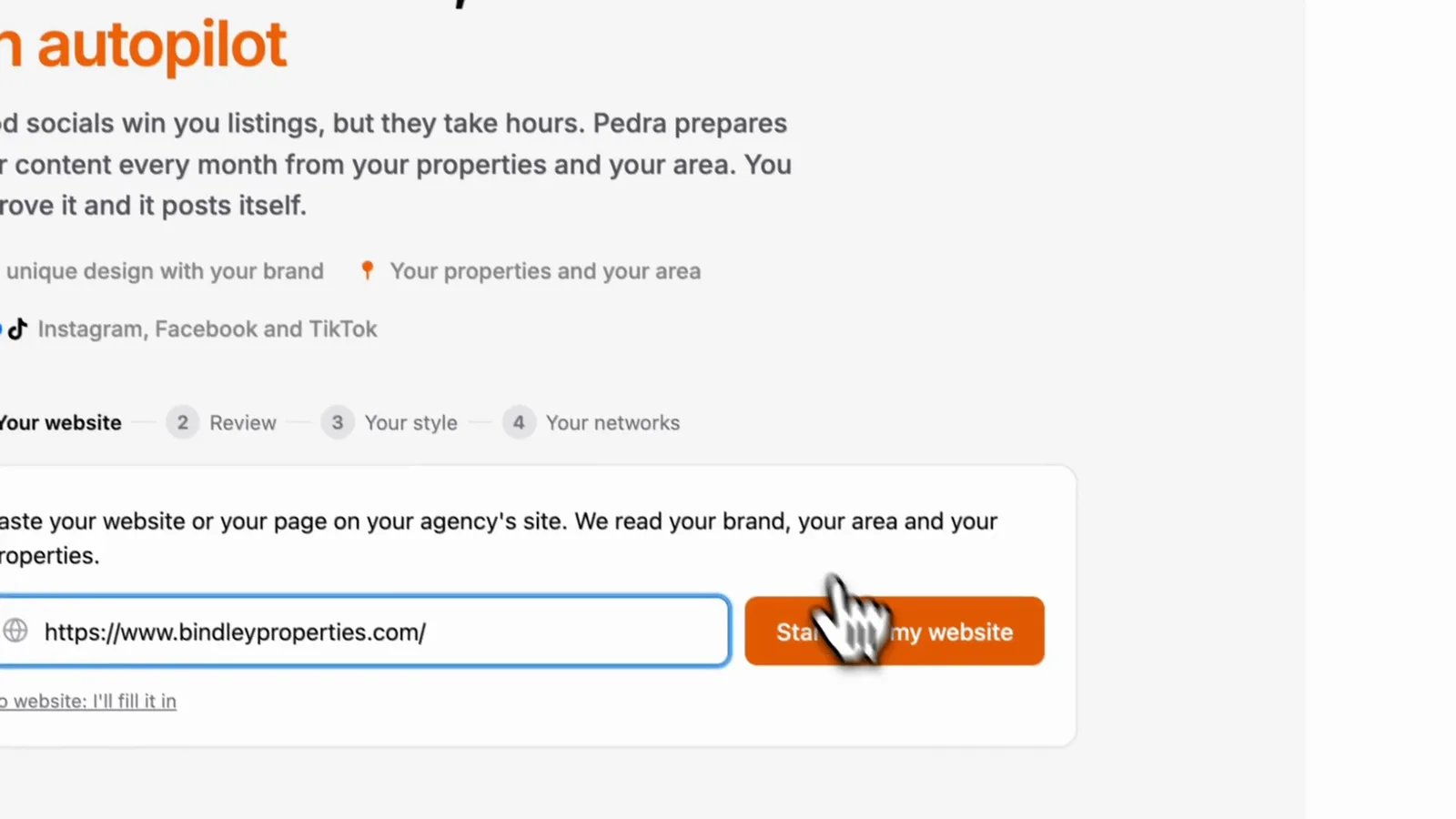
In Pedra, open the Socials tab, next to Properties. Paste your website and click Start with my website.
Pedra opens the site, reads the content, finds your listings and works out who you're targeting. No website? Click the link under the field and fill it in by hand.
Step 2: Review what Pedra found
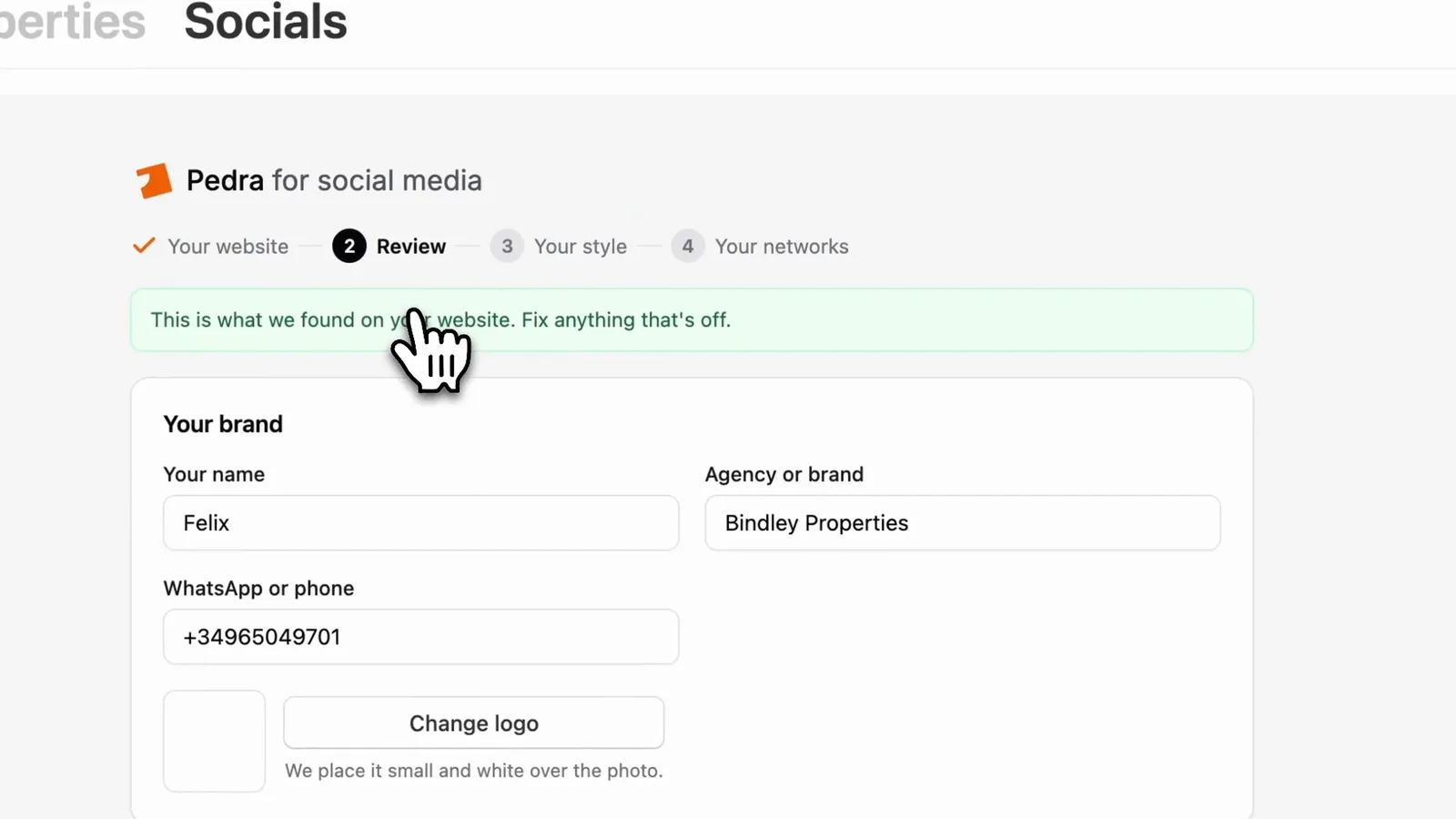
Pedra shows what it picked up. Fix anything that's off:
- Your brand: your name, agency, phone number and logo. The logo goes small and white over the photo.
- Your area: the towns or neighbourhoods you work in. Area posts use real photos of those places.
- What you want: sell your listings, win new sellers, or both.
- Your listings: what you have for sale, and what you sold or reserved recently. They load in one by one.
- Posting: 2, 3 or 5 posts a week, and the date of the first one.
Under More options you choose the caption language, who your posts talk to, the time, whether you appear in your posts, and anything else Pedra should know.
Step 3: Pick a style
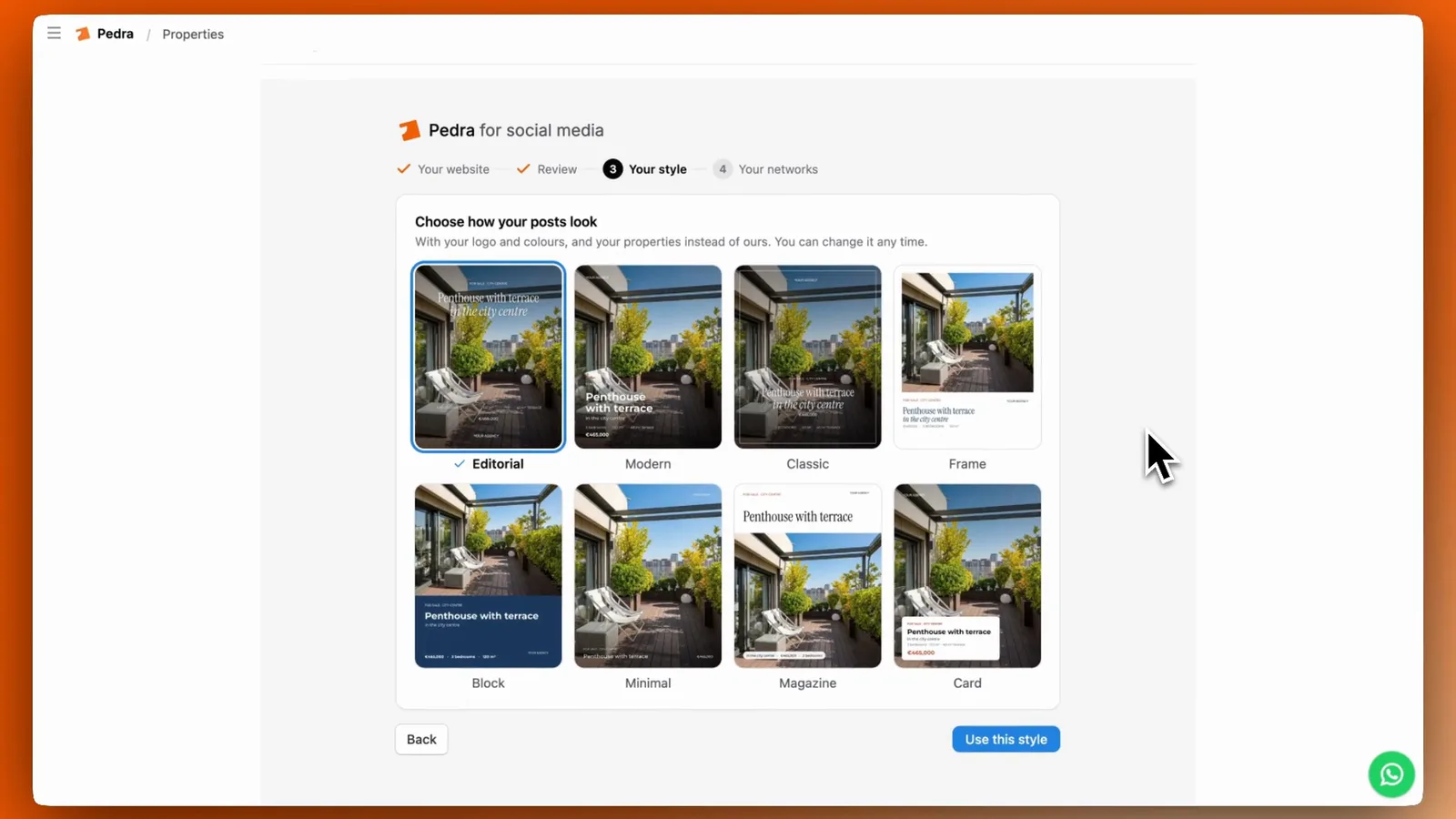
Click See my posts and choose how your posts look. The designs already use your logo, your colours and your own listings, not sample photos. You can change the style at any time.
Step 4: Connect your accounts
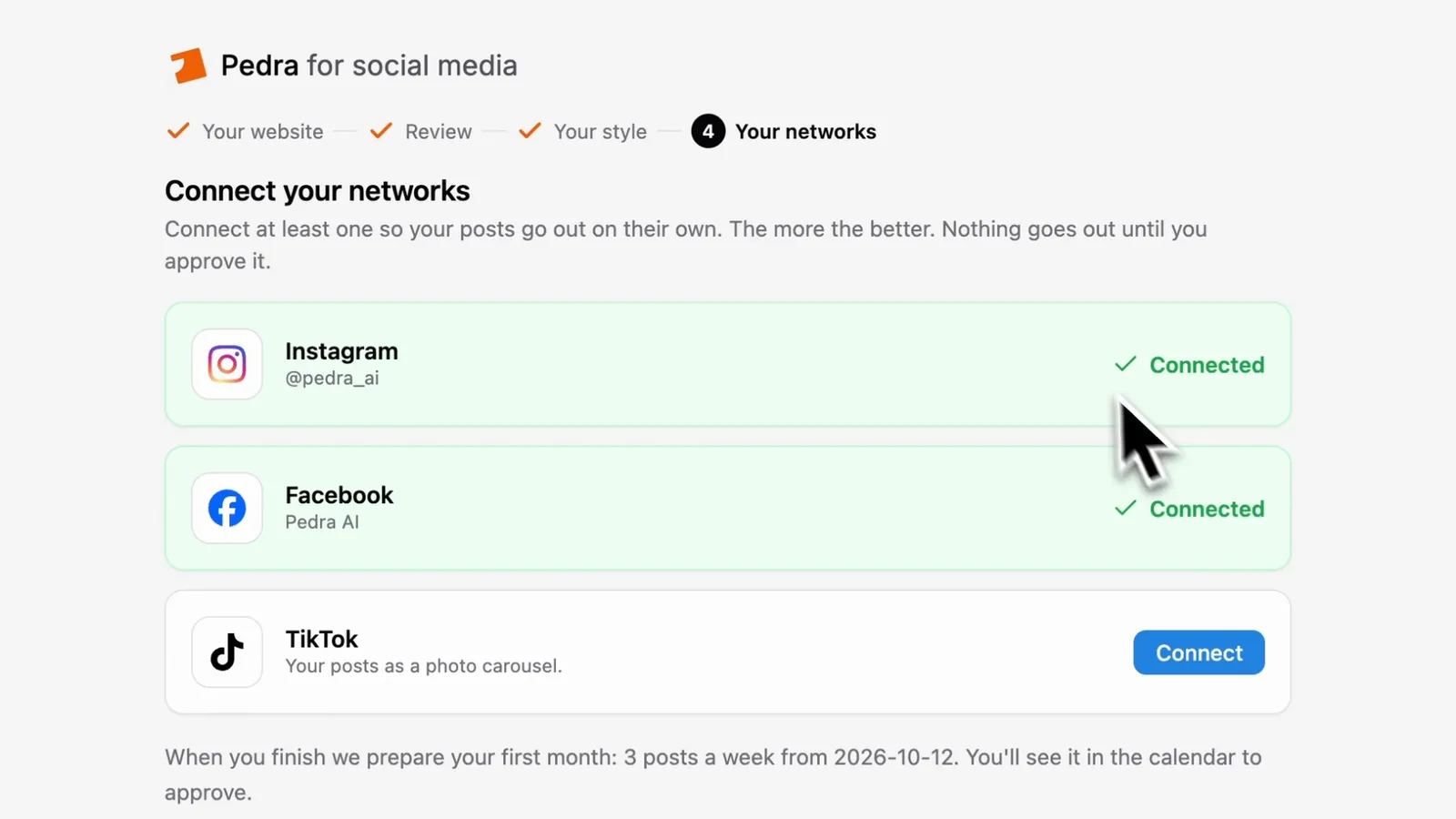
Connect Instagram, Facebook and TikTok. You need at least one. Then click Create my first month.
Your month gets made
Pedra plans the month and designs each post, one by one. You can close the page: Pedra emails you when everything is ready.
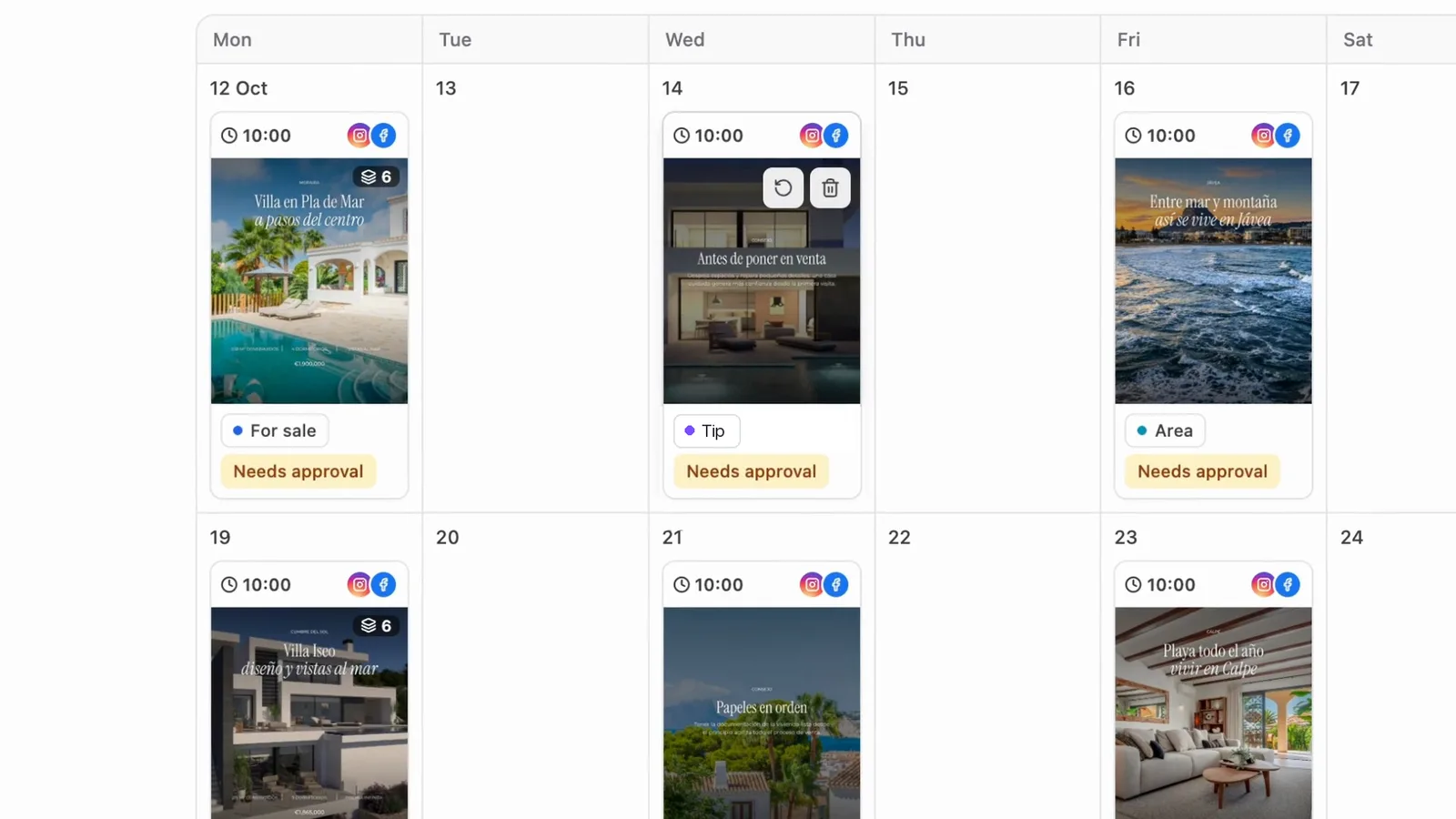
The month mixes three kinds of posts:
- Listings, with the photos, price and description from your website, often as a carousel.
- Area tips about the places you work in, which show up for people interested in that area and help you win sellers.
- Posts about your agency.
Open any post to change the text, the date or the design, or to add your own photo.
Approve it, or put it on autopilot
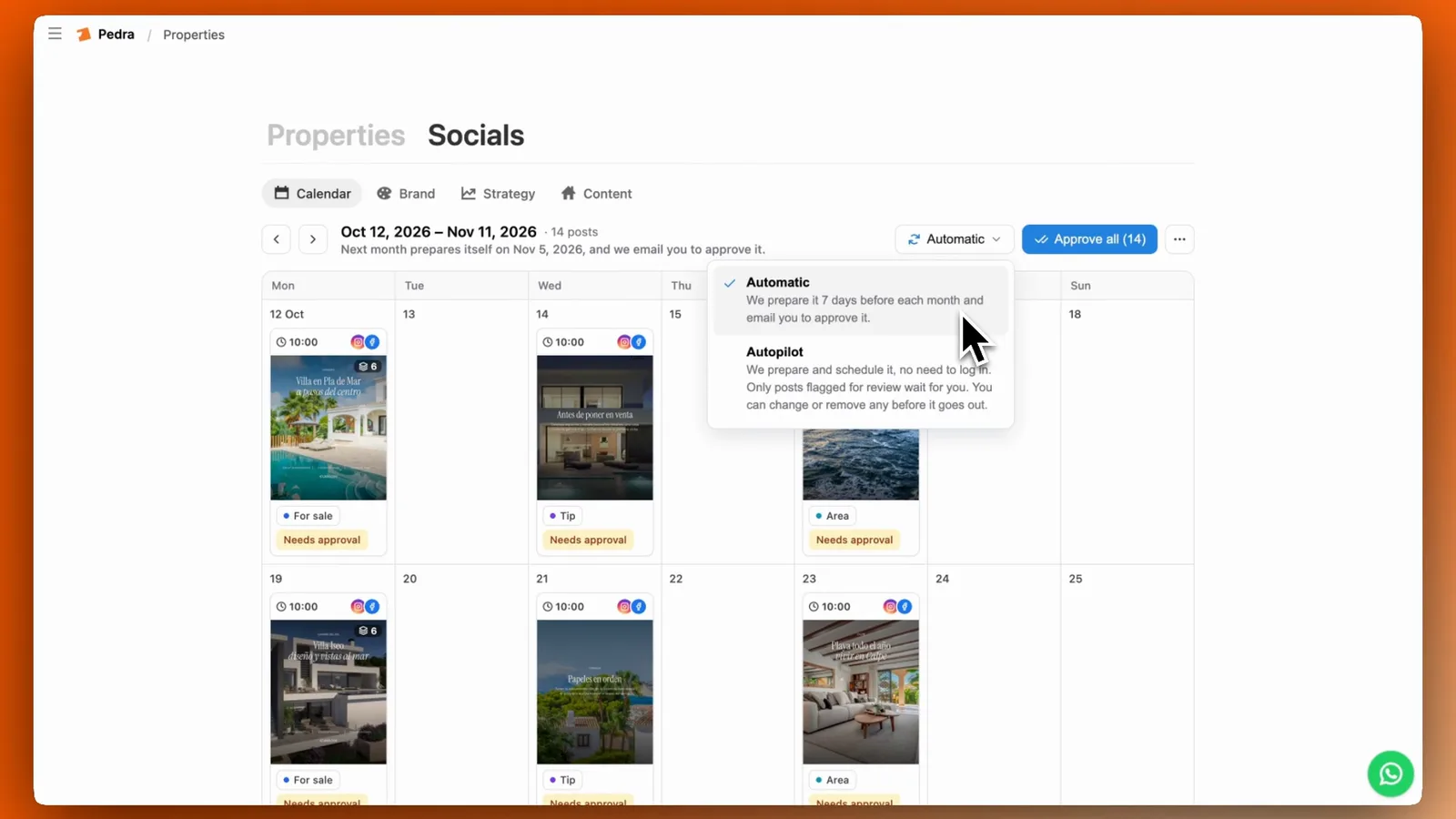
When you're happy, click Approve all. Each post then goes out on its day. You can try it for 3 days for 1 euro, then it's 49 euros plus VAT a month.
From then on, choose how each month works:
- Automatic: Pedra prepares the month and emails you to review and approve it.
- Autopilot: Pedra prepares and publishes the month without asking.
Your listings stay in sync with your website, so a sold property is marked as sold.
